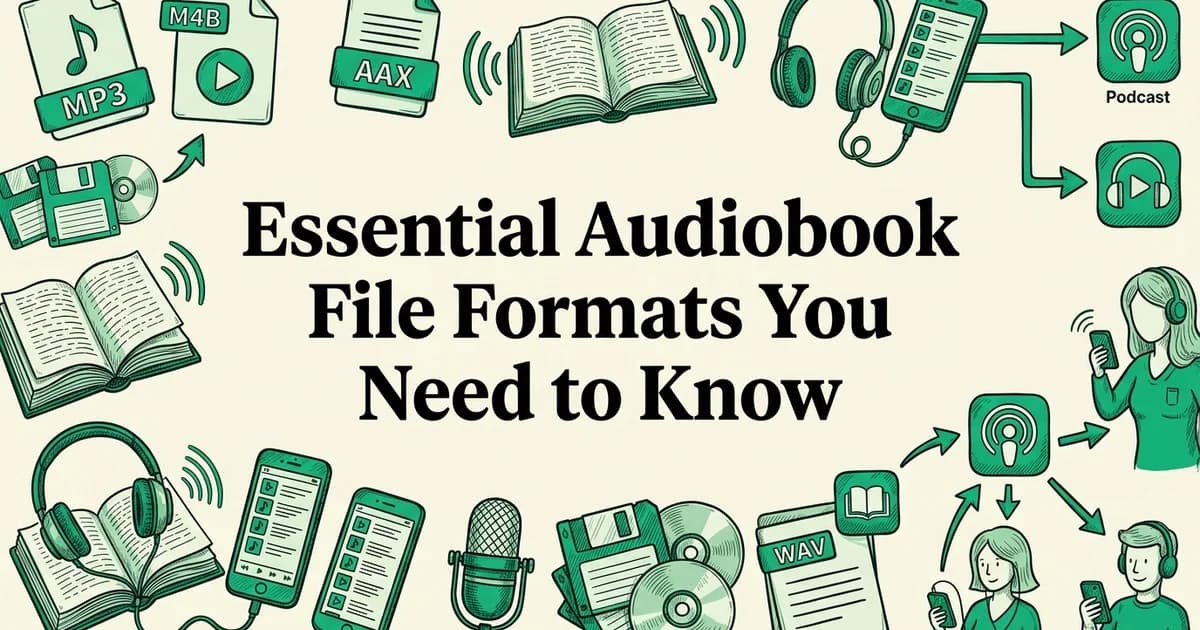
Essential Audiobook File Formats You Need to Know
- Basic understanding of digital audio files and file extensions
- Access to your source material (EPUB ebook, manuscript, or text file)
- A computer with audio editing software or access to an AI audiobook generator
- Familiarity with your target distribution platforms (Audible, Apple Books, or direct sales)
Introduction: Why audiobook file formats matter
Choosing the wrong audiobook file format can quietly sabotage your distribution strategy before a single listener ever presses play. The format you select determines which platforms will accept your files, which devices can play them, and ultimately how many listeners you can reach.
Format choice shapes your distribution reach
Every major audiobook platform has its own technical requirements, and many actively prefer or mandate specific formats. Audible, the industry's dominant retailer, uses its proprietary AAX format exclusively for delivery. According to WordsRated, Audible controls between 63 and 70% of downloadable audiobook sales, meaning any author ignoring its format requirements is locked out of the largest slice of the market. Apple Books defaults to AAC/M4A, with roughly 80% adoption across Apple platforms. Meanwhile, MP3 holds a 65% share across the broader audiobook ecosystem, making it the most universally compatible option for wide distribution.
Why format decisions affect royalties and audience size
Platform exclusivity often comes with trade-offs. Distributing through Audible's ACX program in an exclusive arrangement can unlock higher royalty rates, but it restricts you to a single storefront. Choosing open formats like MP3 allows simultaneous distribution across Spotify, Google Play Books, Kobo, and dozens of independent retailers, widening your potential audience considerably.
At AudiobookGen, our analysis shows that independent authors consistently underestimate how early format decisions compound over time, affecting everything from production workflow to long-term revenue. Tools like the AudiobookGen AI Audiobook Generator output standard MP3 files by default, which keeps your distribution options open from the very first export.
Understanding these trade-offs before you produce a single chapter will save you significant time, money, and frustration.
What you'll need before choosing an audiobook format
Before you evaluate any specific audiobook file format, gather the right information about your project. The decisions you make here will directly shape which formats are viable, which platforms you can reach, and how much technical work lies ahead.
Identify your source material
Start by confirming what you actually have. The format of your source file determines which production paths are open to you:
- EPUB files offer the most flexibility. AudiobookGen accepts EPUB uploads directly, automatically extracts chapters, and converts the text into narrated MP3 files using AI voices. According to Google Play Books Partner Center, EPUB is also the required source format for auto-narrated audiobooks on Google Play Books.
- Manuscripts and Word documents typically need conversion to EPUB or plain text before any audiobook tool can process them reliably.
- PDFs can work with dedicated converters, though formatting inconsistencies sometimes require manual cleanup before production.
Determine your target distribution platforms
Each major platform has its own format requirements and submission standards:
- Audible (ACX): Requires MP3 files meeting specific bitrate and loudness specifications
- Apple Books: Accepts M4B and M4A files, with AAC encoding preferred
- Google Play Books: Requires EPUB source files for its auto-narration pipeline
- Direct sales: Gives you full control, making open formats like MP3 the practical default
Knowing your destination platforms before production prevents costly re-encoding later. If you plan to distribute across multiple storefronts, check our guide to audiobook apps that actually deliver results for a clearer picture of listener expectations on each platform.
Assess your tools and technical capabilities
Be honest about what you can realistically manage. If you have no audio engineering background, tools like AudiobookGen remove the technical barrier entirely. No recording equipment, no studio, and no post-production expertise are required. You upload your EPUB, choose from six AI voices, set your preferred speed, and download a finished MP3.
Understand DRM and royalty implications
DRM (Digital Rights Management) is copy-protection technology that restricts how listeners use downloaded files. Audible's proprietary AA and AAX formats carry DRM by default, which locks listeners to Audible's ecosystem. Open formats like MP3 carry no built-in DRM, giving buyers more flexibility but requiring you to consider piracy risk. Royalty structures also vary: exclusive Audible distribution through ACX offers higher royalty rates but limits your reach elsewhere. Weigh these trade-offs carefully before committing to a format strategy.
Step 1: Understand the four primary audiobook file formats
Before you can make smart distribution decisions, you need a clear picture of what each major audiobook file format actually does. The four formats you will encounter most often are MP3, M4B, AAX, and WAV. Each serves a distinct purpose in the production and delivery pipeline, and choosing the wrong one for the wrong context can cost you time, money, and listener reach.
Learn MP3 basics
MP3 is the most universally compatible audiobook format, accounting for over 65% of all downloadable digital audio files. It offers excellent compression, broad device support, and works across virtually every platform. MP3 files are smaller, making them ideal for listeners with limited storage or slower internet connections.
Understand M4B format
M4B is an MPEG-4 audio container that preserves bookmarking and chapter information, making it the preferred format for Apple Books and many dedicated audiobook apps. Over 80% of audio sold on Apple's platforms uses AAC encoding in an M4A/M4B container. This format is essential if you want native chapter navigation on Apple devices.
Explore AAX proprietary format
AAX is Audible's proprietary format that powers an estimated 63–70% of global downloadable audiobook sales. It includes digital rights management (DRM) protection and is the only format Audible accepts for direct distribution. If Audible is your primary distribution channel, AAX is non-negotiable.
Consider WAV and FLAC for archival
WAV and FLAC are lossless formats that preserve complete audio quality without compression. While they create larger files unsuitable for consumer distribution, they serve as master copies for your audiobook archive. Keep a WAV or FLAC version as your permanent backup before converting to distribution formats.
MP3: the universal standard
MP3 is the most widely used compressed audio format in the world. According to Fraunhofer IIS, MP3 accounts for over 65% of downloadable digital audio files globally, and roughly 70% of AI audiobook generators export MP3 as their primary output format. Its appeal is straightforward: virtually every device, app, and platform plays MP3 files without issue. There is no built-in DRM, which means listeners can use their files freely across devices. For independent authors and self-publishers, MP3 is typically the safest default choice for wide distribution.
Tools like AudiobookGen export finished audiobooks directly as high-quality MP3 files, which means your output is immediately ready for most distribution platforms without any additional conversion step.
M4B: Apple's chapter-aware format
M4B is Apple's preferred audiobook container format, built on the AAC audio codec. It supports embedded chapter markers, cover art, and bookmarking so listeners can resume exactly where they left off. M4B is the standard format for Apple Books distribution and plays natively on all Apple devices. It is also DRM-capable, meaning Apple can apply its FairPlay protection layer when distributing through its storefront. If Apple Books is a key channel for you, M4B is the format to target.
AAX: Audible's proprietary ecosystem
AAX is Audible's encrypted audiobook format, and it dominates the market. According to WordsRated, Audible controls between 63% and 70% of the audiobook market, and AAX powers the vast majority of its catalog. You cannot create AAX files yourself. Instead, you upload WAV or MP3 masters through ACX (Audiobook Creation Exchange), and Audible handles the conversion and DRM encoding on its end. If Audible download issues arise for your listeners, they almost always trace back to AAX's DRM restrictions.
WAV: the uncompressed master format
WAV files are uncompressed, which means they capture audio at the highest possible quality with no data discarded during encoding. ACX requires WAV file submissions that meet specific technical standards before converting them to AAX for distribution. The trade-off is file size: a single hour of WAV audio can exceed 600 MB, making WAV impractical for direct distribution but essential as your production master. Always keep your WAV masters archived, even after exporting to compressed formats.
Step 2: Match your format to your distribution platform
Each major audiobook platform has its own preferred format, and submitting the wrong file type can delay your release or trigger rejection. Knowing which format each platform expects before you begin production saves significant rework later.
Prepare MP3 for wide distribution
Submit MP3 files to platforms that accept multiple formats, including Google Play Books, Findaway Voices, Draft2Digital, and most indie distribution aggregators. MP3's universal compatibility makes it the safest choice when you're unsure about platform requirements.
Generate M4B for Apple Books
Apple Books requires M4B format with proper metadata and chapter markers. If you're using AudiobookGen or similar AI audiobook generators, ensure your export settings produce M4B output with embedded chapter information for optimal user experience on Apple devices.
Create AAX for Audible distribution
Audible accepts AAX files exclusively for direct uploads through ACX (Audible Creation Exchange) or KDP. If you're publishing through Amazon's KDP Virtual Voice program, the platform automatically converts your EPUB to Audible-compatible audiobooks without requiring AAX file creation on your end.
Submit EPUB source files to Google Play
Google Play Books requires EPUB as the source format for its auto-narrated audiobooks program—100% of auto-narrated audiobooks must be generated from an EPUB ebook file. This is the only platform where the source ebook format, not the audio format, determines eligibility.
Audible and ACX: submit WAV, distribute as AAX
Audible is the dominant force in audiobook retail. According to WordsRated, AAX is the single largest proprietary audiobook format on the market, which reflects just how much of the listener base lives inside the Audible ecosystem. When you submit through ACX (Audiobook Creation Exchange), you upload WAV files meeting their technical requirements: 192 kbps mono encoding, a sample rate of 44.1 kHz, and consistent room tone. ACX then converts your files to AAX for distribution. Your job is to deliver clean WAV masters; the platform handles the rest.
If you want to understand how listeners actually access those finished files, the guide to getting audiobooks from the Audible app walks through the listener experience from purchase to playback.
Apple Books: use M4B with chapter markers
Apple Books expects M4B files, which are essentially AAC audio wrapped in a container that supports embedded chapter markers and metadata. Chapters allow listeners to navigate your audiobook the way a reader would flip to a specific section. Without properly structured chapter markers, your audiobook loses a key usability feature that Apple's platform is built to support. Embed your title, author name, and cover art directly into the file metadata before submission.
Google Play Books: provide an EPUB source file
Google Play Books takes a different approach entirely. Rather than accepting a finished audio file, the platform uses your EPUB source file to generate auto-narrated audio through its own text-to-speech pipeline. This means your formatting and text quality matter as much as any audio production decision. Google Play pays a 52% revenue share on auto-narrated audiobooks, making it an accessible entry point for independent authors.
Direct sales and indie distribution: choose MP3
For selling directly to readers or distributing through aggregators without platform-specific restrictions, MP3 is the practical choice. It plays on virtually every device, requires no proprietary app, and carries no DRM limitations, giving your audience frictionless access.
If you are producing your audiobook from an EPUB file, AudiobookGen automatically extracts chapters and outputs a high-quality MP3, which maps directly to this indie distribution workflow without any manual format conversion.
Step 3: Export your audiobook in the correct technical specifications
Choosing the right format is only half the job. Your audio file must also meet precise technical standards before any major platform will accept it. Getting these specifications right from the start saves you from rejection cycles and costly re-exports later.
Understand ACX-compliant audio specs
ACX (Audiobook Creation Exchange, the submission portal for Audible and Amazon) publishes the most widely referenced technical requirements in the industry, and most other platforms follow similar benchmarks. Meeting these standards is non-negotiable for professional distribution:
- Bitrate: Constant bitrate (CBR) at 192 kbps for MP3 files
- Sample rate: 44.1 kHz is the standard for audiobook-quality output
- RMS (Root Mean Square) loudness: Between -23 dB and -18 dB RMS per file
- Peak levels: No peak above -3 dB
- Noise floor: Below -60 dB RMS to eliminate background hiss or room noise
- Channel format: Mono is required by ACX; stereo files will be rejected
These figures are not arbitrary. They ensure consistent playback volume across a listener's entire library, regardless of device.
Choose mono vs. stereo based on platform needs
Mono is the correct choice for nearly all audiobook distribution. It cuts file size roughly in half compared to stereo, reduces upload time, and meets ACX requirements directly. Stereo is occasionally appropriate for enhanced audiobooks with music or sound design, but check each platform's guidelines before assuming it is acceptable.
Use the right tools to hit these specs
Professional digital audio workstations like Adobe Audition or Audacity include loudness meters and export presets that help you target these values precisely. AI tools increasingly enforce technical specs similar to ACX requirements automatically, removing guesswork from the process.
According to Narakeet, their platform supports MP3, WAV, and M4A exports, giving creators flexibility depending on their downstream workflow. Research also suggests that over 70% of AI audiobook tools default to MP3 output, reflecting how thoroughly the format dominates practical production.
If you are using AudiobookGen, the platform outputs high-quality MP3 files directly, with both standard and HD quality options available at download. Selecting HD quality gives you the headroom to verify loudness levels before final submission, particularly useful if you plan to distribute across multiple platforms with slightly different tolerances.
Step 4: Convert or generate your audiobook file
Once your technical specifications are locked in, you need to actually produce the audio. You have three practical routes available, each suited to different budgets, timelines, and quality expectations. Choosing the right method depends on how quickly you need to publish and how much production control you want to retain.
Use AI audiobook generators for speed and cost
AI text-to-speech tools like AudiobookGen convert EPUB files directly to MP3, M4A, or WAV formats in minutes. Upload your EPUB, select an AI voice, adjust narration speed, and download the final audio file. This route costs $0–$50 per title and takes hours instead of weeks, making it ideal for indie authors with tight budgets.
Hire professional narrators for premium quality
Professional voice actors produce the highest-quality audiobooks but require $2,000–$10,000+ per finished hour depending on experience and rights. This route takes 4–12 weeks but delivers audiobooks that compete with traditional publishing quality. Use ACX (Audible Creation Exchange) to find narrators and manage the production process.
Self-narrate if you have recording equipment
Record your own narration using a USB microphone ($50–$200), free recording software like Audacity, and basic editing skills. This approach costs minimal money but requires significant time investment (typically 20–40 hours for a 10-hour audiobook) and produces variable quality depending on your recording environment and voice talent.

Option A: Use an AI audiobook generator
Upload your EPUB or text file to an AI tool, select a voice, and download a finished audio file in minutes. Research suggests that roughly 70% of AI audiobook generators export MP3 as their primary or only format, making it the safe default for most workflows. According to Narakeet, users can download finished audiobooks as MP3, WAV, or M4A, giving you flexibility if a downstream platform requires a lossless master.
AudiobookGen follows a similar streamlined process. Upload your EPUB file, choose from six natural-sounding AI voices including Charon, Aoede, or Puck, then adjust playback speed to suit your audience. AudiobookGen automatically extracts and formats chapters, so you receive a structured MP3 rather than a single undivided audio block. Select HD quality at the download stage if you anticipate distributing across multiple platforms with different loudness tolerances.
Option B: Record with a narrator and edit in a DAW
Hire a professional narrator and record in a treated space, then edit in a digital audio workstation (DAW, meaning software like Adobe Audition or Reaper that handles multi-track audio editing). Export a WAV master first, then encode to MP3 for distribution. This route produces the highest quality ceiling but also the longest timeline and greatest cost.
Option C: Use platform-specific auto-narration
Several major platforms handle conversion automatically. According to Google Play Books Partner Center, auto-narrated audiobooks require an EPUB source file uploaded directly through the partner portal. Amazon KDP Virtual Voice similarly converts eligible ebooks without any audio file submission from the author.
Keep in mind that platform auto-narration removes your control over voice selection, pacing, and output format entirely.
Step 5: Create platform-specific versions for maximum reach
Once your audiobook file is generated, distributing it widely means adapting it to the requirements of each platform. A single master file rarely fits every channel. Indie authors increasingly maintain parallel format libraries, using proprietary formats for major stores and DRM-free MP3 for direct sales.
Keep a DRM-free MP3 master for indie channels
Start by preserving your original MP3 output as a permanent, unencumbered master file. This version powers your direct sales through your own website, Patreon membership tiers, and email list delivery. If you used AudiobookGen to produce your audiobook, your download arrives as a high-quality MP3 already suited for this purpose. Store this file separately before converting it into any platform-specific format.
Convert to M4B for Apple Books distribution
Apple Books requires the M4B audiobook container format, which supports embedded chapter markers, cover art, and bookmarking. Use a tool like FFmpeg or Audiobook Builder to wrap your MP3 audio into an M4B file, then add chapter metadata manually or via your conversion tool. Submit the finished M4B through Apple's podcast or audiobook partner portal.
Submit WAV source files to ACX for Audible
ACX, the production platform behind Audible, requires WAV source files meeting specific quality standards: 192 kbps or higher, 44.1 kHz sample rate, and consistent room tone. ACX handles the conversion to Audible's proprietary AAX format on its end. Never submit a compressed MP3 as your ACX master if you have access to the original WAV recording.
Use a dual-track distribution strategy
Platform stores demand proprietary formats. Your indie channels thrive on open MP3. Maintain both in parallel: submit M4B and WAV to closed platforms, while reserving your MP3 master for every channel you control directly. This approach protects your flexibility as distribution platforms evolve.
Common mistakes to avoid when selecting audiobook formats
Selecting the wrong audiobook file format at any stage of production can cost you time, money, and distribution opportunities. These five mistakes appear repeatedly among independent authors and content creators, and each one is entirely preventable with the right preparation.
Start your free trial of AI Audiobook Generator and see the results for yourself AI Audiobook Generator.
Relying exclusively on MP3 without checking platform requirements
MP3 is a convenient output format, but it is not universally accepted as a submission format. Audible's ACX platform requires WAV files meeting strict technical specifications before it converts audio to its proprietary AAX format. Submitting a compressed MP3 as your master file will likely result in rejection.
Ignoring bitrate, sample rate, and RMS level specifications
ACX and other distribution platforms enforce precise technical requirements. Your audio must hit specific RMS loudness levels, peak limits, and sample rates. Skipping this step is one of the most common causes of submission rejection. Always run your files through a loudness meter before uploading.
Recording in stereo when mono is required
Stereo audiobook files are roughly twice the size of mono files with no audible benefit for spoken-word content. Most platforms, including ACX, require mono audio. Using stereo unnecessarily inflates file sizes and triggers automatic rejections.
Omitting chapter markers from M4B files
M4B files support embedded chapter markers, which allow listeners on Apple Books to navigate between chapters easily. Skipping this step produces a technically valid file that delivers a noticeably worse listening experience.
Converting without preserving a master file
In our experience at AudiobookGen, creators who skip saving a lossless master before converting to platform-specific formats often find themselves re-recording entire projects after a rejected submission. Tools like AudiobookGen output standard MP3 files you can archive as your working master, giving you a reliable source file for every subsequent conversion. Always protect that original before touching it.
Troubleshooting common audiobook format issues
Even experienced publishers run into format problems. Knowing exactly where to look saves hours of frustration. These focused fixes address the most common audiobook file format errors you will encounter during submission and playback.
File rejected by ACX
ACX rejections almost always trace back to four technical settings. Check each one systematically:
- RMS levels: ACX requires -23 to -18 dB RMS. Levels outside this range trigger automatic rejection.
- Peak limits: No peak should exceed -3 dBFS.
- Bitrate: Submit at 192 kbps constant bitrate, not variable.
- Channel setting: ACX requires mono, not stereo. A stereo file will fail even if every other spec is correct.
Technical specs like these are increasingly enforced across platforms beyond ACX, so building a pre-submission checklist pays dividends everywhere you distribute.
M4B chapters not appearing in Apple Books
If your M4B plays correctly but shows no chapter markers, the chapter metadata was not embedded during export. Re-export the file using a tool that writes chapter tags directly into the container, then verify the metadata using a tag editor before re-uploading.
MP3 file too large
Drop the bitrate from 320 kbps to 192 kbps. For spoken word, listeners cannot distinguish the difference, and file size reduces significantly. Alternatively, convert to M4A, which delivers comparable quality at roughly half the size of an equivalent MP3.
Format not compatible with device
MP3 remains the universally safe choice across every major device and platform. Formats like M4B and AAC require specific apps or ecosystems. If a listener reports playback issues, offering an MP3 download alongside your primary format resolves compatibility problems immediately without requiring them to install additional software.
Why this format selection method works
Choosing the right audiobook file format is not guesswork. Each decision in this guide connects directly to measurable outcomes: higher acceptance rates, fewer rejected uploads, and broader distribution reach. Understanding the logic behind these choices helps you apply them confidently across every project.
Matching format to platform maximizes acceptance and revenue
Every major distribution platform has preferred or required specifications, and meeting them precisely removes friction from the publishing process. According to Google Play Books Partner Center, auto-narrated audiobooks on Google Play offer a 52% revenue share, which creates a strong financial incentive to submit EPUB files formatted to their exact standards. Amazon KDP Virtual Voice similarly rewards standardized formats with a 40% flat royalty. Submitting the correct audiobook file format the first time means faster approval and earlier earning potential.

Maintaining a master file prevents quality loss across conversions
Keeping a high-quality master recording or EPUB source file means you can generate multiple format outputs without degrading audio fidelity. Tools like AudiobookGen make this practical: upload your EPUB once, select from six natural-sounding AI voices, choose standard or HD quality output, and download a clean MP3 ready for distribution. That single source file becomes your conversion hub.
The dual-track strategy balances reach with control
Distributing a proprietary format through major retailers captures the largest audiences, while offering a DRM-free MP3 through your own channels preserves direct relationships with listeners. This combination protects your revenue streams without locking your content into a single ecosystem.
Alternative methods for creating audiobook files
Not every audiobook starts with a microphone. Authors today can choose from several production paths, each with different tradeoffs in cost, speed, and output quality. Understanding which method suits your project helps you select the right audiobook file format from the start.
Traditional studio narration
Hire a professional voice actor, book studio time, and record your manuscript in full. The studio engineer exports raw takes as WAV files, which you or an audio editor then clean, master, and encode. This path produces the highest quality audio and is the standard for ACX submissions, but it carries the highest cost and longest timeline.
AI text-to-speech tools
Upload your text or EPUB file to an AI narration tool, select a voice, and download a finished MP3 in minutes. According to Narakeet, AI-generated audiobooks can be produced at a fraction of traditional production costs. Research suggests roughly 70% of AI audiobook generators export MP3 as their primary format. AudiobookGen follows this approach: upload your EPUB, choose from six natural-sounding voices including Charon or Aoede, adjust playback speed, and download standard or HD quality MP3 output. The platform handles chapter extraction automatically, so no audio editing software is required.
Hybrid production
Use AI narration to produce a complete first draft, then bring in a human audio editor to refine pacing, correct mispronunciations, and master the final file. Export the finished result as WAV for ACX submission or MP3 for broader distribution.
Platform auto-narration
Submit your EPUB directly to a retailer and let their system generate the audiobook. According to Google Play Books Partner Center, auto-narrated audiobooks require an EPUB upload and pay a 52% revenue share. Amazon KDP Virtual Voice offers a similar service with a 40% royalty rate. Both options carry zero audio production cost, making them practical for high-volume catalogs.
Real-world example: Creating an audiobook in multiple formats
This scenario walks through a practical workflow for an indie author who has a finished EPUB and wants to reach Audible, Apple Books, and direct sales simultaneously. The entire process takes roughly 2-3 hours and produces three platform-ready files from a single master recording.
Step 1: Generate your MP3 master
Upload your EPUB to AudiobookGen. Select a voice from the six available options (Charon, Kore, Fenrir, Aoede, Puck, or Orus), set your preferred playback speed, and let the automatic chapter extraction organize your content. Download the finished file in HD quality MP3 format. This step takes approximately one hour depending on book length.
What you should see: A complete, chaptered MP3 file ready for conversion or direct use.
Step 2: Convert to platform-specific formats
With your MP3 master saved, run the following conversions:
- WAV for ACX (Audible): Convert your MP3 to WAV using Audacity or a free online converter. ACX requires WAV at 44.1 kHz, 16-bit.
- M4B for Apple Books: Use iTunes or ffmpeg to wrap your MP3 audio into the M4B container, embedding chapter metadata.
- MP3 for direct sales: Keep the original MP3 as your DRM-free download for your own website or Payhip storefront.
Allow roughly 30 minutes for conversions and one hour for metadata tagging and quality testing across all three files.
Result
You now have three platform-specific versions from a single AI-generated master. According to Narakeet, supporting MP3, WAV, and M4A exports gives authors the flexibility to reach every major distribution channel without re-recording. This dual-track strategy, combining proprietary platform submissions with a DRM-free direct-sales copy, maximizes both reach and royalty potential.
Time and cost breakdown for audiobook file creation
Understanding the time and money involved in audiobook production helps you choose the right route before you commit. Costs range from zero to tens of thousands of dollars depending on whether you use AI tools or professional narration, and timelines vary just as dramatically.
AI generation route
AI tools like AudiobookGen convert your EPUB into a narrated MP3 in as little as 30 minutes to 2 hours. Upload your file, select a voice (Charon, Kore, or Aoede work well for fiction), choose your output quality, and download. Total cost: $0 to $50 depending on word count and tier. According to Google Play Books Partner Center, auto-narrated audiobooks earn a 52% revenue share, meaning the AI route breaks even after just 5 to 10 sales.
Professional narration route
Hiring a narrator, booking studio time, and editing audio typically takes 4 to 8 weeks and costs $2,000 to $10,000 or more. This route requires 100 or more sales to recover production costs.
Format conversion and platform submission
- Format conversion: 15 to 30 minutes per format using free tools, or $100 or more for professional software
- Platform submission: Roughly 15 minutes per platform, with most accepting files at no charge
Conclusion: Choose your audiobook format strategically
Your audiobook file format is not a minor technical detail. It directly determines which platforms will accept your title, what royalty rates you qualify for, and how many listeners can actually find and play your work.
MP3 as your universal foundation
According to WordsRated, Audible's proprietary AAX format commands 63 to 70% of the audiobook market, yet MP3 remains the format that opens every other door. For independent creators, MP3 is the practical starting point: universally compatible, widely accepted, and simple to produce.
Build a dual-track distribution strategy
Savvy indie authors increasingly maintain both a proprietary format for premium platforms and a DRM-free MP3 for direct sales and open distributors. This approach maximizes reach without sacrificing quality, provided you always preserve a lossless master file and generate platform-specific versions from it.
Start lean, then scale
Begin with AI generation to test your market quickly and affordably. AudiobookGen converts your EPUB directly into a high-quality MP3, letting you meet ACX and other platform technical specifications without studio equipment or narration experience. Once sales justify the investment, layer in professional narration for your strongest titles.
Format strategy is not a one-time decision. Revisit it as your catalog and audience grow.
Frequently asked questions
What is the best audiobook file format?
MP3 is the most universally compatible audiobook file format. According to Fraunhofer IIS (2024), MP3 accounts for over 65% of all downloadable digital audio files. M4B is the better choice if you need chapter markers and bookmarking on Apple devices.
What format are Audible audiobooks, and can I convert AAX to MP3?
Audible uses the proprietary AAX format. According to WordsRated (2024), Audible controls an estimated 63-70% of global downloadable audiobook sales through AAX. Third-party tools can convert AAX to MP3, though DRM restrictions apply.
Which audiobook formats work on most devices?
MP3 plays on virtually every device including Android, iOS, Kindle, and car stereos. M4B works well across Apple devices. AAX is Audible-specific.
What does ACX require for audiobook uploads?
ACX requires MP3 files encoded at 192 kbps, 44.1 kHz sample rate, in constant bit rate mono. AudiobookGen exports MP3s that align with these specifications automatically.
How do I convert an EPUB to an MP3 audiobook?
Upload your EPUB to AudiobookGen, select an AI voice, adjust playback speed, and download your finished MP3. The tool handles chapter extraction automatically, requiring no recording equipment.
What format does Apple Books use?
Apple Books primarily uses M4B, an AAC-based container optimized for audiobooks with chapter support.
Based on our work at AudiobookGen, most independent authors benefit most from starting with MP3 for its broad compatibility, then adding M4B versions as their catalog matures.
More from Our Blog
Expecting Couples: Which Baby Name App Works Best for You?
Compare top baby name apps for couples. See features, pricing, and data sources for BumpNames, BabyCenter, and alternatives to find your perfect match.
Read more →
The Data Behind Reddit Post Deletion: What Users Need to Know
Explore 2025 data on Reddit deletion tools, employer screening rates, and digital reputation management. Learn why 67% of employers check social media.
Read more →
How to Use an SRT Subtitle Generator for Video Content
Learn how to generate SRT subtitles from audio and video files. Follow our step-by-step guide to create, edit, and export professional subtitles in minutes.
Read more →