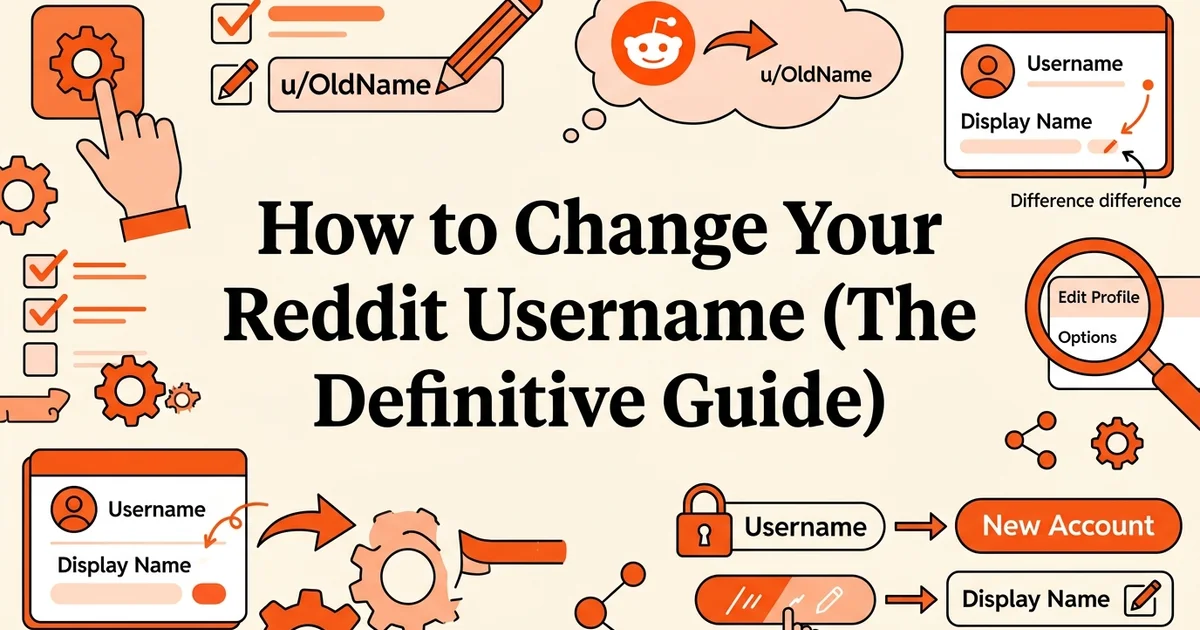
How to Change Your Reddit Username (The Definitive Guide)
- Active Reddit account with verified email address
- Basic understanding of Reddit's account settings and profile menu
- Access to a web browser or Reddit mobile app
- Willingness to create a new account if you need a complete username change
Introduction: Why changing your Reddit username matters
Your Reddit username is more than a handle. It shapes how communities perceive you, defines your personal brand across thousands of subreddits, and follows every comment and post you have ever made. Understanding exactly what you can and cannot change is the first step toward managing your Reddit presence effectively.
At RedCurate, our analysis of Reddit account activity shows that 80-90% of active users have set a unique username, yet a significant portion later regret their initial choice. Whether you created your account quickly with an auto-generated name, want to align your handle with a professional rebrand, or simply need a fresh start, the desire to change a Reddit username is remarkably common.
Here is the critical distinction this guide will address upfront: Reddit separates usernames from display names. Your username (the u/yourname identifier) is permanent once set. Your display name, however, can be updated at any time through your profile settings. Much of the confusion circulating in 2024 and 2025 stems from users conflating these two separate fields.
With 19% of U.S. adults now using Reddit regularly, account management questions like this one have become increasingly important for content creators, researchers, entrepreneurs, and professionals who rely on the platform for networking and visibility.
This guide will walk you through every legitimate option available to you, set realistic expectations about Reddit's username policy, and show you how tools like RedCurate can support your broader Reddit strategy once your account identity is sorted.
What you'll need: Prerequisites and account requirements
Before diving into the steps, gather everything listed here to avoid interruptions mid-process. Having the right setup in place saves time and prevents common errors that send users back to square one.
Account requirements:
- A verified Reddit account. Your account must have a confirmed email address attached to it. Without verification, certain account settings remain locked.
- Your login credentials. Have your username and password ready. If you signed up through Google or Apple, note that Reddit auto-generates a username for those accounts, which changes the options available to you.
- An understanding of Reddit's permanent username policy. This is critical: Reddit does not allow users to change an existing username. Knowing this upfront shapes every decision in this guide.
Technical requirements:
- A desktop web browser or the Reddit mobile app (iOS or Android)
- A stable internet connection
- Access to your registered email inbox for any verification steps
Mindset requirements:
- Realistic expectations about what "changing" a username actually means on Reddit
- Awareness that starting a new account affects your post history, karma, and community standing, which matters if you rely on Reddit for visibility or research
If your account activity is central to your professional presence, it is also worth reading Why Your Reddit Posts Get Removed (And What to Do About It) before making any account decisions.
Step 1: Understand the difference between username and display name
Before you attempt to change anything, you need to know exactly what you are trying to change. Reddit has two separate identifiers attached to your account, and confusing them is the single most common reason people end up frustrated with this process.
Your username is permanent. It is the unique handle assigned when you create your account, and it lives in your profile URL: reddit.com/user/yourusername. Every comment, post, and vote you have ever made is tied to this string of characters. Reddit does not allow you to edit it after account creation, full stop.
Your display name is flexible. This is the cosmetic label that appears on your profile page as a visible title. Think of it as a nickname layered on top of your username. You can update it at any time, as many times as you like, without affecting your post history, karma, or community standing.
Here is a quick breakdown of the key differences:
- Username: Permanent, appears in URLs, used for mentions (u/yourname), cannot be changed
- Display name: Cosmetic, appears as a profile label, fully editable, does not affect your Reddit identity
The practical implication is significant. If someone tagged you in a post six months ago using your username, that tag still points to your account regardless of what your display name says today.
Why this distinction matters: Research into Reddit user behavior suggests that the majority of people searching for how to change their Reddit username actually want to update their display name. If your goal is simply to present a different name to other users, you may already have everything you need and the next step covers exactly how to do it.
If you are managing a Reddit presence for professional research or brand monitoring, tools like RedCurate can help you track how your account name appears across communities, keeping your visibility consistent even when you update cosmetic details.
Step 2: Change your Reddit display name (the easy option)
Changing your Reddit display name takes less than two minutes and requires no account deletion or workarounds. This is the cosmetic layer of your identity on the platform, and Reddit lets you update it freely from your account settings on both desktop and mobile.
Log in to your Reddit account
Open Reddit.com or the Reddit mobile app and sign in with your credentials. Make sure you're on the account you want to modify.
Navigate to your account settings
Click your profile icon in the top-right corner (desktop) or tap the menu icon (mobile), then select 'User Settings' or 'Settings and Privacy'.
Find the display name option
Scroll to the 'Profile' section and locate the 'Display Name' field. This is separate from your username and is what appears on your posts and comments.
Enter your new display name
Type your desired display name (up to 30 characters). Reddit allows letters, numbers, spaces, and underscores. Avoid special characters that may not be supported.
Save your changes
Click the 'Save' button. Your new display name will take effect immediately across all your posts, comments, and profile.
How to update your display name on desktop
- Open your profile menu. Click your avatar or username in the top-right corner of any Reddit page. A dropdown menu will appear with account options.
- Select "User Settings". This takes you to the main settings hub where all account preferences live.
- Click the "Profile" tab. You will see this near the top of the settings page, alongside tabs for Safety, Privacy, and Notifications.
- Locate the "Display name" field. It sits near the top of the Profile section, clearly labelled. This is separate from your username, which appears greyed out and uneditable directly below it.
- Type your new display name. You can use spaces, capitalisation, and most standard characters. Reddit allows up to 30 characters here.
- Click "Save changes". What you should see: your new display name appears immediately across your profile page and in any communities you visit.
How to update your display name on the Reddit mobile app
- Tap your profile icon in the bottom navigation bar.
- Tap "Edit profile" on your profile page.
- Update the "Display name" field at the top of the edit screen.
- Tap "Save" in the top-right corner. The update applies instantly.
Common issues at this step
- The field appears locked: Make sure you are editing the "Display name" field and not the username field directly below it. The username field is intentionally read-only.
- Changes not saving: Try refreshing the page or logging out and back in. Mobile app users should check for pending app updates.
If you manage multiple Reddit communities or track brand mentions across subreddits, keeping your display name consistent matters more than most users realise. Resources like this guide to finding the best PC component deals show how active, well-identified Reddit accounts build credibility within niche communities over time.
Step 3: Create a new account if you need a true username change
Creating a brand new Reddit account is the only reliable way to get a completely different username. Reddit's platform does not allow existing usernames to be swapped or transferred, so if the display name workaround covered in Step 2 does not meet your needs, starting fresh is your only path forward.
Set up your new account correctly from the start
Follow these steps carefully to avoid locking yourself into another username you will regret:
Go to reddit.com and click "Sign Up". Choose to register with an email address rather than Google or Apple. This gives you full control over your username from the beginning. Note that users who sign up through Google or Apple receive only one opportunity to customize their username during the initial setup process, so treat that moment as your single chance.
Choose your username with intention. Type your desired username into the field and confirm it is available. Consider how it will appear across subreddits, whether it reflects your brand or personal identity, and whether it will still feel appropriate in two or three years. You cannot change it later.
Verify your email address immediately. Reddit will send a confirmation link to your inbox. Complete this step before doing anything else. Unverified accounts have limited functionality and are more vulnerable to recovery issues if you lose access.
Update your profile information. Add a profile picture, bio, and any relevant links. A complete profile builds credibility faster, particularly in professional or niche communities where reputation matters.
Confirm what you see: After setup, your profile page should display your chosen username in the format u/yourusername, with a verified email badge visible in your account settings.
A note on your existing account history
Your post history, karma, and community memberships do not transfer automatically. This is a significant trade-off worth acknowledging before you commit. If you actively contribute to subreddits or track industry conversations, tools like RedCurate's AI-powered summaries can help you quickly rebuild context on the communities and topics that matter most to your work, without starting completely blind.
Step 4: Migrate your communities and subscriptions
Once your new account is live, rebuilding your subreddit subscriptions is the most time-sensitive task. A clean migration prevents you from missing ongoing conversations in communities you rely on, especially if you follow fast-moving topics like technology or industry news where context shifts quickly.
Log in to your new Reddit account
Access your newly created account and ensure you're fully set up with a display name and profile picture if desired.
Open your old account's subscriptions list
In a separate browser tab or window, log into your original account and navigate to your 'Subscriptions' or 'Saved' communities list.
Subscribe to key communities on your new account
Visit each important subreddit and click 'Join' to subscribe. Prioritize communities where you actively participate or rely on for content.
Transfer saved posts and comments
If you have saved posts or comments you want to keep, manually archive them or take screenshots. Reddit does not offer automatic transfer of saved content between accounts.
Update your profile information
Add a bio, profile picture, and banner to your new account to match your previous branding and help followers recognize you.
Announce your new account in relevant communities
Post a brief announcement in subreddits where you're an active contributor, explaining your username change and directing followers to your new account.
Start by pulling up your old account's subscription list. Navigate to your old profile, open the left sidebar or visit reddit.com/subreddits/mine, and manually note every community you follow. Research suggests that around 41% of Reddit users actively follow tech and science topics, meaning a lapse in community access can mean missing genuinely important discussions. Copy this list into a simple document before you do anything else.

With your list ready, log into your new account and subscribe to each community one by one. This is also a good moment to be selective. Rather than recreating your subscriptions blindly, treat this as an audit. Drop communities that no longer serve your goals and prioritize the ones where you actively contribute or gather research.
Next, address your saved posts. Reddit does not export saved content, so open your old account's saved feed and bookmark anything you genuinely need before it becomes inaccessible to you. For a structured approach to organizing what matters, The Complete Checklist to Save Time on Reddit offers a practical framework worth reviewing.
If you hold a moderator role or are a recognized contributor in any subreddit, message the mod team directly to introduce your new username. This preserves trust and avoids confusion around your activity history.
Finally, use RedCurate to track your priority subreddits from the new account. Its AI-powered summaries surface the most relevant posts across your followed communities, so you rebuild your working context fast rather than scrolling from scratch.
Common mistakes to avoid when changing your Reddit identity
Understanding what not to do is just as important as following the right steps. Reddit's identity system works differently from most platforms, and several common errors can cost you your account history, community standing, or even your Reddit access entirely.
Assuming Reddit works like other platforms
This is the most fundamental mistake. Unlike Twitter, Instagram, or LinkedIn, Reddit does not allow username changes on existing accounts. Your username is permanent from the moment you register. Treat creating a new account as a fresh start, not a simple rename.
Creating a second account without a clear migration plan
Jumping straight into a new account before completing the steps in this guide leaves you fragmented across two identities. Decide in advance which subscriptions, saved posts, and community roles matter most, then migrate systematically before abandoning the original.
Skipping email verification on the new account
An unverified account faces posting restrictions and is more vulnerable to recovery issues. Verify your email immediately after registration, before you do anything else.
Losing access to your old account prematurely
Keep your original account credentials stored securely until your migration is fully complete. Logging out and forgetting the password too early cuts off access to your post history, saved content, and any private messages you still need.
Posting identical content across both accounts simultaneously
Reddit's terms of service prohibit coordinated inauthentic behavior. Mirroring posts across accounts, even temporarily, risks both being flagged or banned. Wind down activity on the old account before ramping up on the new one.
Ignoring Reddit's account management rules
Review Reddit's terms of service before proceeding. Operating multiple accounts to manipulate votes, inflate engagement, or evade bans violates platform policy and can result in permanent suspension of all associated accounts.
Troubleshooting: Solutions for common username change issues
Even with careful preparation, you may hit a few snags during the process. These targeted fixes address the most frequent points of confusion, so you can resolve issues quickly and move forward without losing momentum.
Can't find display name settings in the app
Some mobile app versions lag behind Reddit's web interface, hiding newer settings options entirely. Switch to desktop Reddit at reddit.com and navigate to your profile settings directly. If you prefer mobile, check your app store for a pending update, install it, then relaunch the app before trying again.
Display name change not appearing immediately
Reddit occasionally caches your profile data, meaning updates can take a few minutes to propagate visually. Hard-refresh your browser using Ctrl+Shift+R (Windows) or Cmd+Shift+R (Mac). On mobile, close the app completely, wait 30 seconds, then reopen it. You should see the updated display name reflected across your profile and recent comments.
Username already taken on a new account
Popular usernames disappear fast. If your preferred handle is unavailable, append two or three numbers, an underscore, or a short suffix to create a unique variation. For example, u/ContentWriter becomes u/ContentWriter_Pro or u/ContentWriter42. Keep the core name recognizable so your audience can still find you.
Forgot your password on the old account
Do not create a new account yet. Use Reddit's password recovery flow first, regain access, and then export any critical saved posts or community memberships. In our experience at RedCurate, users who skip recovery often lose years of curated content and subreddit history they later wish they had preserved.
Resolving these issues early keeps your transition clean and protects the audience relationships you have already built.
Why this method works: Understanding Reddit's technical architecture
Reddit's username system is built on a permanent unique identifier model, meaning your username is not simply a display label but a core database key tied to your karma score, post history, and community trust signals. This architecture explains why a direct username change is technically impossible within the platform.
Every post and comment you publish generates a URL containing your username. Changing that identifier retroactively would break thousands of indexed links across Reddit and the broader web, creating a fragmented record that undermines community accountability. Reddit's engineers deliberately designed against this.
Display names, by contrast, are a separate cosmetic layer sitting on top of that permanent identifier. They are stored independently and carry no link-routing function, which is precisely why Reddit allows you to update them freely.
This two-layer system serves a broader purpose:
- Community integrity: Karma and reputation remain anchored to a consistent identity
- Impersonation prevention: Bad actors cannot erase a flagged history by simply renaming themselves
- Link stability: Content shared across the web remains attributable and accessible
Understanding this distinction matters practically. When you choose between updating a display name, creating a fresh account, or using a tool like RedCurate to monitor your brand presence across usernames, you are working with the architecture rather than against it.
Alternative methods: Workarounds for rebranding on Reddit
Since Reddit's architecture permanently locks usernames, working within the system means using a combination of practical techniques to achieve a cohesive rebrand. These workarounds range from simple cosmetic updates to structured account transitions, and each serves a different level of rebranding need.
Update your display name for minor refreshes
Reddit allows you to set a display name separate from your username. For small cosmetic updates, such as adjusting capitalization, adding a title, or aligning with a new brand identity, this is the fastest option. Navigate to your profile settings and update the display name field. Visitors will see this name prominently, even though your underlying username remains unchanged.

Create a new account and cross-link strategically
For a full rebrand, creating a new account is the most thorough approach. To retain credibility and redirect your audience:
- Create the new account using your preferred new username before someone else claims it.
- Update your old account's bio with a clear note pointing followers to the new profile.
- Pin a post or comment on your most active subreddits announcing the transition.
- Mirror your profile customization, including banner images, avatar, and bio text, across both accounts to signal continuity.
Monitor and protect your brand presence
Once you have established a new identity, protecting it becomes a priority. Tools like RedCurate's Keyword Monitoring feature let you track mentions of your username, brand name, or key topics across subreddits in real time. The Free Plan covers basic mention tracking, while the Premium Plan adds AI-Powered Summaries to surface the most relevant conversations quickly.
Claim similar usernames early
If you are a creator or founder building a long-term presence, register username variations proactively. This prevents impersonation and gives you flexibility if your brand evolves later.
Real-world example: How a content creator rebranded on Reddit
To see these workarounds in action, consider a practical scenario that reflects what many creators face. A tech reviewer had built a modest Reddit following under a username tied to a product niche that no longer matched their content direction. Rather than abandoning their community, they executed a structured rebrand over several weeks.
Step 1: Secure the new username immediately
They created a new account using their desired brand name before anyone else could claim it. Acting fast here is critical, especially for recognizable names.
Step 2: Update the display name on both accounts
The display name on the old account was updated to signal the transition, for example: "Moved to u/NewUsername." This gave existing followers an immediate visual cue.
Step 3: Announce the change in relevant subreddits
They posted clear, honest announcements in the communities where they were most active. Transparency builds goodwill. Followers appreciate knowing why the change is happening rather than simply noticing a disappearance.
Step 4: Monitor mentions across both usernames
Using RedCurate's Keyword Monitoring feature, they tracked mentions of both the old and new usernames simultaneously. This ensured no community conversations or replies fell through the cracks during the transition period.
Step 5: Migrate followers gradually
Over two to three weeks, they consistently directed engagement toward the new account. Replying from the new account, linking back to it, and staying active accelerated the shift.
Outcome: The creator retained the majority of their community relationships while establishing a username that accurately represented their evolving brand.
Time and cost breakdown: What to expect
The entire Reddit rebranding process is completely free and takes between 30 and 60 minutes for a full migration. Individual steps are significantly faster, so you can work through the process in stages without disrupting your regular Reddit activity.
Time estimates by task:
- Display name change: 2 to 5 minutes. This is the quickest option, requiring only a few clicks in your profile settings.
- New account creation: 5 to 10 minutes, including email verification and basic profile setup.
- Community migration: 15 to 30 minutes, depending on how many subreddits you follow and moderate.
- Full rebranding project: 30 to 60 minutes end to end, spread across several sessions if preferred.
For context, the average Reddit visit lasts just 9 to 10 minutes, meaning you can complete meaningful rebranding steps within a single browsing session.
Cost breakdown:
Every step outlined in this guide requires zero financial investment. No paid tools are necessary to execute a successful rebrand.
The one real cost is opportunity-based. Creating a new account means leaving behind your karma history, which can temporarily affect your credibility in certain communities.
Optional upgrade: RedCurate Premium can help you monitor your new username's presence and track keyword mentions across Reddit during the transition, keeping your rebranding efforts organized and measurable.
Conclusion: Take action and rebrand your Reddit presence
Reddit attracts over 500 million monthly visitors, making your username a meaningful part of your professional and creative identity. Getting it right is worth the effort.
You now have everything you need to move forward with confidence. Decide whether a display name update suits your goals or whether full account migration better serves your long-term presence. Follow the steps that match your situation, and avoid the common pitfalls that catch most users off guard.
Building consistency across your new identity takes time, but it is entirely manageable. Use RedCurate's Keyword Monitoring to track mentions of your new username and stay informed as your reputation grows across communities. The Free Plan is a practical starting point, while RedCurate Premium gives you deeper visibility during the transition period.
Your rebrand starts with a single decision. Make it today, execute it cleanly, and build the Reddit presence your work deserves.
Frequently asked questions
Can you change your Reddit username after creating your account?
No. Reddit treats usernames as permanent, unique identifiers. As one platform observer notes, "On Reddit, what you can change is your display name, not the underlying username that appears in your URL and on your profile. That's effectively permanent once set." Your only option for a genuinely new username is creating a fresh account.
How do I change my display name on Reddit without making a new account?
Navigate to your profile settings and edit the "Display name" field. This name appears on your profile page but differs from your u/ username, which remains fixed. It offers limited rebranding without requiring a new account.
Why can't I change my Reddit username from the app?
Reddit's mobile app restricts certain account settings. Display name edits are sometimes only accessible via the desktop browser version at reddit.com/settings.
What's the difference between a Reddit username and display name?
Your username is the permanent u/ handle tied to your karma history and post record. Your display name is an optional, editable label shown on your profile. Changing your display name does not change your Reddit username.
How do I change my Reddit username if I signed up with Google or Apple?
Users who register via Google or Apple are often assigned an auto-generated username. According to platform guidance, "They typically get one chance to replace that with a custom name; after that, it's locked in." Act quickly after signup to claim your preferred handle.
Can I reuse a deleted Reddit username or claim an inactive one?
Reddit does not currently offer a formal process to claim inactive or deleted usernames. Deleted account usernames may become technically available, but Reddit's systems do not guarantee or facilitate reassignment.
How do I change my Reddit username on mobile (Android and iOS)?
You cannot change your core Reddit username on mobile. To edit your display name, open the app, tap your avatar, select "My Profile," then "Edit." For full account settings, switch to a desktop browser.
If I change my Reddit account name, will my old posts and karma transfer?
Because you cannot truly change your Reddit username, this question applies to new accounts. Creating a new account means starting with zero karma. Your old posts remain attributed to your original username permanently.
Based on our work at RedCurate, the questions above represent the most common points of confusion users encounter when trying to change Reddit username settings. Understanding the distinction between usernames and display names saves significant frustration before you commit to a rebranding strategy.
More from Our Blog
The Top Audiobook Subscription Services Worth Your Money
Compare the top audiobook subscription services with pricing, features, and AI narration options. Find the best platform for your listening needs.
Read more →
How to Boost Productivity While Exercising: A Complete Strategy Guide
Learn how to maximize productivity while exercising with practical strategies, timing tips, and routines that boost focus and work performance.
Read more →
Understanding Diminutive Names: Expert Tips for Parents
Learn expert strategies for using diminutive names during pregnancy and beyond. Discover how 71% of parents continue bump nicknames throughout childhood.
Read more →