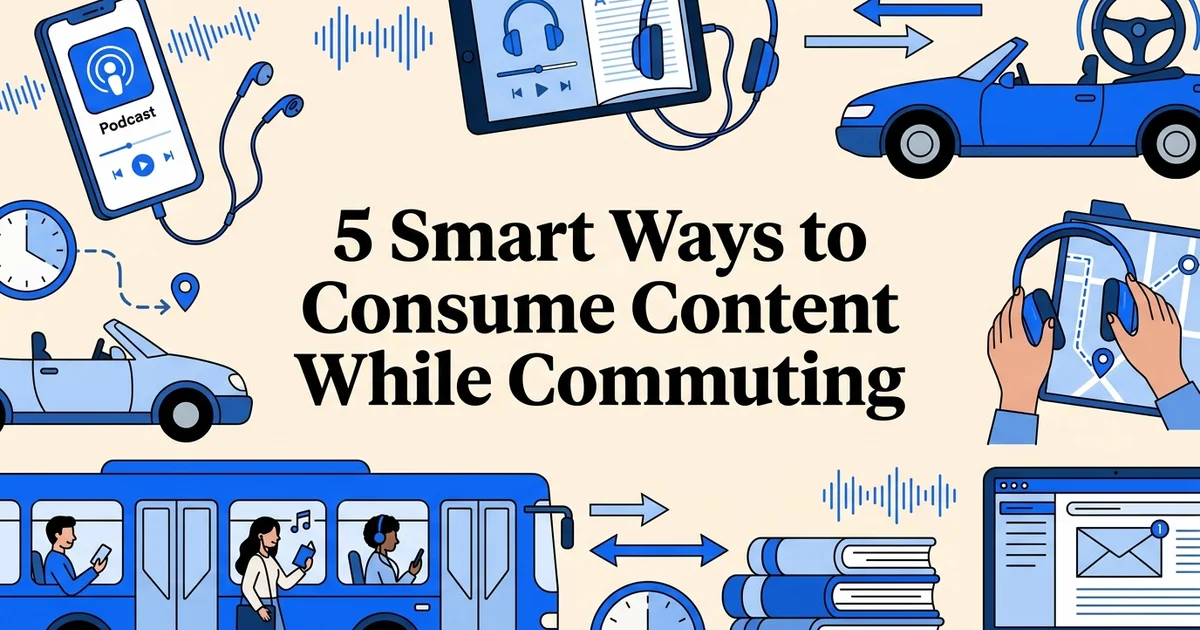
5 Smart ways to consume content while commuting
- A smartphone with a working internet connection
- Headphones, earbuds, or access to car audio (Bluetooth or aux cable)
- Basic familiarity with downloading and installing mobile apps
- At least one content source in mind (podcast, newsletter, audiobook, or news app)
Introduction: why commute time matters for content consumption
The average one-way commute in the United States lasts 26 minutes, which adds up to nearly four and a half hours every week spent in transit. For most people, that time disappears into traffic frustration or idle scrolling. But with the right approach, your commute becomes one of the most reliable learning and entertainment windows in your entire day.
At VoiceMyMail, our analysis shows that commuters are increasingly turning to audio and mobile-first formats to make that daily window count, and the data backs this up. A full 77% of U.S. commuters drive to work, which means reading articles or watching videos simply is not a safe or practical option. Audio is not just convenient for drivers. It is the only format that keeps your eyes on the road and your mind engaged with content at the same time.
The shift toward audio-first consumption is already well underway. Research shows that 87.4% of podcast listening happens on smartphones, and 78% of podcast consumption occurs Monday through Friday between 8 a.m. and 5 p.m., which maps almost perfectly onto standard commuting hours. Commuters are not waiting to get home to catch up on content. They are consuming it in motion.
The opportunity here goes beyond podcasts. Newsletters, emails, long-form articles, and industry updates can all be converted into audio and absorbed during your commute. The five strategies below show you exactly how to build that habit, starting with what you need to get set up.
Prerequisites: what you'll need before you start
Before starting, gather essential tools and resources to ensure your setup runs smoothly from day one. Having the right prerequisites in place prevents delays and complications, allowing you to implement strategies effectively without interruptions or missing critical components.
What you need:
- A smartphone with reliable battery life. If your commute runs longer than 30 minutes, consider a portable charger or a car charging cable.
- A stable internet connection or downloaded content. Streaming requires data; downloading ahead of time works better in areas with patchy coverage.
- Headphones or a car audio system. Bluetooth earbuds work well for walking or transit commutes. A Bluetooth-enabled car stereo handles driving.
- A content library. This includes podcasts, audiobooks, newsletters, and emails. Tools like VoiceMyMail convert your inbox and newsletters directly into audio, so your reading list becomes listenable without any manual effort.
- Basic app familiarity. You will need to install apps and create accounts. If you have done this before, you are ready.
Once these are in place, the next step is matching your content format to your specific commute type.
Step 1: choose your content format based on your commute type
Identify your commute type first, because your environment determines which content formats are safe and practical. Drivers need hands-free, audio-only content, while public transit riders have more flexibility to combine formats. Getting this right from the start prevents frustration later.
Identify your primary commute mode
Determine whether you drive, use public transit, bike, or walk. This decision shapes everything that follows. Drivers (77% of U.S. commuters) need hands-free, audio-only content for safety. Public transit riders can use audio, video, or text-based content. Your mode determines what's practical and safe.
Match content format to your environment
Drivers should prioritize audio-only formats like podcasts, audiobooks, and AI-powered email readers. Public transit users can diversify with video content, articles, or visual newsletters. Walking or biking commuters can use audio or lightweight video content depending on safety and attention requirements.
Test your chosen format for one week
Commit to your selected format for five commute days before switching. This gives you enough data to assess whether the content type holds your attention, fits your commute length (typically 16–29 minutes), and feels natural in your environment.
Identify which commute category applies to you:
- Driver: You are behind the wheel for most or all of your commute. Audio-only is non-negotiable for safety.
- Transit rider: You travel by bus, train, subway, or ferry. You can safely read, watch, or listen.
- Mixed commuter: You drive to a station, then ride. You will need a strategy that switches formats mid-journey.
Match your format to your environment:
Research shows that 77% of U.S. commuters drive to work, making audio the dominant format by necessity. For drivers, this means podcasts, audiobooks, and spoken-word content only. A practical starting point is targeting episodes or segments in the 16 to 29 minute range, which aligns with the ideal length for short-form audio content and fits neatly into an average commute.
For transit riders, audio remains a strong anchor, but you can layer in newsletters and emails. Tools like VoiceMyMail are particularly useful here. Rather than reading on a crowded train, you can listen to your inbox instead. Learn more about how this works in converting your emails into audio: a complete step-by-step guide.
Once you know your format, you are ready to choose where your content will actually come from.
Step 2: select your primary content sources and apps
Choose your apps before your commute starts, not during it. Having the right platforms installed and configured means you spend your travel time consuming content, not hunting for it. Research shows 87.4% of podcast listening happens on smartphones, making your phone the natural hub for everything.
List your content priorities
Write down what you want to consume: industry news, professional development, entertainment, personal finance, or general knowledge. Knowing your priorities prevents decision fatigue during your commute and ensures you're not hunting for content when you should be listening.
Research and install 2–3 primary apps
Choose apps that align with your format and priorities. For audio, consider podcast apps, audiobook platforms, or AI-powered email readers. For public transit, add a news or video app. Having 2–3 apps prevents overwhelm while giving you backup options if one app has technical issues.
Configure notifications and auto-download settings
Enable auto-download for new episodes or content so fresh material is ready before your commute. Turn off non-essential notifications to avoid distraction. Test your setup on a non-commute day to ensure everything works smoothly.
Build your core app stack around these categories:
- Podcast apps: Spotify, Apple Podcasts, and Pocket Casts are the most reliable options for audio-first listening. Pocket Casts is particularly strong for commuters who want smart playback speed controls and automatic episode queuing.
- Audiobook platforms: Audible suits regular buyers, while Libby connects to your local library for free borrowing. Apple Books integrates neatly if you are already in the Apple ecosystem.
- Email and newsletter audio: Install VoiceMyMail to convert your inbox and newsletters into spoken audio using AI voices. Instead of saving newsletters to read later, you hear them read aloud during your commute. For a deeper walkthrough of this approach, visit the complete guide to using a voice reader for newsletters.
- News and social apps: Flipboard and Apple News offer mobile-optimized reading for transit riders with stable seating.
- Music and spoken-word hybrids: Spotify and Amazon Music both combine playlists with podcasts, reducing the number of apps you need open.
Studies indicate 47% of commuters already use music and podcast apps daily, so you likely have a starting point. Add VoiceMyMail to cover the email and newsletter gap those apps leave behind.
Step 3: set up hands-free audio and connectivity for safe consumption
Configure your audio setup before you leave the driveway. Since 77% of U.S. commuters drive to work, getting this right is a safety priority, not just a convenience.
Choose your audio output method
For drivers, connect via Bluetooth to your car's audio system, use a car mount with speakers, or wear wireless earbuds. For public transit, earbuds or over-ear headphones work best. Test audio quality and volume levels before your first commute to ensure you can hear content clearly without distraction.
Verify your connectivity options
Download content over WiFi before leaving home if your commute route has spotty cellular coverage. For longer commutes, ensure your phone has sufficient battery or bring a portable charger. Test your connection on your actual commute route to identify dead zones.
Set up voice controls and hands-free navigation
Enable voice commands (Siri, Google Assistant, Alexa) so you can pause, skip, or adjust volume without touching your phone. This is critical for drivers. Practice using voice controls before your commute so you're comfortable with them.
Connect your audio first:
- Pair via Bluetooth by opening your car's audio settings and selecting your smartphone. Bluetooth eliminates cable clutter and keeps your hands free.
- Test volume and clarity in your driveway before pulling out. Play a sample podcast or email audio through VoiceMyMail to confirm the AI voice is clear at highway speeds.
- Enable offline downloads in each app. For VoiceMyMail, pre-load your inbox audio the night before to avoid data overages in low-signal areas.
Set up voice control:
- Activate Siri or Google Assistant to switch content, skip tracks, and pause playback without touching your phone.
- Mount your device securely at eye level if you occasionally need to glance at a screen.
What you should see: audio plays immediately through your car speakers when a new commute session starts, with no manual adjustments needed.
Step 4: convert written content to audio using email and newsletter readers
Convert your written inbox into a hands-free listening experience by routing emails and newsletters through an AI-powered audio reader. This approach is ideal for the growing number of commuters using smartphones to catch up on work content during 15 to 30 minute windows.
Set up VoiceMyMail as your conversion hub:
- Create your account at https://voicemymail.com and connect your email inbox using the guided integration flow.
- Set up forwarding rules in your email client to automatically route newsletters and key senders to VoiceMyMail for conversion. Most email providers support this under Settings, then Filters.
- Configure your voice and playback preferences inside VoiceMyMail. Select an AI voice, set your preferred playback speed (1.25x to 1.5x works well for most listeners), and choose your language if needed.
- Schedule daily audio generation to run before your commute starts, so fresh content is ready the moment you leave.
- Test with a sample email before relying on the setup daily. Send yourself a short newsletter and confirm the audio output sounds clear and natural.
What you should see: a ready-to-play audio queue waiting in VoiceMyMail each morning, organized by sender and delivery time.
If conversion quality feels inconsistent, check out The Best Email to Audio Apps: Which One Should You Choose? for a detailed comparison of available tools.
Step 5: organize your content queue and create a listening schedule
Build a consistent listening routine by organizing your content into a prioritized queue before each commute. Research suggests that 80% of podcast listeners complete most or all of an episode, which shows that commute-length audio works best when content fits neatly within your travel window rather than cutting off mid-thought.

Start by prioritizing content by urgency. In VoiceMyMail, use the inbox sorting and bookmarking features to push work emails and time-sensitive newsletters to the top of your queue, saving entertainment and long-form reads for later. Then follow these steps to build a reliable schedule:
- Match queue length to your commute. Studies indicate 16 to 29 minutes is the sweet spot for short-form audio, so aim to fill that window precisely.
- Batch similar content together. Group all news briefings first, then industry newsletters, then lighter reading. This reduces mental switching costs.
- Bookmark anything requiring deeper focus using VoiceMyMail's save feature, so you revisit it at your desk rather than straining to absorb complex information on the move.
- Set a consistent start time each morning. When your brain anticipates a listening routine, focus comes faster and retention improves.
What you should see: a clean, ordered queue that plays start to finish without interruption, perfectly timed to your journey.
Step 6: implement safety best practices while consuming content
Protect yourself and others by treating safety as a non-negotiable part of your content routine. With 77% of U.S. commuters driving to work, the majority of listeners need audio-first habits that keep their attention where it belongs: on the road.
Discover how VoiceMyMail approaches consume content while commuting.
Follow these rules every time you commute:
- Choose audio exclusively when driving. Save video, newsletters, and text-heavy articles for public transit, waiting rooms, or complete stops. VoiceMyMail's email-to-audio conversion makes this easy, turning your inbox into a hands-free listening experience with no screen required.
- Set your volume before you move. Keep it low enough to hear sirens, horns, and traffic alerts clearly.
- Avoid emotionally charged content while driving. Heated debates, distressing news, or high-stakes work emails can spike stress and impair judgment. In our experience at VoiceMyMail, listeners who save emotionally complex emails for later report feeling calmer and more in control behind the wheel.
- Pull over safely before touching your phone. Never adjust content, skip tracks, or change settings while moving.
What you should see: a distraction-free drive where your content plays smoothly in the background, requiring zero interaction once you start moving.
Common mistakes to avoid when consuming content on your commute
Even with the best intentions, small missteps can undermine your commute learning routine or create genuine safety risks. Recognizing these pitfalls in advance helps you build habits that are both productive and safe from day one.
Avoid these six common errors:
Choosing text-heavy content while driving. Since 77% of U.S. commuters drive to work (AutoInsurance.com, 2024), visual formats like articles or newsletters are simply off the table. Convert written content to audio using a tool like VoiceMyMail before you leave.
Overloading your queue. A bloated playlist creates decision fatigue. Curate a focused, realistic selection the night before.
Ignoring battery life. A dead phone mid-commute kills your routine. Charge overnight and keep a car charger handy.
Selecting content that demands deep focus or note-taking. Save complex material for when you can give it full attention.
Skipping offline downloads. Streaming without a downloaded backup risks buffering delays and unexpected data overages. Download episodes and audio emails in advance.
Using content as a distraction. Content should run passively in the background, never competing with your road awareness.
Why this method works: the science behind commute-time learning
Commute-time learning succeeds because it converts an otherwise fixed, unavoidable block of time into a consistent learning habit. Consistency is the foundation of retention, and your commute provides that automatically, five days a week.
The numbers reinforce this. The average one-way commute runs 26 minutes, which aligns almost perfectly with bite-sized, micro-learning formats. Content designed for that window gets finished. Research confirms this: 80% of podcast listeners consume most or all of an episode, a completion rate that far outpaces other content formats.
The timing is no coincidence either. Some 78% of podcast consumption happens Monday through Friday, with 71% occurring between 8 a.m. and 5 p.m., mapping directly onto commuting hours. Listeners are building structured, weekday routines around audio.
Audio also removes the friction that kills other learning habits. No screen, no desk, no dedicated space required. Tools like VoiceMyMail extend this advantage to your inbox, converting emails and newsletters into audio you absorb hands-free. Given that 87.4% of podcast listening already happens on smartphones, adding audio email to your commute stack requires almost no behavioral change at all.
Alternative methods for consuming content while commuting
Not every commute looks the same, and the best content consumption strategy depends on your transit mode, journey length, and what you want to get out of the time. Research suggests 59% of commuters check social media, 50% read news, and 45% use video apps daily during their commute, pointing to a wide range of viable approaches.

Here are six methods worth building into your routine:
Audiobook subscriptions (Audible, Scribd). Start a long-form book you have been putting off. Serialized listening across multiple commutes creates a satisfying sense of progress.
Video podcasts on public transit. Open YouTube or Vimeo when your hands are free and your eyes are available. Ideal for seated train or bus journeys.
Social media during stops. Use red lights, platform waits, or brief pauses for quick LinkedIn, TikTok, or Instagram scrolling. Keep sessions short and intentional.
News aggregator apps. Apple News and Flipboard surface digestible headlines fast. Good for seated transit riders who prefer reading.
Live podcasts and webinars. Streaming apps let you join real-time sessions, adding an engagement layer that recorded content cannot match.
Combination approach. Match your format to your mode. Use audio, including VoiceMyMail for converting inbox newsletters into hands-free listening, during driving or walking legs, then switch to reading or video once you are seated.
Real-world example: building a productive commute routine
Here is how a structured commute content plan works in practice. Take a 30-minute car commute, five days a week. That is 2.5 hours of weekly listening time most people currently waste. With a simple rotating schedule, those hours become genuinely productive.
A sample weekly structure:
Monday and Tuesday: Open VoiceMyMail and let its AI voice read your work emails and inbox newsletters aloud for the first 10 minutes. Switch to an industry podcast for the remaining 20 minutes. You arrive informed and ready.
Wednesday and Thursday: Dedicate the full 30 minutes to an audiobook chapter focused on personal development. Consistent daily listening accumulates fast, with research suggesting most podcast and audio listeners complete most or all of an episode once they start.
Friday: Keep it lighter. A five-minute news summary followed by an entertainment podcast resets your mindset heading into the weekend.
Tracking what works:
- Note how many emails you processed hands-free each week using VoiceMyMail
- Log total learning hours accumulated across the month
- Rate your stress level on arrival, lighter content on Fridays often makes a measurable difference
Adjust the mix based on what genuinely holds your attention. The 26-minute average one-way commute is enough time to build a habit that compounds.
Time and cost breakdown for setting up commute content consumption
Getting your commute content system running requires a modest upfront investment of time and money, with strong returns. Most commuters are fully set up within 30 to 60 minutes and spending less than $20 per month, often nothing at all.
Setup time:
- 10 to 20 minutes: download and configure your podcast or audiobook app
- 10 to 15 minutes: connect VoiceMyMail to your inbox and select your preferred AI voice
- 10 to 20 minutes: test audio quality, set playback speed, and queue your first content batch
Monthly costs:
- Podcast apps: $0 (most are free)
- Audiobook platforms: $0 to $15/month
- VoiceMyMail email-to-audio conversion: typically $5 to $15/month
- Total: $0 to $20/month depending on your choices
ROI calculation:
The average one-way commute is 26 minutes, according to AutoInsurance.com using 2022 U.S. Census data. That adds up to 2-plus hours of reclaimed productive time each week, time previously spent passively traveling. Multiply that across a year and you gain over 100 hours of learning, email processing, and stress reduction at minimal cost.
Conclusion: transform your commute into a learning opportunity
Your commute is not wasted time. It is a consistent, recurring window that shows up every workday, ready to be filled with something meaningful. By choosing the right format, selecting the right apps, and organizing a reliable content queue, you turn an unavoidable routine into a genuine competitive advantage.
The steps are straightforward: pick your format, set up your audio environment, convert text-based content to speech, and keep safety your top priority. Start small. Subscribe to one podcast, or use VoiceMyMail to convert your first batch of emails and newsletters into audio you can actually listen to on the road.
Those 26 minutes each way add up faster than most people expect. Two-plus hours per week. Over 100 hours per year. That is time you already have.
You do not need a perfect system on day one. Download one app today. Queue up one episode or one email thread. Build the habit gradually, and the results will follow naturally.
Frequently asked questions
How can I make the most of my commute to learn or consume useful content?
Start by identifying your commute type and matching content to it. Drivers should stick to hands-free audio, while public transport riders can also read or watch video. Even the average 26-minute one-way commute, according to AutoInsurance.com using 2022 U.S. Census data, is enough time to finish a podcast episode or clear several newsletters.
What are the best apps to listen to emails, articles, or PDFs while commuting?
For emails and newsletters specifically, VoiceMyMail converts your inbox directly into audio using AI voices, so you can listen hands-free without screen time. For podcasts and audiobooks, Spotify, Pocket Casts, and Audible are reliable choices. Combining both types of apps gives you maximum flexibility.
How do I safely consume content while driving without getting distracted?
Audio-only formats are the safest option. Drivers predominantly opt for audio-only content to avoid distractions, ensuring focus remains on the road. Set up your playlist or queue your emails in VoiceMyMail before you start the engine, so you never need to touch your phone while driving.
What are some productive ways to use my commute if I take public transport?
Public transport commuters can read long-form articles, watch educational video content, or listen to audiobooks and podcasts. Many riders still prefer audio-only formats for the convenience of passive listening, particularly in crowded or noisy environments where screens are impractical.
How can I turn my inbox or newsletters into audio I can listen to on the go?
Connect your email account to VoiceMyMail, select the emails or newsletters you want to hear, and the platform converts them into spoken audio using natural AI voices. You can then listen through your phone or car speakers during your commute without reading a single line.
Is it better to listen to podcasts, audiobooks, or summaries during a short commute?
For commutes in the 16-29 minute range, which Statista Consumer Insights data reported by AutoInsurance.com identifies as the most common commute length, short-form content works best. Single podcast episodes or email-to-audio summaries fit neatly into that window without leaving you mid-chapter.
How can I download content to listen offline during my commute?
Most podcast apps and audiobook platforms include a download or offline mode. In VoiceMyMail, convert your emails to audio ahead of time so they are ready without needing a data connection. Doing this the night before removes any buffering or connectivity issues during your journey.
What common mistakes do people make when trying to be productive on their commute?
The biggest mistakes are overloading the queue, choosing content that requires too much focus for the environment, and skipping setup until they are already in the car. Keep your playlist short, match content complexity to your commute type, and prepare everything in advance. Based on our work at VoiceMyMail, commuters who batch-convert their emails the evening before are far more consistent than those who try to set things up on the move.
More from Our Blog
Beyond Audible: 5 Proven Audiobook Subscriptions to Try
Compare top Audible alternatives: Spotify, Scribd, Kobo Plus, Google Play Books, and more. Find the best audiobook subscription for your needs and budget.
Read more →
The Definitive Guide to Kings Reddit Communities and Discussions
Discover everything about r/Kings, Reddit communities, and how to find the best subreddits. Get answers to your most common questions.
Read more →
Finding the Perfect Baby Name Together: The Best Apps for Couples
Compare the best baby name apps for couples. Find swipe-based matchers, shared lists, and data-driven tools to help you and your partner agree on the perfect name.
Read more →