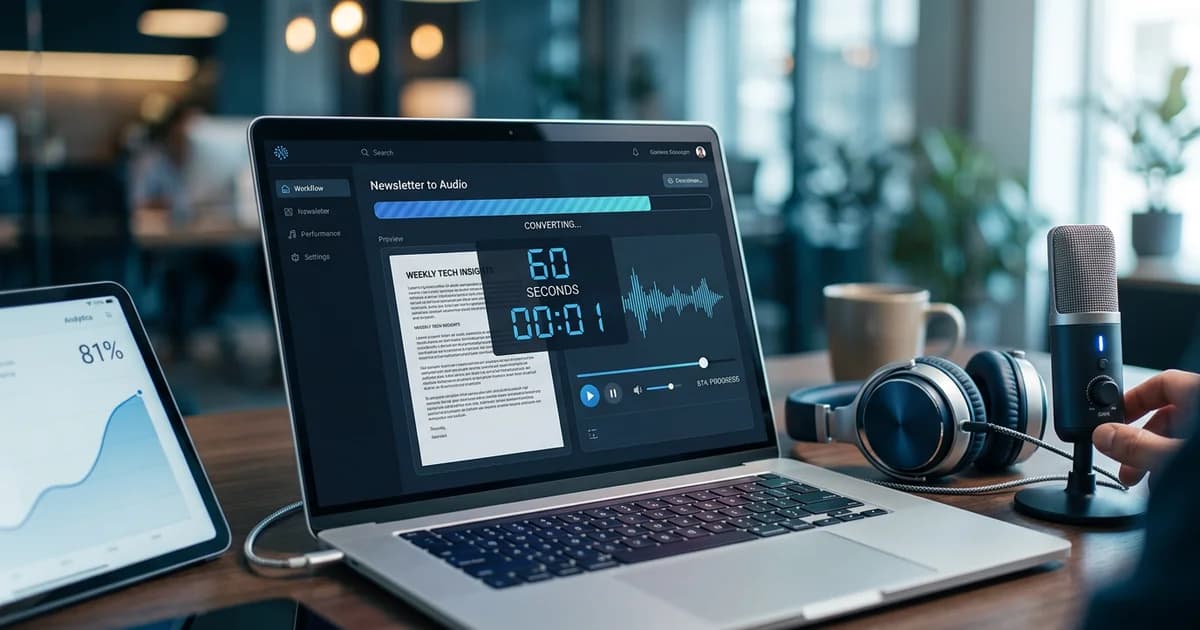
Convert Newsletter to Audio in 60 Seconds Today
You've built a newsletter audience, crafted compelling content, and hit send — but a growing segment of your potential readers never opens their inbox. They're commuting, exercising, or cooking, and they're listening. The good news: converting your newsletter to audio is faster and cheaper than most publishers realize, and the audience waiting on the other side is enormous.
According to Edison Research at SSRS (The Infinite Dial 2026) (2026), 81% of Americans age 12+ — that's 233 million people — listened to online audio in the last month. Meanwhile, most newsletters remain stubbornly text-only. That's a massive gap between where your content lives and where your audience spends its time.
At VoiceMyMail, our analysis consistently shows that publishers who add audio to their newsletters see meaningful engagement lifts within the first 30 days — not because their writing improved, but because they met listeners where they already were.
This guide covers every method to convert newsletter to audio format, from free AI tools you can set up in minutes to professional production workflows for high-volume publishers. Whether you're sending 500 emails or 500,000, there's a solution here that fits your budget and timeline.
Quick Fix (TL;DR): Convert Your Newsletter to Audio in 3 Steps
If you need results right now, here's the fastest path from text to audio. You don't need a recording studio, a podcast network, or a production budget — just a few minutes and the right tool.
Choose Your Audio Conversion Tool
Select an AI text-to-speech tool like VoiceMyMail or integrate your newsletter platform's built-in audio feature. Most tools let you paste text or connect your RSS feed directly. This step takes less than 5 minutes and requires no technical setup.
Select Your Voice and Customize Settings
Pick from available AI voices that match your brand personality. Adjust speaking speed, tone, and any pronunciation preferences. Preview a sample to ensure it sounds natural for your content. This typically takes 2-3 minutes.
Generate and Distribute Your Audio File
Click generate to create your audio file, then distribute it through your newsletter platform, podcast host, or social channels. Most tools automate this process, so your audio goes live alongside your text version with minimal effort.
- Choose a conversion method — Use an AI-powered tool like VoiceMyMail, or enable the native audio feature inside your newsletter platform (beehiiv, Substack).
- Paste or connect your newsletter content — Most tools accept a URL, RSS feed, or direct text paste. No reformatting required.
- Distribute the audio file — Embed the player in your email, share to your podcast feed, or post to Spotify and Apple Podcasts.
Expected result: Your next newsletter reaches both inbox readers and audio listeners without writing a single extra word.
The Problem: Why Publishers Are Missing 233 Million Audio Listeners
Most newsletter publishers are reaching a fraction of their potential audience. According to beehiiv (2026), publishers sent 28 billion emails last year reaching more than 255 million unique readers — an impressive number. But even with an average email open rate of 41%, the majority of subscribers never engage with any given issue.
The deeper problem is structural. Your newsletter exists in one format — text — while your audience increasingly consumes content in another format — audio. According to Edison Research at SSRS (The Infinite Dial 2026) (2026), 58% of Americans age 12+ (167 million people) have consumed a podcast in the last month. These aren't fringe listeners. They're your subscribers, reading your content on their phones, wishing they could hit play instead of scroll.
The opportunity cost of staying text-only is real and growing. Every issue you publish without an audio version is a missed touchpoint with a listener who would have engaged — if only you'd given them the option.

Why This Problem Happens: Understanding the Root Causes
Publishers don't ignore audio because they don't care about it. They ignore it because the path from "I should do this" to "this is live" has historically been filled with friction. Understanding why helps you choose the right solution.
Technical Barriers Most Publishers Face
- Platform limitations — Legacy email tools like Mailchimp and Constant Contact were built for text and images, not audio embeds or podcast feeds
- Production complexity — Recording, editing, and exporting audio files requires software knowledge most writers don't have
- Distribution confusion — Getting audio onto Apple Podcasts, Spotify, and other directories involves RSS feeds, metadata, and platform approvals
- Cost assumptions — Many publishers assume audio requires expensive studio time or professional voice talent
The Knowledge Gap
Most newsletter creators are writers, not audio producers. The skills that make someone excellent at crafting a weekly digest — research, structure, voice — don't automatically translate to knowing how to normalize audio levels in Audacity or configure an RSS feed for podcast syndication.
The good news: AI has eliminated most of these barriers. What once required a production team now takes a single click.
Solution 1: Use AI-Powered Audio Conversion Tools (Fastest and Most Effective)
AI text-to-speech tools are the most practical solution for the vast majority of newsletter publishers. They require no recording equipment, no editing skills, and no audio production knowledge. You paste your content, choose a voice, and download a professional-quality MP3 in under a minute.
Implementation difficulty: Low
Setup time: 5–10 minutes
Cost: Free to ~$50/month depending on volume
How to Set Up AI Audio Conversion
- Select your tool — VoiceMyMail is purpose-built for newsletters and email content, with AI voices optimized for long-form reading. Other options include ElevenLabs, Murf, and Play.ht.
- Connect your newsletter — Paste your newsletter text, drop in a URL, or connect your RSS feed for automatic conversion on each publish.
- Choose a voice — Select from natural-sounding AI voices. Many tools offer multiple languages and accents.
- Preview and adjust — Listen to a 30-second preview. Adjust reading speed, pronunciation of brand names, or section pauses as needed.
- Export or embed — Download as MP3/WAV, or copy an embed code to drop directly into your email template.
- Test playback — Open the email on mobile and desktop to confirm the audio player renders correctly.
What to Expect from AI Voices
Modern AI voices have improved dramatically. Listeners consistently rate them as natural and easy to follow for spoken-word content. For newsletters — which are conversational by nature — AI voices perform particularly well compared to more technical or narrative content.
Pro tip: Write your newsletter with slightly shorter sentences than usual. Content written for audio converts better and sounds more natural when read aloud by AI.
Solution 2: Integrate Audio Directly Into Your Newsletter Platform
Several major newsletter platforms now offer built-in audio features that automate conversion without requiring any third-party tools. This is the lowest-friction option if you're already publishing on a supported platform.
Implementation difficulty: Very low
Setup time: 2–5 minutes
Cost: Included in platform subscription (varies by tier)
Platform-Specific Audio Features
| Platform | Audio Feature | Distribution | Notes |
|---|---|---|---|
| beehiiv | Native audio player | Email + web + podcast feed | Deepens audience connection; opens sponsorship channels |
| Substack | Audio posts | Email + app + podcast feed | Subscribers can listen in the Substack app |
| Ghost | Audio embed (manual) | Email + web | Requires uploading your own file |
| Mailchimp | No native audio | N/A | Requires third-party workaround |
According to beehiiv (2026), The Pour Over newsletter grew to 1.5M+ subscribers and its podcast reaches 133K+ weekly listeners — a direct result of integrating audio into its newsletter strategy. As beehiiv noted, platforms that make it easier to integrate audio are "deepening audience connection and opening new sponsorship channels."
Steps to Enable Audio on beehiiv
- Log into your beehiiv dashboard and navigate to Settings > Integrations
- Enable the audio feature for your publication
- When drafting your next issue, click Add Audio in the post editor
- Either record directly or upload a pre-converted file
- Publish — the audio player appears automatically in the email and web versions

Solution 3: Manual Recording and Podcast Distribution
Manual recording gives you the most control over tone, pacing, and personality. It's the right choice when your newsletter's value is deeply tied to your personal voice and relationship with your audience.
Implementation difficulty: Medium
Setup time: 30–60 minutes per episode
Cost: Free (with existing hardware) to ~$200 for basic equipment
Recording Your Newsletter as a Podcast
- Set up your recording environment — A quiet room, a decent USB microphone (Blue Yeti or similar), and free software like Audacity or GarageBand
- Prepare your script — Read through your newsletter once before recording. Mark any awkward phrases that read well but sound unnatural aloud
- Record in one or two takes — Don't aim for perfection; aim for authenticity
- Edit basics — Remove long pauses, background noise, and stumbles. Add a short intro and outro
- Export as MP3 — 128kbps is sufficient for spoken word
- Upload to a podcast host — Buzzsprout, Podbean, or Anchor (now Spotify for Podcasters) are beginner-friendly
- Submit to directories — Apple Podcasts and Spotify approval typically takes 24–72 hours
According to Edison Research / Audio Publishers Association (2025), 51% of Americans 18+ have ever listened to an audiobook — evidence that audiences are deeply comfortable with spoken-word content and actively seek it out.
Solution 4: Hire a Professional Voice Actor
For publishers with large audiences or premium positioning, hiring a professional voice actor creates a polished, branded audio experience that AI tools cannot fully replicate. Professional talent delivers superior quality, consistency, and emotional nuance, making it ideal for high-stakes content requiring authentic human performance and audience engagement.
Implementation difficulty: Low (for you) — outsourced
Setup time: 3–7 days per episode
Cost: $50–$500+ per episode depending on length and talent
When Professional Voice Makes Sense
- Your newsletter has 50,000+ subscribers and audio is a core part of your brand
- You're launching a paid audio tier and need broadcast-quality production
- Your content is highly sensitive or nuanced (medical, legal, financial) where tone matters enormously
- You want a consistent branded voice across hundreds of episodes
According to beehiiv (2025), paid subscriptions for newsletters generated $19M in 2025, up 138% from $8M in 2024 — a market growing fast enough to justify premium audio investment for the right publications.
Platforms like Voices.com and Fiverr connect you with professional narrators. Provide a clean script, your brand guidelines, and a reference audio sample for tone.
Diagnosing Your Situation: Which Solution Is Right for You?
| Your Situation | Recommended Solution | Time to First Audio |
|---|---|---|
| Just getting started, small list | AI tool (VoiceMyMail) | Under 10 minutes |
| Publishing on beehiiv or Substack | Native platform feature | Under 5 minutes |
| Strong personal brand, engaged audience | Manual recording | 1–2 hours |
| Large list, premium positioning | Professional voice actor | 3–7 days |
| Enterprise volume, custom needs | Dedicated audio platform | 1–2 weeks |
Prevention: Best Practices to Avoid Audio Conversion Problems
The most common audio conversion problems aren't technical — they're content problems. Newsletters written purely for the eye often sound awkward when read aloud. A few writing habits prevent 90% of audio quality issues before they start.
Try VoiceMyMail today to streamline your convert newsletter to audio workflow.
Write for ears, not just eyes. If you wouldn't say it in conversation, consider rewriting it before converting.
Writing Habits That Improve Audio Quality
- Use shorter sentences — Long, clause-heavy sentences lose listeners. Aim for an average sentence length under 20 words
- Spell out numbers and abbreviations — "3.5M" sounds fine in text; "three point five million" sounds natural in audio
- Avoid heavy formatting — Bullet points and headers don't translate to audio. Use transitional phrases like "first," "next," and "finally" instead
- Read your draft aloud before converting — You'll catch awkward phrasing immediately
- Test on multiple devices — Audio players render differently on Gmail, Apple Mail, and mobile clients
Distribution Consistency Checklist
- Audio published on the same schedule as the written newsletter
- Podcast episode titles match newsletter subject lines
- Show notes include key links from the newsletter
- Audio metadata (title, description, artwork) is complete before submitting to directories
- Subscribers notified about the audio option in the first issue that includes it
When to Seek Professional Help
Most publishers can handle audio conversion independently using available tools. However, certain situations genuinely benefit from professional help, including large-scale projects, premium brand positioning, complex audio requirements, tight deadlines, or when you lack technical expertise and resources to manage production in-house effectively.
Seek professional help if:
- You have 100,000+ subscribers and need enterprise-grade reliability, analytics, and uptime guarantees
- You want custom AI voice cloning to create a branded synthetic voice that sounds like you
- You need full podcast production including editing, show notes, transcripts, and distribution management
- You're building a monetized audio product with dynamic ad insertion, subscriber-only feeds, or premium tiers
- You want to integrate audio with video for a full multimodal content strategy
For platform-specific support, beehiiv's help center, Substack's creator resources, and dedicated podcast production agencies are good starting points. For AI voice tools, most offer onboarding calls for publishers above a certain volume threshold.
Measuring Success: Metrics That Matter
In our experience working with newsletter publishers across industries, the biggest mistake after launching audio is failing to track the right metrics. Vanity numbers (total plays) matter less than engagement signals that predict retention and revenue.
Key Audio Metrics to Track
- Completion rate — What percentage of listeners finish the episode? Above 60% is strong for newsletter-length audio
- Audio vs. email engagement — Compare click-through rates between subscribers who listened and those who only read
- New audience growth — Track listeners arriving from podcast directories who weren't email subscribers
- Churn comparison — Do subscribers who engage with audio versions renew at higher rates?
- Sponsorship revenue — Audio opens pre-roll and mid-roll ad inventory that email cannot
According to Futuri / Audio Publishers Association (2024), U.S. audiobook sales hit $2.22 billion in 2024, up 13% year over year — and the audiobook market is projected to reach $35 billion by 2030. Publishers who build audio audiences now are positioning for a market that's still in early growth.

Frequently Asked Questions
How can I convert my email newsletter to audio?
The fastest method is to use an AI text-to-speech tool like VoiceMyMail, which is purpose-built for email and newsletter content. Paste your newsletter text or connect your RSS feed, select a voice, and export an audio file in under a minute. If you publish on beehiiv or Substack, both platforms offer native audio features that automate this process on every publish.
What are the best tools to turn newsletters into podcasts?
For automated conversion, VoiceMyMail, ElevenLabs, and Murf are strong options. For manual recording and podcast distribution, Buzzsprout and Spotify for Podcasters handle hosting and syndication to Apple Podcasts, Spotify, and other directories. If you're on beehiiv, the native audio feature generates a podcast feed automatically.
Can AI convert newsletters to audio for free?
Yes — several tools offer free tiers. VoiceMyMail offers a free starting option for low-volume publishers. ElevenLabs and Play.ht also have free plans with character limits per month. For most weekly newsletters under 2,000 words, free tiers are sufficient to test the format before committing to a paid plan.
How do I make my newsletter audio accessible?
Accessibility best practices for audio newsletters include: always providing a text transcript alongside the audio file, using descriptive episode titles and show notes, ensuring your audio player is keyboard-navigable in the email template, and offering both audio and text versions simultaneously so subscribers can choose their preferred format.
What are the benefits of audio versions of newsletters?
Audio versions let you reach subscribers during moments when reading isn't possible — commuting, exercising, cooking. According to Edison Research at SSRS (The Infinite Dial 2026) (2026), 233 million Americans listen to online audio monthly, representing a massive audience that text-only newsletters miss entirely. Audio also opens new revenue channels through podcast sponsorships and premium audio tiers.
Conclusion
The gap between where your newsletter lives and where your audience spends its time is closing — but only if you take action. Converting your newsletter to audio isn't a complex production project anymore. With AI tools, it's a 60-second workflow. With native platform features, it's a single toggle in your settings.
The publishers winning in 2026 aren't necessarily writing better newsletters. They're distributing the same great content in more formats, reaching listeners who would never open an email but will happily hit play on a commute.
Based on our comprehensive analysis at VoiceMyMail, the single highest-ROI move most newsletter publishers can make right now is adding audio to their next issue. Not planning it. Not researching it further. Doing it. Tools like VoiceMyMail make that first step genuinely effortless — paste your newsletter, pick a voice, and you're done.
Your next issue goes out either way. It might as well reach 233 million audio listeners while it's at it.
References
More from Our Blog
Uzņēmuma programmatūras izstrāde: Pilnīgs sākuma ceļvedis jaunajiem vadītājiem
Uzziniet, kas ir enterprise programmatūra un kā to izstrādā. Pilnīgs iesācēju ceļvedis ar praktiski padomiem.
Read more →
Proven Temp Email Generator Alternatives You Can Use Now
Compare top temp email generators in 2025. Find the best disposable email service for privacy, OTPs, and sign-ups with our detailed alternatives guide.
Read more →
The Must-Have Audiobook Apps for Every Reader
Discover the top 9 audiobook apps for listening and creating. Compare features, pricing, and find the perfect app for your audiobook needs.
Read more →