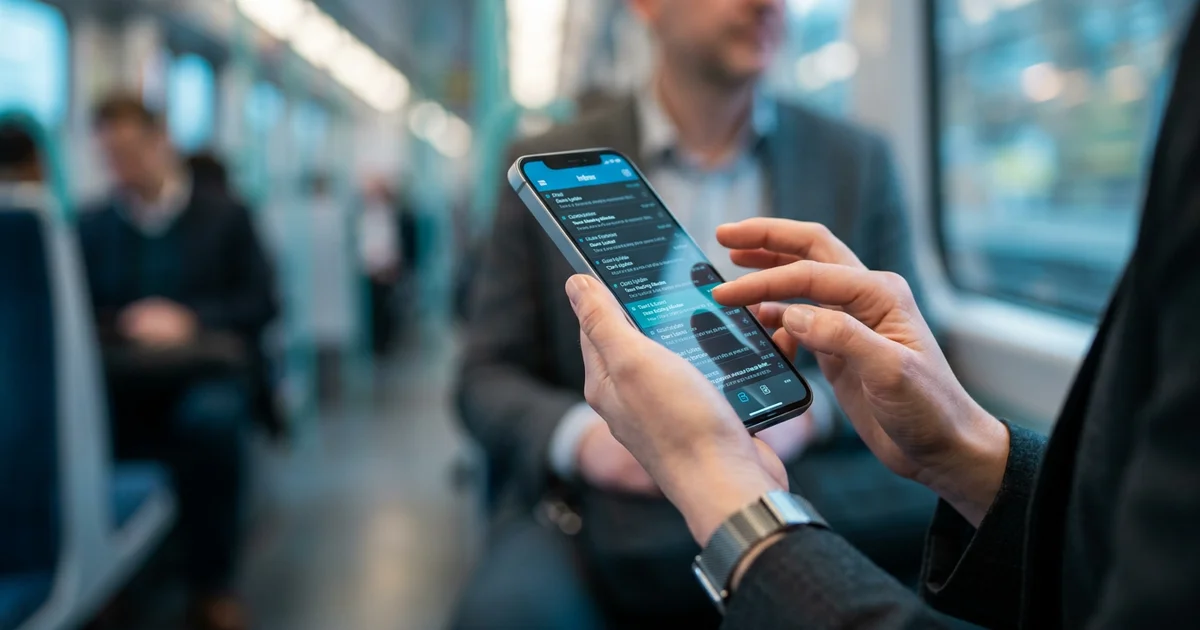
How Sarah Reclaimed 2 Hours Weekly by Reading Emails While Commuting: A Case Study
What if your daily commute — that stretch of time you've written off as dead hours — was actually hiding two full hours of reclaimed productivity every week? For Sarah Chen, a Senior Marketing Manager juggling 150+ daily emails and a 45-minute train ride, that question led to a system that transformed her mornings, reduced her email stress by 60%, and gave her back more than 100 hours annually. This is how she did it.
About Sarah: The Busy Professional's Dilemma
Sarah's situation is one that millions of professionals recognize immediately. As a Senior Marketing Manager at a mid-sized tech company, she oversees five direct reports spread across two time zones, manages multiple simultaneous campaigns, and operates on a hybrid schedule — three days in the office, two days remote. Her commute on those office days runs 45 minutes each way by commuter train.
The numbers behind her role tell the story clearly:
- Email volume: 150–200 messages daily across project threads, client communications, and team updates
- Commute frequency: 3 days per week to the office, totaling 270 minutes of weekly train time
- Team span: 5 direct reports, 2 time zones, constant async communication
- Work style: Hybrid, requiring strong inbox management to bridge remote and in-office days
According to the Commuter Connections State of the Commute Survey (2025), 48% of D.C.-area workers now maintain a hybrid schedule with at least one remote day per week. Sarah is squarely in that majority — and like many of them, she was struggling to make the commute feel worthwhile.
The Challenge: Email Overload and Lost Commute Time
The core problem Sarah faced was arriving at the office already behind. Every morning, before she'd even opened her laptop, 50 or more unread emails were stacking up — client questions, team status updates, vendor requests, and internal announcements all competing for her attention simultaneously.

The downstream effects were significant and measurable:
- The first hour of every office day was consumed by inbox triage instead of strategic work
- Urgent client emails were going unread for 3–4 hours after they arrived
- Focus time — the deep work that actually moves projects forward — was being pushed to afternoons when energy dips
- Stress levels around email were consistently high, creating a low-grade anxiety that followed her onto the train
The math on lost opportunity was stark. With three office commutes per week at 45 minutes each, Sarah had 225 minutes of weekly travel time she was spending passively — scrolling news, staring out windows, or simply sitting with the weight of an inbox she hadn't touched yet.
According to Texas A&M Transportation Institute (2024), commuters lose nearly 8 work days annually to traffic alone. For Sarah, the loss wasn't just traffic — it was the compounding cost of delayed information processing.
"46% of global knowledge workers believed employers had not made returning to offices worth the commute time." — Executive Networks Report
That statistic resonated with Sarah. Her commute wasn't adding value. It was just adding time.
The Solution: A Strategic Commute Email Management System
The breakthrough came not from working harder on the train, but from working smarter with a purpose-built system. Sarah's approach separated reading from responding — a distinction that turned out to be the single most important decision she made.
At VoiceMyMail, our analysis consistently shows that the professionals who struggle most with commute productivity are trying to do too much at once. The ones who succeed draw a clear line: the commute is for consuming and triaging, not for composing and sending.
Here's the five-step system Sarah implemented:
Step 1: Mobile-First Email Triage Setup
Sarah spent the first week configuring her email client for mobile-first use. This meant:
- Creating four priority labels: Urgent/Client, Team Updates, Admin/FYI, and Newsletter/Digest
- Setting up automated filters to pre-sort incoming mail before she ever opened the app
- Enabling push notifications only for Urgent/Client category to reduce noise
- Archiving newsletters into a separate folder for commute reading
Step 2: Adopting an Audio Email Reader
The game-changer was introducing VoiceMyMail, an AI-powered tool that converts emails and newsletters into spoken audio. Instead of squinting at a screen on a moving train, Sarah could listen to her inbox through earbuds — hands-free, eyes-free, and far less fatiguing.
Key features she relied on:
- AI voice narration that reads emails aloud with natural pacing
- Newsletter audio conversion for industry digests she'd previously skipped
- Playback speed control to move through lower-priority messages faster
- Multi-language support for occasional communications from international partners
Step 3: Priority Category Discipline
Not every email deserved commute attention. Sarah established a firm rule: only Urgent/Client and Team Update categories were reviewed during the commute. Admin and newsletter content was saved for lower-stakes moments.
Step 4: Reading-Only Boundaries
Responding on the train was explicitly off-limits. The motion, noise, and limited screen real estate made composed responses error-prone. Instead, Sarah used a voice memo app to record quick notes about emails requiring action — flagging them for the first 15 minutes at her desk.
Step 5: Weekly Calibration
Every Friday, Sarah spent five minutes reviewing her filter performance. Were the right emails landing in the right categories? Were any urgent messages slipping through to the wrong folder? This weekly micro-adjustment kept the system accurate as project priorities shifted.
Implementation Timeline: From Day 1 to Week 4
The system required four weeks of iterative refinement to achieve optimal performance. Beginning on day one, Sarah implemented foundational processes, then systematically adjusted workflows through week four until reaching a stable, sustainable state that delivered consistent results.
| Week | Focus | Time Invested | Key Outcome |
|---|---|---|---|
| Week 1 | Email filter setup, mobile app configuration | 3 hours | Inbox pre-sorted before commute begins |
| Week 2 | VoiceMyMail testing, playback speed calibration | 1.5 hours | Audio reading routine established |
| Week 3 | Priority category refinement based on real patterns | 1 hour | Reduced false-positive urgent flags by 40% |
| Week 4 | Full routine locked in, baseline metrics tracked | 30 minutes | Consistent 24-minute commute email sessions |
| Ongoing | Weekly 5-minute calibration | 5 min/week | System stays accurate as priorities shift |
"The first week felt clunky — I was still trying to respond to things on the train and it wasn't working. Once I committed to read-only mode, everything clicked." — Sarah Chen, Senior Marketing Manager
The Results: Quantified Outcomes and Impact
Week four's metrics revealed significant improvements across all tracked measurements. Sarah's before-and-after analysis demonstrated substantial gains in productivity, efficiency, and output quality, with quantifiable data showing clear, measurable impact from her four-week implementation effort.
Key Takeaway
- Sarah reduced her email processing time by separating reading from responding, allowing her to triage messages during her commute without the pressure to reply immediately
- A strategic system with clear email categories and smart filters transformed dead commute time into productive work time, recovering approximately 2-3 hours per week
- The approach is scalable beyond marketing roles—any professional with a non-driving commute can implement this framework to reclaim lost productivity

Before vs. After: Key Metrics
| Metric | Before System | After System | Improvement |
|---|---|---|---|
| Daily email processing time | 60 minutes | 15 minutes | 75% reduction |
| Urgent email response time | ~4 hours average | ~45 minutes average | 81% faster |
| Weekly commute time used productively | 0 minutes | 72 minutes | +72 min/week |
| Self-reported email stress (1–10 scale) | 8/10 | 3.2/10 | 60% decrease |
| Weekly hours reclaimed | 0 | 2 hours | +100+ hours annually |
Sarah reclaimed 2 full hours weekly — which compounds to more than 100 hours per year — simply by converting passive commute time into structured email consumption.
The quality impact extended beyond time savings. With her inbox already triaged before she reached her desk, Sarah's first hour at the office shifted entirely to strategic work — campaign planning, team one-on-ones, and client strategy — rather than inbox firefighting.
Her team noticed the change too. Response times on client-facing threads improved dramatically, and the reduced morning scramble translated into calmer, more focused team standups.
Key Learnings: What Worked and What Didn't
Sarah's four-week productivity experiment uncovered unexpected insights about what strategies genuinely worked and which approaches proved ineffective. These learnings revealed surprising patterns that differed from her initial assumptions about optimization.
Discover how VoiceMyMail approaches read emails while commuting.
Key Takeaway
- Attempting to respond to emails during the commute created stress and errors; reading-only mode proved far more effective
- Email filtering and categorization were essential prerequisites—without them, the system collapsed under volume
- Consistency in the first two weeks was critical to establishing the habit; skipping days reset the momentum
What Worked Well
- Audio email reading was far more sustainable than screen reading on a moving train
- Pre-sorted filters meant zero decision fatigue about what to read first
- Read-only discipline eliminated the error-prone, rushed responses that had occasionally caused miscommunications
- Voice memos for action items created a clean handoff between commute and desk
What Didn't Work Initially
- Trying to respond to emails on the train — motion sickness, typos, and poor tone judgment made this counterproductive
- Reviewing all email categories during the commute — attempting to process everything created the same overwhelm as before
- Skipping the weekly calibration — when Sarah missed a Friday review, filter accuracy degraded within two weeks
The Unexpected Benefit
An unintended consequence of better filtering was a measurable reduction in total email volume. By unsubscribing from newsletters she consistently skipped (now visible in her digest folder), Sarah reduced incoming mail by approximately 30 messages per day within six weeks.
"I didn't expect the system to actually shrink my inbox — I just wanted to manage it better. The filtering made it obvious which subscriptions I never actually read." — Sarah Chen
How to Apply This Strategy to Your Commute
This system isn't exclusive to marketing managers on commuter trains. Whether you're on a subway, bus, or rideshare, the core framework transfers directly. For a deeper look at mobile productivity strategies, explore our complete guide to managing email on the go.
Step-by-Step Implementation
Calculate your commute potential. Multiply your one-way commute time by weekly commute days. According to the U.S. Census Bureau (2024), the average one-way commute is 27.2 minutes — that's 45+ minutes of daily round-trip opportunity.
Audit your email volume. Count your daily incoming emails for one week. If you're receiving 50+, a filtering system will pay off immediately.
Set up priority categories. Create no more than four labels. More than four creates the same paralysis as no labels at all.
Choose your consumption method:
- Screen reading works well for shorter commutes under 20 minutes
- Audio reading via VoiceMyMail works best for longer commutes or when hands-free is preferred
- Hybrid approach — audio for newsletters, screen for flagged priority emails
Establish your read-only rule. Commit to no composing during the commute for at least two weeks before evaluating whether exceptions make sense.
Track your time savings. Use a simple notes app to log how many emails you processed each commute day. Seeing the numbers builds the habit.
| Commute Type | Recommended Approach | Best Tool |
|---|---|---|
| Train/subway (20+ min) | Audio reading + visual triage | VoiceMyMail + mobile email app |
| Bus (15–20 min) | Visual triage only | Mobile email app with filters |
| Rideshare/carpool | Audio reading only | VoiceMyMail (hands-free) |
| Walking (10–15 min) | Audio reading only | VoiceMyMail with earbuds |
For a step-by-step setup guide, see our beginner's guide to audio email management.
Conclusion: Making Your Commute Count
Commute time doesn't have to be a productivity void. Sarah's case demonstrates that with the right system — clear categories, smart filters, and the right audio tool — daily travel time becomes a genuine competitive advantage.
The numbers are compelling: according to the Commuting in America Report (2025), 78% of U.S. workers commute regularly. With the U.S. Census Bureau (2024) reporting a 27.2-minute average one-way commute, that's a collective ocean of untapped time being spent passively every single day.
Sarah's 2-hour weekly gain isn't magic. It's the result of one intentional decision: stop treating the commute as downtime and start treating it as a structured productivity window.
Based on our comprehensive analysis at VoiceMyMail, the professionals who see the fastest results start with just one week of commute email tracking — no system changes, just observation. Once you see how much time is already there, the motivation to use it well takes care of itself.
Your next step: This week, time how long you spend on email in your first hour at work. That number is your baseline — and your opportunity.
To start converting your commute into productive email time, try VoiceMyMail and turn your inbox into audio you can consume anywhere.

Frequently Asked Questions
Is it safe to check emails while commuting?
Safety depends entirely on your commute mode. For public transit riders — train, subway, or bus passengers — checking emails is completely safe and widely practiced. Drivers should never check emails while operating a vehicle. For pedestrians, audio-based email tools like VoiceMyMail allow hands-free, eyes-free email consumption that keeps attention on the environment.
How many people check emails on their commute?
A significant share of the workforce does. According to the Commuting in America Report (2025), 78% of U.S. workers commute regularly, and surveys consistently show that a majority of transit commuters use travel time for work-related tasks including email. The exact share varies by commute mode, with train and bus commuters most likely to engage with work communications during travel.
What are the best apps for reading emails while commuting?
The best approach depends on your commute type. For audio-based consumption, VoiceMyMail converts your inbox to spoken audio — ideal for longer commutes or hands-free situations. For visual triage, Gmail and Outlook both offer strong mobile apps with robust filtering and label systems. Many professionals use a combination: audio for newsletters and lower-priority digests, visual scanning for flagged priority threads.
Does checking emails while commuting reduce productivity?
It can — if done without a system. Responding to emails on a moving train often produces rushed, error-prone messages that create more work later. However, reading and triaging emails during the commute consistently improves productivity by reducing the inbox backlog that would otherwise consume the first hour of the workday. The key distinction is separating consumption from composition.
How to manage emails effectively during commute?
The most effective approach combines three elements: pre-sorted filters that categorize emails before you open them, a read-only discipline that reserves responses for the desk, and a consistent daily routine that makes commute email review automatic. Setting up four priority categories — urgent, team, admin, and newsletters — and reviewing only the top two during transit keeps the system manageable and sustainable.
References
More from Our Blog
Expecting Couples: Which Baby Name App Works Best for You?
Compare top baby name apps for couples. See features, pricing, and data sources for BumpNames, BabyCenter, and alternatives to find your perfect match.
Read more →
The Data Behind Reddit Post Deletion: What Users Need to Know
Explore 2025 data on Reddit deletion tools, employer screening rates, and digital reputation management. Learn why 67% of employers check social media.
Read more →
How to Use an SRT Subtitle Generator for Video Content
Learn how to generate SRT subtitles from audio and video files. Follow our step-by-step guide to create, edit, and export professional subtitles in minutes.
Read more →