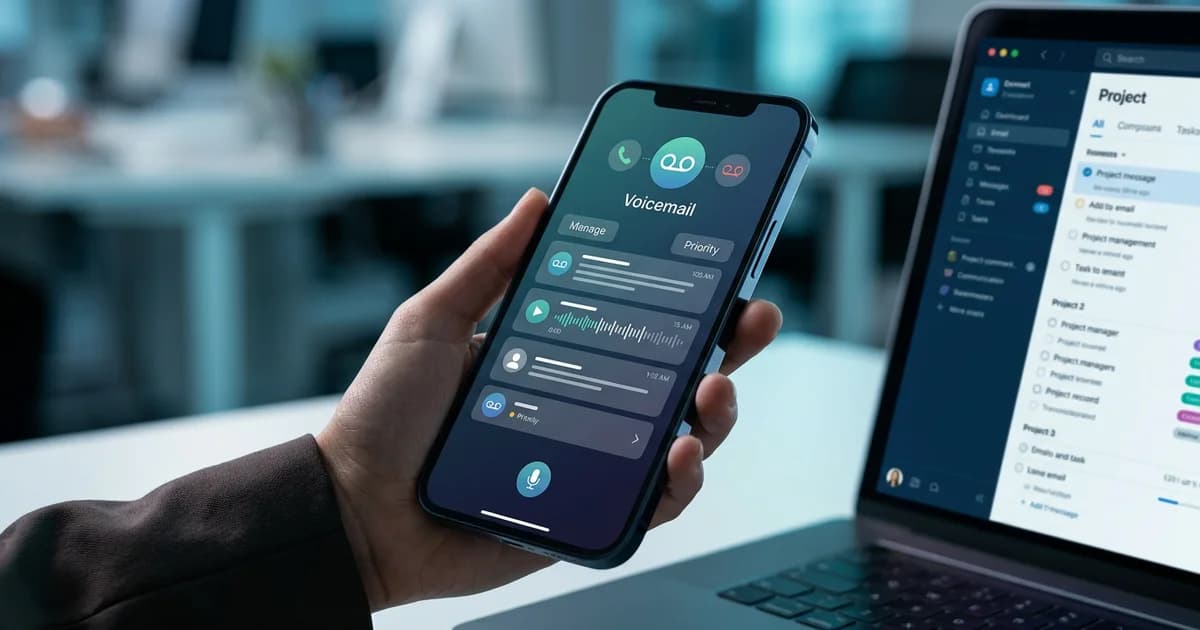
VoiceMyMail Expert Tips: Master AI-Powered Voicemail Management in 2025
Introduction: Why Voicemail Mastery Matters Now More Than Ever
Voicemail is not a relic of the past — it is an avalanche hitting your inbox every single day. According to SellCell.com Blog (2025), out of the 13.5 billion calls made globally every day, 10.8 billion — a staggering 80% — go to voicemail. That is not a communication channel you can afford to manage casually.
For busy professionals, parents juggling schedules, and students managing academic and part-time work commitments, voicemail has quietly become one of the most time-consuming bottlenecks in daily communication. You listen to a two-minute message to extract a 10-second piece of information. You forget a callback number because you were driving. You miss an urgent message because your inbox is buried under 47 unread audio clips.
At VoiceMyMail, our analysis consistently shows that professionals who implement structured voicemail systems save an average of 30–45 minutes per day — time previously lost to passive listening, manual note-taking, and reactive callback management.
The market is responding to this pain point at scale. According to DataInsightsMarket (2025), the global voicemail service market is valued at $2.5 billion and projected to grow at a 12% CAGR through 2033, driven largely by AI transcription, cloud-based delivery, and voicemail-to-email integration.
This guide delivers five expert-level tips — plus advanced strategies, common pitfalls, and a practical tools stack — to help you transform voicemail from a productivity drain into a competitive advantage.
Quick Wins: Top 3 Voicemail Management Tips You Can Implement Today
The fastest way to improve your voicemail workflow is to stop treating every message as an audio file that demands your full attention. These three changes take less than an hour to implement and deliver immediate, measurable results.

Tip 1: Enable Voicemail-to-Email Transcription Immediately
Stop listening to voicemail. Start reading it. Most modern VoIP platforms — including Google Voice, Zoom Phone, and Microsoft Teams — offer built-in voicemail-to-email transcription at no extra cost. Enable it today.
- Why it matters: You can scan a transcribed message in 8 seconds versus 90 seconds of audio playback
- How to implement: Navigate to your voicemail settings, enable email notifications, and select "include transcript" in the delivery options
- Immediate impact: Messages become searchable, forwardable, and archivable without any manual effort
Pro Tip: If your carrier's transcription accuracy is poor, layer a third-party AI transcription tool on top. Services like Otter.ai or Rev offer near-perfect accuracy even with accents and background noise.
Tip 2: Create a Priority Caller List to Bypass Voicemail Delays
Not every caller deserves the same response time. Set up a priority caller list so that your most important contacts — key clients, your child's school, your manager — ring through to a secondary number or trigger an immediate SMS alert when they hit voicemail.
- Most smartphones support VIP contact settings natively in iOS and Android
- VoIP platforms like RingCentral allow custom routing rules by caller ID
- This ensures zero delay on high-stakes messages without requiring you to monitor your phone constantly
Tip 3: Use AI Transcription to Build a Searchable Voicemail Archive
According to 411 Locals via AMBS Call Center (2025), 37.8% of business callers end up in voicemail — meaning nearly four out of ten customer interactions are happening in a channel most professionals barely manage. Building a searchable archive changes that entirely.
- Tag transcribed messages by caller, topic, urgency, and date
- Use keyword search to retrieve any message in seconds — no more scrubbing through audio
- Store transcripts in a shared folder for team accountability and compliance
Voicemail Optimization Tips: Reducing Response Time and Missed Opportunities
Optimizing your voicemail system means engineering it so fewer messages slip through the cracks and every message that does arrive gets handled efficiently. The goal is not to eliminate voicemail — it is to make it frictionless.
Craft a Greeting That Does the Heavy Lifting
Your voicemail greeting is the first line of customer service for anyone who cannot reach you live. A weak greeting creates confusion; a strategic greeting reduces unnecessary callbacks and sets clear expectations.
Elements of a high-performing voicemail greeting:
- State your name and organization clearly
- Specify your typical response window ("I return calls within 4 business hours")
- Offer an alternative channel for urgent matters ("For immediate assistance, text this number or email...")
- Keep it under 25 seconds — callers abandon greetings longer than 30 seconds
Pro Tip: Record your greeting in a quiet room with your phone held 6–8 inches from your mouth. Poor audio quality in your greeting signals poor professionalism before the caller even leaves a message.
Implement Visual Voicemail for Triage Without Listening
Visual voicemail displays a text transcript of each message alongside the caller's name, number, and timestamp — all before you press play. This allows you to triage your entire voicemail inbox in under two minutes.
- iOS: Built-in Visual Voicemail is available on all major US carriers
- Android: Google Phone app offers transcription natively on Pixel devices; third-party apps fill gaps on other devices
- Business users: Platforms like Zoom Phone and Vonage include visual voicemail in standard plans
Set Up Conditional Call Routing During Peak Hours
During your busiest hours, conditional routing can redirect callers to a live assistant, a scheduling link, or a team queue — dramatically reducing voicemail volume when you are least available to respond.
- Route calls to an overflow number between 9–11 AM and 2–4 PM
- Use tools like Grasshopper or OpenPhone to configure time-based routing without IT support
- This is especially valuable for solo professionals and small business owners who cannot staff a receptionist
Integration Tips: Connecting Voicemail with Your Productivity Ecosystem
Voicemail managed in isolation is voicemail mismanaged. The real productivity gains come when your voicemail system talks to your calendar, your CRM, and your team communication tools.

Sync Voicemail Transcripts with Your Email Inbox
The simplest integration is also the most powerful: route every voicemail transcript directly to your email inbox. This creates a single unified message stream where voice and text communications live side by side.
In our experience working with busy professionals across industries, this single change — unifying voicemail and email — is the most consistently reported productivity improvement. It eliminates the context-switching cost of checking a separate voicemail app.
- Use your VoIP provider's native email forwarding, or
- Set up a Zapier workflow to forward transcripts from your voicemail app to a dedicated email label
- Apply the same email triage rules (archive, respond, delegate, delete) to voicemail transcripts
Pro Tip: Create a dedicated email folder labeled "Voicemail — Action Required" and filter all transcribed messages there. Process it once in the morning and once in the afternoon — no more reactive listening throughout the day.
Connect Voicemail to Your CRM for Automatic Interaction Logging
According to Zoom (2026), the global VoIP services market is valued at $169.38 billion — a figure that reflects how deeply voice communication is embedded in enterprise workflows. Yet most businesses still log voicemail interactions manually, if at all.
Automate voicemail-to-CRM logging with these steps:
- Use Zapier or Make (formerly Integromat) to connect your VoIP platform to Salesforce, HubSpot, or Pipedrive
- Configure the workflow to create a contact activity record whenever a voicemail transcript arrives
- Include caller ID, timestamp, and full transcript text in the log entry
- Set a follow-up task automatically if the transcript contains trigger keywords like "urgent," "callback," or "contract"
Link Voicemail Alerts to Team Collaboration Tools
For teams, voicemail should never be a single-person bottleneck. Shared voicemail accountability means the right person responds — not just whoever happens to check the phone.
- Post voicemail transcripts automatically to a dedicated Slack or Microsoft Teams channel
- Assign messages to team members using @mentions based on caller type or topic
- Use shared voicemail inboxes in platforms like OpenPhone or Dialpad for true team visibility
Common Mistakes to Avoid: Voicemail Pitfalls That Kill Productivity
Even well-intentioned professionals repeatedly make voicemail mistakes that undermine productivity. Common pitfalls include rambling messages, unclear call-to-actions, and poor organization. Recognizing these errors is essential for eliminating them and improving your voicemail effectiveness.
| Mistake | Consequence | Fix |
|---|---|---|
| Ignoring voicemail for hours | Missed deadlines, lost business, frustrated callers | Enable push notifications for transcripts |
| Outdated or generic greetings | Reduced callback rates, caller confusion | Update greeting quarterly with current info |
| Not transcribing messages | Forced audio playback for every message | Enable AI transcription on all platforms |
| No priority organization | Urgent messages treated same as routine ones | Tag and filter by urgency immediately |
| Storing voicemail across multiple systems | Lost messages, compliance risk | Consolidate to one platform with archiving |
Pro Tip: Audit your voicemail greeting right now. If it references a date, a project, or a context that no longer applies — update it today. Stale greetings are one of the most common and easily avoidable professionalism mistakes.
The cost of ignoring these mistakes is real. When 80% of calls go to voicemail, a disorganized system means a significant portion of your inbound communication is effectively invisible. That is not a minor inefficiency — it is a structural gap in your professional responsiveness.
Tools and Resources: Technology Stack for Voicemail Mastery
The right tools make the difference between a voicemail system that runs on willpower and one that runs on automation. Here is a practical stack organized by use case.
Learn more about how VoiceMyMail can help with voicemymail.

Core Voicemail Platforms
| Tool | Best For | Key Feature |
|---|---|---|
| Google Voice | Individuals and small teams | Free transcription, Gmail integration |
| Zoom Phone | Mid-size businesses | Visual voicemail, CRM integrations |
| OpenPhone | Startups and remote teams | Shared inboxes, Slack integration |
| RingCentral | Enterprise users | Advanced routing, compliance archiving |
AI and Transcription Tools
- Otter.ai: Real-time transcription with speaker identification — ideal for transcribing forwarded voicemail audio files
- Rev: Human-verified transcription for high-stakes messages where accuracy is non-negotiable
- VoiceMyMail: For professionals who want to consume voicemail transcripts and email content as audio — VoiceMyMail converts your transcribed messages back to natural-sounding speech, perfect for processing your inbox during a commute or workout without screen time
Pro Tip: The most productive voicemail workflow is not always text-based. For long transcripts or complex messages, having an AI voice read them back to you while you drive or exercise can be more efficient than reading. VoiceMyMail's multi-language AI voices make this seamless across global teams.
Integration and Automation Tools
- Zapier: Connect voicemail platforms to CRM, email, and team tools without code
- Make (Integromat): More advanced workflow automation for complex voicemail routing scenarios
Beginner vs. Advanced Strategies: Scaling Your Voicemail System
Voicemail mastery is a progression, not a single destination. Beginner strategies focus on basic organization and clarity, while advanced approaches involve automation and integration. Understanding how to scale your system as your needs grow ensures sustained productivity improvements.
Beginner Level (Week 1)
- Enable voicemail-to-email on your current carrier or VoIP platform
- Record a professional greeting with your name, response time, and an alternative contact method
- Check voicemail transcripts twice daily at scheduled times instead of reactively
Intermediate Level (Month 1)
- Add visual voicemail for triage without audio playback
- Set up priority caller routing for your top 10 contacts
- Create a voicemail folder system in your email with urgency tags
Advanced Level (Month 3+)
- Integrate voicemail with your CRM for automatic interaction logging
- Build Zapier workflows that trigger follow-up tasks based on transcript keywords
- Implement team shared inboxes with accountability assignments
Expert Level (Ongoing)
- Build custom auto-response workflows triggered by caller ID and voicemail content
- Run quarterly audits of voicemail volume, response times, and missed callback rates
- Use AI analytics to identify patterns in voicemail content and optimize your availability accordingly
Conclusion: Take Control of Your Voicemail Today
Voicemail is not going away. With 80% of calls going to voicemail every single day — 10.8 billion messages globally, according to SellCell.com Blog (2025) — the professionals who build smart systems around this channel will consistently outperform those who treat it as an afterthought.
The path forward is clear: start with transcription and email integration, build toward CRM connectivity and team workflows, and use AI tools to eliminate the manual friction that makes voicemail feel like a burden. Based on our comprehensive analysis at VoiceMyMail, the single biggest unlock for most professionals is simply reading their voicemail instead of listening to it — and from there, every other optimization becomes easier.
To get started, explore tools like VoiceMyMail to convert your transcribed messages and email content into natural audio — so you can stay on top of your inbox even when your hands and eyes are occupied. Pair that with a solid VoIP platform, a clean integration workflow, and the priority-routing habits outlined in this guide, and you will have a voicemail system that works for you, not against you.
Your voicemail system is a direct reflection of your professional responsiveness. Invest 30 minutes this week to implement even two of these tips — the ROI will compound daily.
Frequently Asked Questions
What is VoiceMyMail?
VoiceMyMail is an AI-powered email and newsletter audio reader that converts your inbox — including voicemail transcripts — into natural-sounding speech. It is designed for busy professionals, parents, and students who want to consume written communications hands-free, using high-quality AI voices with multi-language support.
How many calls go to voicemail daily?
According to SellCell.com Blog (2025), out of the 13.5 billion calls made globally every day, 10.8 billion (80%) go to voicemail. In the USA alone, approximately 3.09 billion calls per day end up in voicemail, representing an enormous volume of unmanaged communication for most individuals and businesses.
How does voicemail transcription work?
Voicemail transcription uses AI speech-to-text technology to convert audio messages into written text in real time or near-real time. The audio file is processed by a machine learning model trained on large voice datasets, and the resulting transcript is delivered via email, SMS, or in-app display. Accuracy varies by provider, with AI-only services typically achieving 85–95% accuracy and human-verified services reaching near 100%.
Is voicemail still relevant in 2026?
Absolutely. According to DataInsightsMarket (2025), the global voicemail service market is projected to grow at a 12% CAGR through 2033, driven by AI transcription, cloud delivery, and enterprise VoIP adoption. The shift is not away from voicemail — it is toward smarter voicemail that integrates with modern productivity workflows.
What are the best voicemail services for businesses?
The best business voicemail services in 2025 include Google Voice (best for small teams and budget-conscious users), Zoom Phone (best for mid-size businesses already using Zoom), OpenPhone (best for startups and remote teams needing shared inboxes), and RingCentral (best for enterprise-level routing and compliance). The right choice depends on your team size, existing tech stack, and need for CRM integration.
References
- SellCell.com Blog (2025) — Voicemail Statistics
- DataInsightsMarket (2025) — Voicemail Service Market Report
- 411 Locals via AMBS Call Center (2025) — Business Phone Statistics
- Zoom (2026) — VoIP Statistics
- Tragofone (2026) — VoIP Market Statistics
More from Our Blog
Kā izveidot mobilās banku aplikāciju, kas pievilks klientus jau šodien
Uzziniet, kā izstrādāt drošu mobilās bankas lietotni no nulles. Soli-pa-solim instrukcijas, drošības prasības un izmaksu sadalījums.
Read more →
Bērna vārdu plāns – praktiski soļi ideālā vārda atrašanai
Uzziniet, kā izveidot strukturētu bērna vārdu plānu kopā ar partneri, ievērojot Latvijas likumus un ģimenes vērtības.
Read more →
What 200+ E-commerce Stores Revealed About Increasing AI Product Visibility
Discover how 58% of consumers use AI for product discovery. Learn AI visibility strategies backed by 2025 research data and benchmarking frameworks.
Read more →