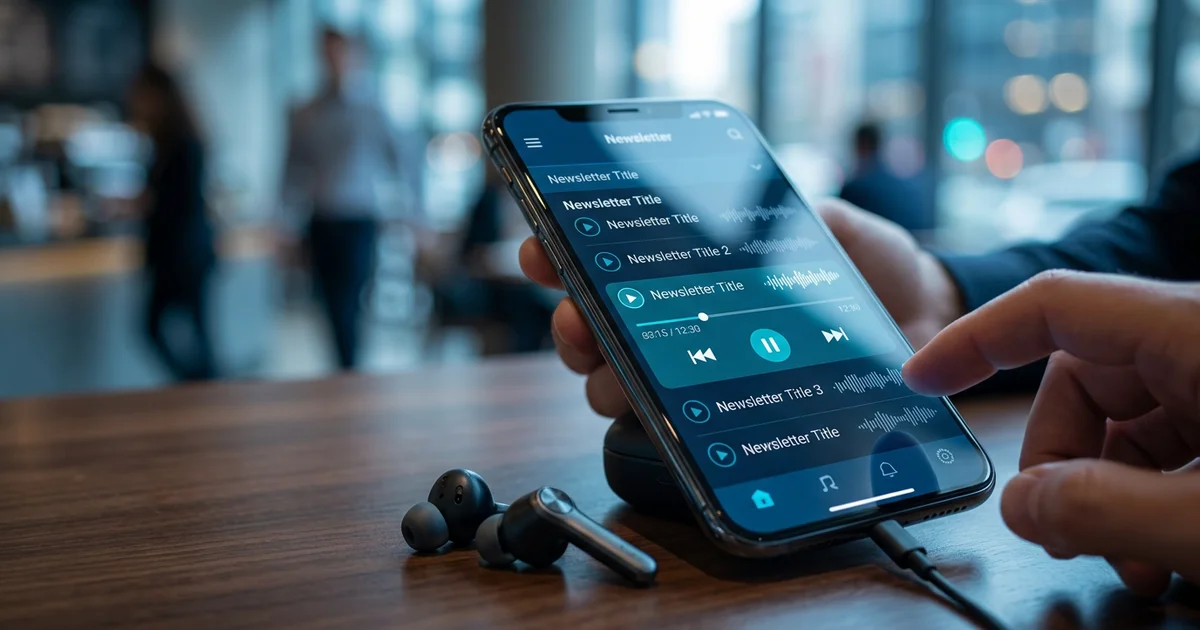
7 Ways to Listen to Newsletters on the Go
Staying on top of your newsletter subscriptions is harder than it sounds. According to LiveIntent research (2023), 99% of email users check their inboxes every day — and 85% check more than twice daily. Yet for busy professionals, parents, and students, actually reading every newsletter that lands in your inbox is a different story entirely.
The good news? You no longer have to choose between staying informed and staying productive. A growing range of tools and platforms now let you listen to newsletters the same way you'd listen to a podcast — during your commute, at the gym, while cooking dinner, or anywhere else your eyes are busy but your ears are free.
At VoiceMyMail, our analysis consistently shows that audio consumption of written content is one of the fastest-growing habits among professionals who want to maximize their information intake without adding screen time to their day.
In this guide, we'll walk you through seven practical, proven methods to convert your newsletter subscriptions into audio — from AI-powered inbox readers to smart speaker integrations. Whether you're a casual newsletter reader or someone drowning in dozens of daily subscriptions, there's a solution here for you.
Here's a quick summary of the seven methods covered:
- VoiceMyMail — AI-powered email and newsletter audio reader
- Apple Books and audiobook apps — for newsletters with official audio versions
- Podcast apps — for newsletter-to-podcast feed conversions
- Text-to-speech browser extensions — for on-demand, any-newsletter listening
- Dedicated newsletter audio platforms — purpose-built aggregators with audio
- Smart speaker integration — hands-free listening via Alexa, Google, or Siri
- Voice memo recording — a manual, personalized approach for critical content
Why Audio Newsletters Matter for Busy Professionals
The shift toward audio consumption isn't a passing trend — it's a direct response to how modern professionals actually live. According to Mailgun (2024), 71.5% of email users view emails primarily on mobile phones, which means newsletters are already being consumed on the move. Converting that mobile reading experience into a mobile listening experience is the natural next step.

There are several compelling reasons to make the switch:
- Multitasking efficiency: Audio lets you consume content during activities that don't require cognitive focus — commuting, exercising, doing household chores
- Improved retention for auditory learners: Hearing content reinforces comprehension for many people
- Accessibility: Audio newsletters make written content available to visually impaired readers or those with reading difficulties
- Reduced screen fatigue: Giving your eyes a break while still staying informed is a genuine quality-of-life improvement
According to beehiiv (2025), email open rates climbed from 37.98% in 2024 to 41.24% in 2025, confirming that newsletters remain one of the most engaging content formats available. As beehiiv's State of Newsletters 2026 report notes, "readers are gravitating toward newsletters that feel personal, intentional, and rooted in identity or subject-matter depth." Audio consumption makes it even easier to engage with that kind of thoughtful, long-form content.
1. VoiceMyMail — AI-Powered Email and Newsletter Audio Reader
For most people, the simplest and most comprehensive way to listen to newsletters is to use a dedicated tool that connects directly to your inbox and handles the conversion automatically. VoiceMyMail does exactly that — it reads your emails and newsletters aloud using natural-sounding AI voices, without requiring you to manually copy, paste, or upload anything.
VoiceMyMail
AI-powered email and newsletter audio reader that connects directly to your inbox and automatically converts emails to natural-sounding audio. Perfect for comprehensive inbox management.
How It Works
VoiceMyMail integrates with your existing email account and converts incoming messages — including newsletters — into spoken audio. The AI voice technology produces natural, fluent speech rather than the robotic monotone associated with older text-to-speech tools. You can listen through your phone, tablet, or desktop, making it genuinely multi-device.
Key features:
- Automatic inbox integration — no manual uploads or copy-pasting required
- AI-powered natural voices — multiple voice options for a more pleasant listening experience
- Multi-language support — useful for professionals who receive newsletters in different languages
- Works with all major email providers — Gmail, Outlook, Apple Mail, and others
- Mobile-friendly — optimized for on-the-go listening, which matters given that 71.5% of email users are already on mobile
Strengths and Weaknesses
| Aspect | Assessment |
|---|---|
| Ease of setup | Very easy — connects to existing inbox |
| Audio quality | High — natural AI voices |
| Newsletter compatibility | Broad — works with any email-delivered newsletter |
| Manual effort required | Minimal |
| Best for | Daily newsletter listeners, busy professionals |
Best use case: If you receive five or more newsletters per week and want a zero-friction way to consume all of them, VoiceMyMail is the most efficient starting point. It's particularly well-suited to professionals who already have a commute or workout routine and want to fill that time with useful content.
2. Apple Books and Audiobook Apps for Newsletter Subscriptions
Some newsletters have evolved beyond the inbox entirely, offering official audio versions through platforms like Apple Books, Audible, or Libro.fm. This approach delivers professionally narrated content with the same production quality as a commercial audiobook.
Apple Books & Audible
Official audiobook platforms offering professionally narrated newsletter content. Ideal for subscribers seeking high-quality, curated audio experiences with premium production values.
What's Available
A growing number of premium newsletters — particularly in the business, finance, and personal development spaces — now offer audio companions or bundled audiobook editions. According to beehiiv (2025), publishers sent 28 billion emails in 2025 and reached more than 255 million unique readers, and a meaningful portion of those publishers are now experimenting with audio formats.
How to find audio newsletters in Apple Books:
- Open the Apple Books app and search for your favorite newsletter brand
- Look for "audio edition" or "audio companion" in the product description
- Check whether your newsletter subscription includes an audio tier
Strengths:
- Professional narration quality
- Offline listening support
- Integrates with your existing audiobook library and listening habits
- Familiar, polished interface
Weaknesses:
- Only available for select, typically premium newsletters
- May require a separate subscription or purchase
- Not suitable for daily or high-frequency newsletters
Example: Some business newsletters like Morning Brew and The Hustle have experimented with audio editions, allowing subscribers to listen to curated weekly roundups in a format closer to a short audiobook chapter than a traditional email.
3. Podcast Apps for Newsletter-to-Audio Conversions
Several major newsletter platforms now offer built-in audio features that publish your newsletter as a podcast-style feed. This means you can listen to your favorite newsletters in Apple Podcasts, Spotify, Pocket Casts, or any other podcast app you already use.
Apple Podcasts & Spotify
Podcast apps that integrate newsletter-to-audio conversions as podcast-style feeds. Seamlessly listen to newsletters alongside your favorite podcasts in one unified app.
Platforms That Support This
- Substack: Allows creators to record and publish audio versions of their newsletters, which subscribers can access via a private podcast feed
- Beehiiv: Offers audio features for creators who want to publish spoken versions of their content
- Ghost: Supports podcast integration for newsletter publishers
According to beehiiv (2025), weekly sending cadence dominates at 46.62% of creators — which means most newsletters arrive on a predictable schedule, making them easy to batch-listen to in your podcast app alongside your regular shows.
How to set this up:
- Check whether your newsletter subscriptions are hosted on Substack or a similar platform
- Look for an "audio" or "podcast" option in your subscriber settings
- Copy the private RSS feed link into your preferred podcast app
- Listen alongside your regular podcast queue
Strengths:
- Consolidates all audio content in one familiar app
- Consistent listening habits — no new app to learn
- Works offline
Weaknesses:
- Dependent on the newsletter creator enabling audio
- Audio quality varies based on whether the creator records manually or uses automated tools

4. Text-to-Speech Browser Extensions for On-Demand Listening
Browser extensions offer the most flexible approach to listening to newsletters — they work with virtually any newsletter, regardless of platform, and require no subscription or account setup beyond the extension itself.
Popular Options
- Read Aloud (Chrome/Firefox): A free, straightforward extension that reads any selected or full-page text aloud with adjustable speed and voice
- Natural Reader: Available as both a browser extension and standalone app, with more polished voice options
- Speechify: A popular premium option with high-quality AI voices and speed-reading features
How to use a browser extension to listen to newsletters:
- Install your chosen extension from the Chrome Web Store or Firefox Add-ons
- Open your newsletter in your browser (most email clients have a web view option)
- Click the extension icon or select the text you want to hear
- Adjust speed and voice settings to your preference
- Listen while you browse or minimize the window
Strengths:
- Works with any newsletter, no exceptions
- Free or low-cost options available
- Highly customizable (speed, voice, pitch)
- No account linking or privacy concerns
Weaknesses:
- Requires an active browser tab — not ideal for background or offline listening
- Voice quality on free tools can feel mechanical
- Not optimized for mobile use
Best for: Occasional listeners who want to try audio newsletters before committing to a dedicated tool, or anyone who reads newsletters in a web browser and wants instant, no-setup audio access.
5. Dedicated Newsletter Audio Platforms and Services
Beyond generic text-to-speech tools, a category of purpose-built platforms has emerged specifically for audio newsletter consumption. These services aggregate content from multiple sources and deliver it in a clean, listenable format.
What These Platforms Offer
Services like Nuzzel (now integrated into Twitter/X), Flipboard, and newer AI-driven aggregators combine curation with audio playback. Rather than converting a single newsletter, they pull together content from multiple sources — including newsletters, articles, and feeds — and present it as a unified audio experience.
According to beehiiv (2023), newsletter open rates across all industries average 38.7%, significantly outperforming social media's typical 10% engagement rate. Dedicated audio platforms are betting that this engaged audience wants a more streamlined listening experience.
Key features to look for in dedicated platforms:
- Multi-source aggregation — pull from multiple newsletters and feeds
- Search and filtering — find content by topic, publication, or keyword
- Personalization — algorithmic or manual curation based on your interests
- Offline listening — download episodes for commutes or travel
- Professional narration — some platforms use human readers rather than AI
Strengths:
- Designed specifically for newsletter-style content
- Often includes discovery features to find new newsletters
- Can replace multiple individual subscriptions with one interface
Weaknesses:
- May not support every newsletter you currently subscribe to
- Some platforms require their own subscription fee
- Content availability depends on publisher partnerships
6. Smart Speaker Integration for Hands-Free Newsletter Listening
Smart speakers represent the most hands-free option for listening to newsletters — no screen, no tapping, no setup once the initial configuration is done. If you have an Amazon Echo, Google Nest, or Apple HomePod, you may already have everything you need.
Setting It Up
Amazon Alexa:
- Enable the "Email" skill in the Alexa app
- Link your Gmail or Outlook account
- Say "Alexa, read my emails" to hear your inbox, including newsletters
- Use "Alexa, skip" or "Alexa, next" to navigate between messages
Google Assistant:
- Connect your Gmail account in the Google Home app
- Ask "Hey Google, read my emails" for a summary or full reading
- Works on Google Nest speakers and Android phones
Apple Siri:
- Works natively with Apple Mail on HomePod
- Say "Hey Siri, read my emails" to hear your inbox
Best use cases for smart speaker newsletter listening:
- Morning routine: Listen while getting dressed or making breakfast
- Kitchen time: Catch up on newsletters while cooking or cleaning
- Commute prep: Get a quick summary before leaving the house
Strengths:
- Completely hands-free
- No additional apps or subscriptions required if you already own a smart speaker
- Natural, conversational interaction
Weaknesses:
- Audio quality and reading accuracy vary by platform
- Smart speakers may struggle with newsletter formatting, images, or complex layouts
- Requires a compatible device
7. Manual Recording and Voice Memo Methods for Personal Newsletters
The most low-tech option on this list is also, in some ways, the most powerful for deep retention. Recording yourself reading key excerpts from important newsletters — or using a voice memo app to capture your own spoken summaries — creates a personalized audio experience that's hard to replicate with automation.
Learn more about how VoiceMyMail can help with listen to newsletters.
How to Make This Work
The process:
- Read through your newsletter and highlight the two or three most important points
- Open your voice memo app (Apple Voice Memos, Google Recorder, or Otter.ai)
- Record yourself reading or summarizing those key points in your own words
- Save and label the recording by topic or newsletter name
- Replay during your commute, workout, or downtime
Why this works:
- Active engagement with the content during recording improves retention
- Personalized summaries cut out filler and focus on what matters to you
- Flexible timing — record when you have five minutes, listen whenever suits you
- Searchable with tools like Otter.ai — transcripts make it easy to find specific information later
Best for: Newsletters containing critical professional information, learning material, or content you genuinely need to internalize — not just skim. This method is time-intensive but produces the highest comprehension and retention of any approach on this list.
Strengths:
- Maximum personalization and retention
- No cost, no new tools required
- Combines active reading with audio consumption
Weaknesses:
- Time-consuming to produce
- Not practical for high-volume newsletter subscriptions
- Requires discipline and consistency
How to Get Started: Your Action Plan
Getting started with audio newsletters doesn't require a major overhaul of your habits. The best approach is to start small, test one method, and expand from there.

Step 1: Assess your listening habits
- How long is your daily commute or workout?
- Do you prefer a phone, smart speaker, or desktop?
- How many newsletters do you currently receive per week?
Step 2: Identify your highest-priority newsletters
- Which newsletters do you consistently open? Start with those.
- Which ones pile up unread? Audio might be the solution.
Step 3: Choose the right tool for your situation
| Your Situation | Recommended Method |
|---|---|
| Multiple newsletters, want automation | VoiceMyMail or dedicated platform |
| Already use podcast apps daily | Podcast app (Substack/Beehiiv audio) |
| Occasional listener, no new apps | Browser extension |
| Smart speaker at home | Alexa/Google/Siri integration |
| Deep learning from one newsletter | Voice memo recording |
Step 4: Set up your chosen solution Follow the platform-specific instructions outlined in each section above. Most tools take under ten minutes to configure.
Step 5: Test with one newsletter first Don't try to convert your entire inbox at once. Pick one newsletter you already enjoy and test the audio experience before expanding.
Step 6: Build a consistent listening routine According to LiveIntent research (2023), 99% of email users check their inboxes every day — which means there's already a daily habit to build on. Attach your newsletter listening to an existing routine: your morning coffee, your commute, or your evening walk.
Bonus Tips for Maximizing Your Newsletter Audio Experience
After selecting your preferred listening method and building a consistent routine, implementing strategic tips will significantly enhance your newsletter audio experience. These optimization techniques help you extract maximum value and retain more information from every listening session.
- Increase playback speed: Most tools support 1.25x or 1.5x speed. This alone can cut your listening time by 25-33% without significant comprehension loss.
- Create topic-based playlists: Group newsletters by category (finance, tech, health) and listen to related content in sequence for better context and retention.
- Use transcripts for reference: When transcripts are available, save them for note-taking or quick reference later — especially useful for newsletters with data, statistics, or action items.
- Schedule listening during low-attention activities: Commuting, exercising, and doing household chores are ideal — your brain is free to process information without competing demands.
- Combine audio with visual skimming: For newsletters heavy on charts, infographics, or data tables, do a quick visual scan first, then listen for the narrative context.
- Share standout audio clips: If a newsletter covers something genuinely useful, share the audio excerpt or a summary with colleagues — it positions you as a well-informed, generous connector.
Common Mistakes to Avoid When Listening to Newsletters
Even with the right tools and setup in place, several common listening mistakes can substantially diminish your overall newsletter audio experience. Being aware of these pitfalls helps you maintain engagement and comprehension throughout your sessions.
- Subscribing to too many newsletters without a listening schedule: Audio doesn't solve the volume problem — it just changes the format. Be selective about what you subscribe to.
- Choosing a tool that doesn't match your device ecosystem: A smart speaker solution won't help if you're mostly on Android; a browser extension won't work if you listen primarily on a commute without Wi-Fi.
- Attempting to listen to visually complex newsletters: Newsletters built around charts, tables, or heavy image content don't translate well to audio. Stick to text-forward publications for the best experience.
- Not testing audio quality before committing: Voice quality varies significantly between tools. Always test a sample before subscribing to a paid tier.
- Prioritizing quantity over quality: According to beehiiv (2025), 46.62% of creators send on a weekly cadence — meaning a handful of high-quality weekly newsletters is already a substantial listening load.
- Skipping note-taking entirely: Audio is great for passive consumption, but important insights need to be captured somewhere. Even a quick voice note after listening helps consolidate what you've learned.
Tools and Resources for Newsletter Audio Listening
Several tools and resources can enhance your newsletter audio listening experience. This consolidated reference guide includes all the platforms, applications, and services mentioned throughout this article to streamline your selection process.
Dedicated audio tools:
- VoiceMyMail — AI-powered email and newsletter audio reader
- Substack audio — built-in audio for Substack newsletters
- Beehiiv audio features — for newsletters hosted on beehiiv
Browser extensions:
- Read Aloud — free Chrome/Firefox extension
- Natural Reader — browser extension and standalone app
- Speechify — premium AI voice reader
Smart speakers:
- Amazon Alexa — email reading via Alexa Skills
- Google Assistant — Gmail integration on Nest devices
- Apple Siri — Apple Mail integration on HomePod
Podcast apps:
- Apple Podcasts — for newsletter podcast feeds
- Spotify — supports private podcast RSS feeds
- Pocket Casts — advanced podcast management
Voice recording and transcription:
- Apple Voice Memos — built-in iOS app
- Google Recorder — built-in Android app
- Otter.ai — AI transcription and voice notes
Conclusion: Transform Your Newsletter Consumption
The seven methods covered in this guide represent a complete toolkit for anyone who wants to stay informed without being chained to a screen. From fully automated AI readers to hands-free smart speaker integrations to the deeply personal voice memo approach, there's a solution that fits every lifestyle and listening preference.
In our experience working with professionals who manage heavy information diets, the biggest barrier to audio newsletters isn't technology — it's simply starting. Pick one method, test it with one newsletter, and give it a week. The habit builds quickly once you realize how much content you can absorb during time that previously felt wasted.
With Whop (2026) projecting over 4.73 billion email users globally by 2026, and newsletter open rates holding strong at 38.7% across all industries, newsletters aren't going anywhere. If anything, they're becoming more valuable as a trusted, high-signal alternative to social media noise.
To get started today, try VoiceMyMail — it's the fastest way to connect your existing inbox to an audio experience without changing any of your current subscriptions or habits. Your newsletters are already waiting. Now you can actually listen to them.
Frequently Asked Questions
How do I listen to newsletters?
The easiest way to listen to newsletters is to use an AI-powered tool like VoiceMyMail, which connects to your inbox and reads emails aloud automatically. Alternatively, you can use browser extensions like Read Aloud or Natural Reader for on-demand listening, or check whether your newsletter platform (like Substack) offers a podcast feed you can add to your favorite podcast app.
What are the best newsletter apps for listening?
The best options depend on your needs. For fully automated inbox-to-audio conversion, VoiceMyMail is a strong choice. For newsletters hosted on Substack or Beehiiv, their built-in audio and podcast features work well within Apple Podcasts or Spotify. For occasional use with no new app required, browser extensions like Speechify or Read Aloud are practical and free.
Can you listen to newsletters instead of reading them?
Yes — and for many people, listening is actually more practical than reading. According to Mailgun (2024), 71.5% of email users view emails on mobile devices, which makes audio a natural complement to on-the-go consumption. Tools like VoiceMyMail, smart speaker integrations, and podcast-style newsletter feeds make it straightforward to replace reading with listening for most text-forward newsletters.
What is the difference between podcasts and audio newsletters?
Podcasts are purpose-built audio content recorded specifically for listening, while audio newsletters are written content converted to speech — either by the creator or by a text-to-speech tool. Podcasts typically have higher production value and are designed for audio from the start. Audio newsletters preserve the written voice and structure of the original email, which can feel more personal and direct, but may not translate as smoothly when content includes heavy formatting or visuals.
How many people listen to newsletters daily?
While specific data on audio newsletter listeners is still emerging, the underlying email engagement numbers are striking. According to LiveIntent research (2023), 99% of email users check their inboxes every day, and 85% check more than twice daily. As audio tools become more accessible and integrated, a growing share of those daily email interactions is shifting toward listening rather than reading.
References
- beehiiv (2025) — State of Newsletters 2026
- Whop — Newsletter Statistics (2023–2026) — Aggregated newsletter and email statistics including data from Mailgun and LiveIntent research
More from Our Blog
Best Newsletter Audio Apps for Busy Professionals
Compare the best newsletter audio apps for converting emails to podcasts. Find tools for Gmail, Outlook, and Substack with AI voices and automatic processing.
Read more →
Essential Audiobook File Formats You Need to Know
Learn the key audiobook file formats (MP3, M4B, AAX, WAV) and how to choose the right one for your distribution platform.
Read more →
Vikings Reddit Glossary: The Key Terms Every Fan Should Know
Comprehensive glossary of Vikings Reddit terminology, communities, and discussion topics. Your definitive reference for navigating Viking-related subreddits and conversations.
Read more →