
If local customers can't find you online, you might as well be invisible. This is where business listing management comes into play. It's the ongoing work of making sure your company’s core information—your name, address, and phone number (what we call NAP) —is spot-on everywhere it appears online. This isn't just about digital tidiness; it's how you prove to Google that your business is real, active, and trustworthy.
The Foundation of Your Local Marketing Strategy
Think of your online business listings as the digital equivalent of a bright, welcoming storefront. When someone pulls out their phone and searches for "cafe near me" or "plumber in Anytown," the information they see in that split second decides what they do next. Seeing the wrong hours, an old address, or a disconnected phone number is an instant dealbreaker, sending them right into the arms of your competition.
Good business listing management is all about controlling this crucial first impression across dozens of platforms. We're not just talking about a Google Business Profile. This extends to Yelp, Apple Maps, Facebook, and even those niche directories specific to your industry. Each correct, consistent listing is another signal to search engines that you're a legitimate, operating business they can confidently recommend.
Why Consistency Is a Game Changer
Inconsistent information sends mixed signals and creates what I like to call digital chaos. If one site has you listed as "Joe's Pizza" while another says "Joe's Pizzeria Inc.," search engines get confused. That confusion chips away at your online authority, which can seriously hurt your search rankings and make you much harder for potential customers to find.
The goal is to create one undisputed, consistent identity for your business online. When your NAP (Name, Address, Phone) is identical across the board, it delivers some powerful results:
- It builds trust. Accurate information shows you’re professional and on top of things. In fact, a whopping 68% of consumers say they stop trusting a local business when they find incorrect information about it online.
- It boosts your local SEO. Consistency is a huge ranking factor for local search. Google rewards businesses that are easy to verify.
- It drives real-world business. When people trust your info, they’re more likely to call, click for directions, or visit your website.
A key trend we're watching for 2025 is how much more weight search engines are giving to uniform business data. Keeping your NAP information perfectly aligned on platforms like Google Business Profile and Yelp is no longer just a "nice-to-have." It’s essential for building both search rankings and customer confidence. Learn more about where local search is headed on cd.xyz.
Key Platforms for Your Business Listings
To get started, you need to know where your efforts will have the most impact. Not all platforms are created equal, but a few are non-negotiable for almost any local business.
| Platform | Primary Function | Update Frequency |
|---|---|---|
| Google Business Profile | The most critical listing for local search visibility on Google and Maps. | Check weekly; update immediately with any changes. |
| Yelp | A major review platform that heavily influences customer decisions. | Check weekly for new reviews and messages. |
| Apple Maps | The default mapping service for millions of iPhone users. | Audit quarterly; update as needed. |
| Functions as a business directory alongside its social features. | Check weekly; keep hours and info current. | |
| Industry Directories | Niche sites (e.g., TripAdvisor for travel, Avvo for lawyers) that target specific customer groups. | Audit semi-annually. |
Focusing on these core platforms first ensures you're covering the most ground and reaching the majority of your potential customers.
More Than Just Data—It's Your Reputation
At the end of the day, your listings are a huge part of your online reputation. They're often the very first touchpoint a potential customer has with your brand.
To really grasp how all these pieces fit together, I highly recommend checking out this comprehensive guide to small business reputation management. It does a great job of showing how your listings, customer reviews, and online engagement all intertwine.
By actively managing your listings, you're not just cleaning up data—you're shaping how the public sees your brand. This proactive mindset is a cornerstone of any solid local marketing plan and works hand-in-hand with other powerful strategies, like those we cover in our guide on content marketing for small businesses.
Finding Your Business's Digital Footprint
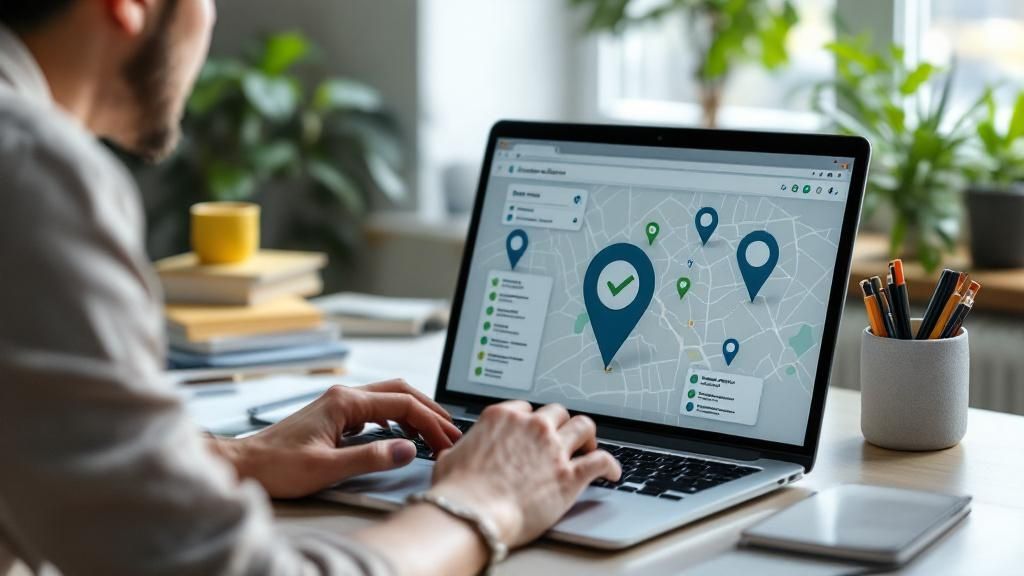
Alright, before you can start fixing your online presence, you have to know what you're up against. It's time to put on your detective hat and see your business exactly how a potential customer would. The mission here is to find every single place your business shows up online—the good, the bad, and the just plain weird ones you never knew existed.
This initial audit is, without a doubt, the most critical part of business listing management. If you skip this, you’re basically flying blind. Trust me, you’ll probably be surprised by what you dig up. I’ve seen everything from rogue listings created by obscure data aggregators to forgotten profiles on social media sites that haven't been touched in a decade.
How to Start Your Search
First things first, think like a customer. Head over to Google, Bing, and even DuckDuckGo and search for your business in every way imaginable. Don't just stop at your official name. Get creative.
Let's say your shop is called "Main Street Coffee & Roastery." You'll want to search for that, of course, but also try:
- Common abbreviations: "Main Street Coffee"
- Likely misspellings: "Main Stret Coffee"
- Any old names: "The Daily Grind Cafe" (if you went through a rebrand)
- Name plus location: "Main Street Coffee & Roastery downtown"
Doing this helps you find all the inconsistent information that confuses search engines and, worse, sends your customers on a wild goose chase. An old phone number on a random directory or wrong business hours can cost you real money. In fact, a staggering 68% of consumers say they'd stop using a local business if they found incorrect info in an online directory.
Here’s a pro tip: The most damaging listings are often the ones you never created. Data aggregators are notorious for scraping business info and auto-generating profiles, and they’re frequently riddled with mistakes. Finding and fixing these is a top priority.
Building Your Audit Spreadsheet
To keep your sanity during this process, you need to get organized. Fire up a simple spreadsheet—this will be your command center for tracking your entire digital footprint. For every listing you find, you'll want to log a few key details.
Your spreadsheet should have columns for things like:
| Column Header | What to Track | Example |
|---|---|---|
| Platform Name | The website where you found the listing. | Yelp |
| Listing URL | The direct link to your business profile. | yelp.com/biz/main-street-coffee-and-roastery-anytown |
| NAP Accuracy | Is the Name, Address, and Phone number right? | "No, phone number is old." |
| Hours Accuracy | Are your operating hours correct? | "Yes, but holiday hours are missing." |
| Ownership Status | Do you actually control this listing? | "Unclaimed" |
This spreadsheet becomes your roadmap. It gives you a clear, visual checklist of every problem you need to tackle, from updating your phone number on Apple Maps to claiming that rogue profile on some niche industry site. Once you have this audit done, you can start the real work of taking back control.
How to Claim and Secure Your Online Listings
Alright, you've done the audit and now you have a solid map of where your business shows up online. The next step is to actually take the wheel. This is where we start claiming those listings to make sure you're the one in control of your brand's story across the web. It's not as intimidating as it sounds, I promise.
Your first stop, without a doubt, should be your Google Business Profile (GBP). It's a non-negotiable in the world of local business. Think about it: a staggering 46% of all Google searches are from people looking for local information. You need to own that space.
Start by simply Googling your business name. If a profile pops up that you don't control, look for a link that says something like “Own this business?” or “Claim this business.” Clicking that is your first step to getting the keys.
This whole process isn't just a one-and-done task. It's more of a cycle.
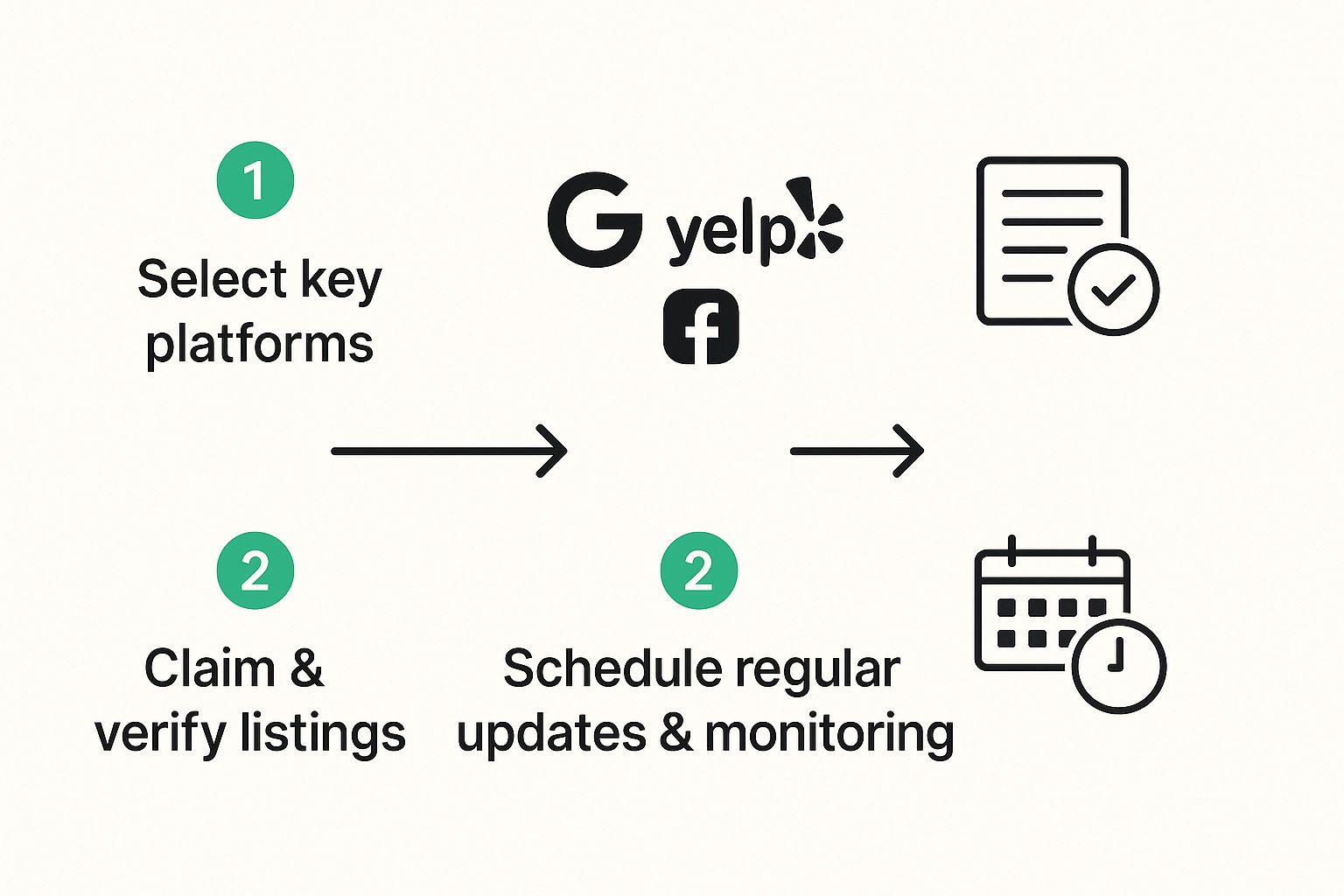
As you can see, claiming the listing is just the beginning. The real magic happens when you keep it updated and monitor it regularly.
Getting Through the Verification Process
Verification is just the platform's way of making sure you're really you. Google, Yelp, Apple Maps—they all have a process to confirm you’re the legitimate owner. The method can change depending on the platform, so be ready for a few different possibilities.
- The Classic Postcard: This is Google's go-to. They’ll mail a postcard with a PIN to your physical business address. It feels a bit old-school and takes a few days, but it’s incredibly secure.
- A Quick Phone Call or Text: Some platforms can verify you instantly by calling or texting a code to your business phone. The catch? The number on the listing has to be correct and accessible.
- Email Verification: This is less common, but sometimes you can get verified with a business email address, like
your.name@yourbusiness.com.
Once you're verified, you've got the keys to the kingdom. You can update your hours, add new photos, and—most importantly—respond to customer reviews. That control is everything. We've seen businesses with complete, active profiles get way more calls and clicks.
But what if someone else already claimed your listing? It happens more than you'd think—maybe a former employee or an old marketing agency. Don't panic. Every platform has a process to request ownership. You'll have to prove you're the real owner, but it's a completely fixable problem.
Dealing With Pesky Duplicate Listings
While doing your audit, you probably stumbled upon some duplicates—multiple profiles for the same business location. These are absolute poison for your local SEO. They confuse customers, split your hard-earned reviews, and water down your ranking power. You need to zap them.
Here's the usual game plan:
- First, figure out which profile is your "master" copy. This is usually the oldest one, the one with the most reviews, or the one that already ranks well.
- Next, go to the duplicate listings and report them. Look for a "Suggest an edit" or "Report a problem" link and flag it as a duplicate of your main profile.
Getting rid of duplicates consolidates all your online authority into one powerful listing. This makes it much easier for Google to trust your business and show you to more customers. If you really want to dominate your local area, you have to understand how to rank higher in Google Maps, since that's where so many customers will find you. A big part of that is filling your profile with the right information, which means you'll need to find profitable keywords to sprinkle into your descriptions and services.
Turning Your Listings Into Customer Magnets

So you've claimed your business profiles. That's a great start, but it's really just the beginning. Optimization is where the real magic happens. A basic listing with just a name and address is like a blank billboard on the side of the highway—it tells people you exist, but it doesn't give them any reason to pull over.
Now, we get to the fun part. We're going to turn those bare-bones listings into powerful marketing tools that actually pull customers in.
Think of each profile on platforms like Google, Yelp, or Bing as a mini-homepage. Your goal is to give a potential customer everything they need to choose you, right there on the search results page, without them having to dig any further. That means filling out every single section you can.
Writing Descriptions That Actually Convert
Your business description is prime real-tate, so don't waste it. Instead of just listing what you do, tell a quick story.
For example, don't just say, "We sell coffee." That's boring. Try something like, "Your neighborhood hub for single-origin, artisan-roasted coffee and fresh-baked pastries. We're the perfect stop for your morning commute or a relaxing afternoon." See the difference? It’s far more engaging and naturally weaves in keywords people are actually searching for.
If you really want to dive deep, especially for Google which is the king of local search, this ultimate guide to Google My Business optimization is a fantastic resource.
Here’s a key takeaway: A complete profile sends a strong signal of trust and professionalism, not just to search engines but to real people. It shows you're an active, engaged business that cares about its online image—and by extension, its customers.
Essential Optimizations Beyond the Basics
I can't stress this enough: completing every single field in your profile is non-negotiable. The more information you provide, the more chances you have to show up in different searches and convince someone to give you a call or a visit.
Here are the key areas I always tell my clients to focus on:
- High-Quality Photos: Aim for at least 10 high-resolution images. Seriously. Show off your storefront, your team, your products in action, and the vibe inside your location. Photos make your business feel real and inviting.
- Services & Menus: Don't be vague. List all your services or menu items. This is how you show up for those super-specific searches like "vegan pizza near me" or "emergency plumbing services."
- Attributes: These are gold! Use the platform-specific tags to highlight what makes you unique. Think "wheelchair accessible," "free Wi-Fi," or "woman-owned business." People filter by these all the time.
- Google Posts & Q&A: Use Google Posts regularly to share updates, promotions, and events. It keeps your profile fresh. And be proactive—add your own common questions to the Q&A section and answer them yourself. It lets you control the narrative.
Putting in this work pays off, big time. We've seen firsthand how much this stuff influences where customers spend their money. The data backs it up, too. Businesses with fully fleshed-out profiles see a 69% increase in website clicks. It's a direct line from optimization to your bottom line.
Keeping Your Listings Accurate and Active

Let's be real: managing your business listings isn't a one-and-done job. I always tell my clients to think of it like gardening—it needs regular care to really flourish. Once you've gone through the initial setup of claiming and optimizing your profiles, the real work begins. It’s all about creating a rhythm for checking in, keeping your info fresh, and making sure you’re still putting your best foot forward for both customers and search engines.
A massive part of this is just showing up and engaging. You absolutely have to respond to every review, good or bad. A glowing five-star comment? Thank them! A frustrated one-star complaint? Address it professionally. This simple habit does wonders for building trust. It also sends a strong signal to Google that you're an active, caring business, which can give your local rankings a nice little nudge.
Taming User-Suggested Edits
Here’s a common nightmare I’ve seen play out: neglecting your listings and letting "user-suggested edits" run wild. On platforms like Google, literally anyone can suggest a change to your hours, address, or even your business name. If you’re not watching, these edits can get approved automatically, and suddenly your information is wrong.
I once worked with a restaurant owner who was horrified to find someone had suggested they were "permanently closed." It took weeks to clean up that mess and undo the damage to their foot traffic. You can sidestep this disaster by checking your profiles regularly or, even better, setting up alerts for any proposed changes. Vigilance is key to making sure you remain the single source of truth for your business.
Monitoring your listings is so much more than just fixing typos. It's active reputation management. When potential customers see you responding to feedback and keeping your hours current, it shows them you genuinely care about their experience. That builds a layer of trust that no amount of automated marketing can ever replicate.
Your Ongoing Listing Management Checklist
The best way to stay on top of this without going crazy is to build a simple routine. You don’t need to be glued to every platform daily, but a consistent schedule is a must. I find breaking tasks down into monthly and quarterly check-ins makes the whole process feel way more manageable.
Monthly Must-Dos:
- Respond to All New Reviews: Make it a non-negotiable part of your week. Thank the happy customers and professionally address the unhappy ones.
- Answer New Questions: Pop into the Q&A sections on Google and Yelp. Providing official answers is incredibly helpful.
- Add Fresh Photos: Snap some new, high-quality pictures of your space, your team, or your products. Keep things visually interesting.
- Post Updates: Use features like Google Posts to share sales, news, or upcoming events. It keeps your listing looking active and dynamic.
Quarterly Quick Audit:
- Verify NAP and Hours: Do a quick spot-check on your most important listings. Is your name, address, phone number, and hours still 100% correct?
- Update Holiday Hours: Look at the calendar and get ahead of any upcoming holidays. Input special hours well in advance.
- Review Your Business Description: Read through your bio. Does it still accurately reflect what you do, including any new services?
Spreading accurate listings across many directories still packs a major punch. In fact, research shows that a business listed on 10 or more directories can see its visibility jump by up to 91%.
And consider this: 56% of user actions on Google Business Profile listings are website visits. It's crystal clear that this ongoing effort directly fuels engagement. An insightful local SEO report from Jasmine Directory has even more data on this if you want to dig deeper.
Ultimately, this consistent work is what transforms your online listings into a reliable engine for your business, and it's a critical step if you want to increase your website traffic with these actionable tips.
Common Questions About Business Listings
Diving into business listings can bring up a lot of questions. It's a common feeling, so let's walk through some of the things people ask us all the time and get you some clear, straightforward answers.
A big one we hear is, "Can't I just manage my Google Business Profile and call it a day?" While your Google profile is definitely the heavyweight champion of local listings, stopping there is a missed opportunity. Think about it: your customers are also on Yelp, Apple Maps, Facebook, and maybe even niche sites for your specific industry.
When your details are all over the place—a wrong phone number here, an old address there—it doesn't just confuse potential customers. It also sends mixed signals to search engines, which can ding your credibility. A consistent presence across the board is key to building trust and showing up where it counts.
How Quickly Should I Respond to Reviews?
You'll want to get back to every new review within 24-48 hours. This isn't just about good manners; it signals to both the customer and the platform's algorithm that you're an engaged and active business.
A quick, professional response to a negative review is your chance to shine. You can publicly turn a bad situation around and show everyone how much you care about customer service. And don't forget the happy customers! A simple "thank you" for a positive review encourages them and others to keep the good feedback coming.
Don't forget, 95% of smartphone users are looking for local information, and a huge chunk of them will call or visit a business within 24 hours. Your responsiveness on these listings can be the very thing that makes them choose you over a competitor who seems checked out.
Do I Really Need to Use Every Feature?
It might feel like extra work, but using every feature a platform offers can give you a real competitive edge. We're talking about going way beyond just your name, address, and phone number.
- Google Posts: These are basically free mini-ads. Use them to shout about a sale, a special event, or a new product. It keeps your profile looking dynamic and fresh.
- Q&A Sections: Don't wait for people to ask. Add your own FAQs and answer them yourself! This lets you control the conversation and give people crucial info upfront.
- Photo & Video Uploads: A steady stream of great photos and videos makes your business look so much more inviting. It gives customers a genuine peek into what you offer before they even walk through the door.
Skipping these features is like leaving money on the table. A fully fleshed-out profile doesn't just catch the eye—it actually performs better in local searches and gets more people to take action. This is what solid business listing management is all about: using every tool you've got to stand out from the crowd.
Ready to stop guessing and start ranking? RankHub analyzes your entire site in seconds to find high-value keyword opportunities your competitors are missing. Get your AI-powered content strategy today!
More from Our Blog
7 Content Writing Tools That Boost Your SEO Rankings
Discover the top 9 SEO content writing tools to automate drafting, optimization, and publishing. Boost rankings with AI-assisted workflows.
Read more →
Zoho Marketing Automation Explained: Is It Right for You?
Compare Zoho Marketing Automation vs HubSpot on pricing, features, ease of use, and automation depth. See which wins for small teams and solo founders.
Read more →
Looking for an SEO Company? Here Are Your Best Options
Compare top SEO companies, AI platforms, and agencies. Find the best fit for your budget, from $49/month tools to full-service retainers.
Read more →