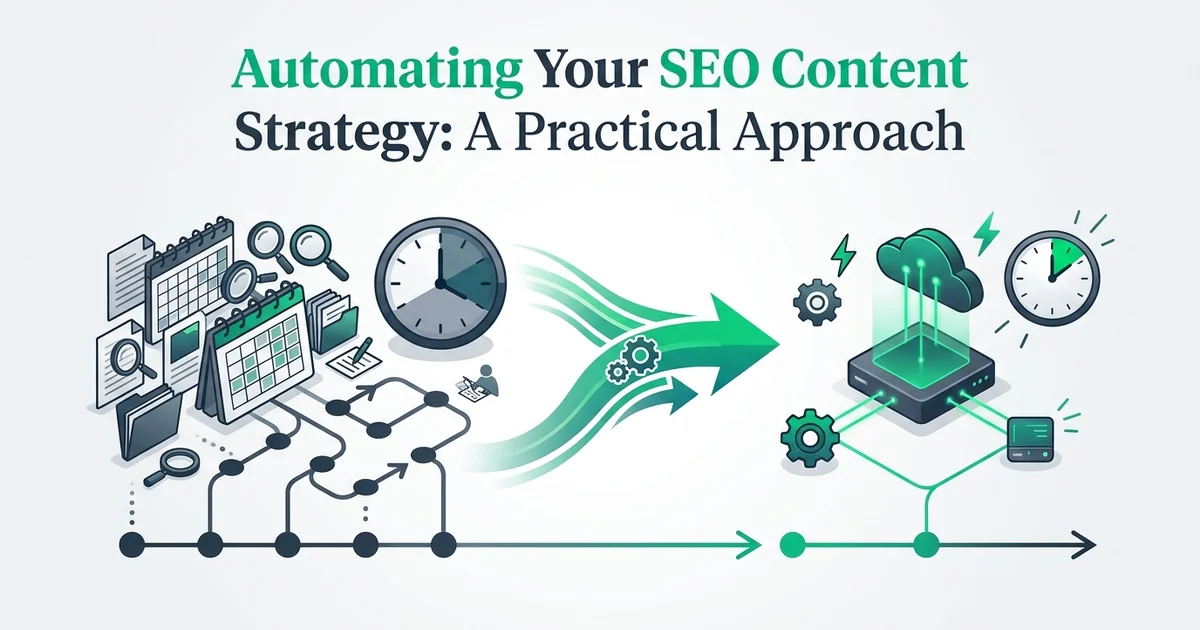
Automating Your SEO Content Strategy: A Practical Approach
- Active website with a blog or CMS
- Basic understanding of SEO and keywords
- Access to your website's admin panel
- Willingness to review content before publishing
Introduction: why SEO content automation matters
If you've ever sat down to plan, research, write, and publish a single blog post, you already know how quickly a few hours disappear. Now multiply that across a consistent publishing schedule, and it becomes clear why so many businesses struggle to maintain an active content presence. SEO content creation is one of the most time-intensive activities in digital marketing, and for solo founders, small teams, and growing businesses, it often gets deprioritized the moment something more urgent appears.
The real cost of doing it manually
A complete content workflow involves far more than writing. Before a single word goes live, someone needs to identify keyword opportunities, assess competition, plan topics that don't overlap with existing posts, source or create images, and then manage the actual publishing process. Done properly, this can consume 40 or more hours every month for a moderately active blog. That's time most teams simply don't have.
What automation actually changes
An SEO content strategy automation tool compresses that entire workflow into a repeatable, largely hands-off system. The best tools handle keyword research, article writing, image generation, and scheduled publishing as a connected pipeline rather than a series of manual tasks. The result is consistent output without the overhead.
RankHub is built around exactly this idea. Its Autopilot feature runs keyword discovery, writes SEO-optimized articles, generates featured images, and publishes on schedule through a webhook integration. You configure it once, and the pipeline runs each month without requiring your attention.
Why human oversight still matters
Automation handles volume and consistency. Your judgment handles quality, brand voice, and strategic direction. The most effective approach combines both: let the tool do the repetitive work while you review headlines, approve topics, and ensure the output reflects your brand accurately. That balance is what keeps automated content both scalable and Google-compliant.
This guide walks you through setting up that system from start to finish.
What you'll need: prerequisites and setup requirements
Before diving into the setup steps, take a few minutes to confirm you have everything in place. Getting these foundations right means the process runs smoothly from the start.
Verify your website access and credentials
Ensure you have admin or editor access to your website's backend. You'll need to be able to add webhooks, configure publishing settings, and manage content permissions. If you're using a CMS like WordPress, Webflow, or custom platforms, confirm your login credentials work and that your account has the necessary permissions to publish content.
Prepare your domain and hosting information
Gather your website URL, hosting provider details, and any API keys or authentication tokens you'll need. Have this information readily available before starting setup, as you'll input it into the automation platform to establish the connection.
Document your current content inventory
Create a simple list or spreadsheet of your existing published content, including URLs, topics, and approximate publish dates. This helps the platform's audit function understand your content landscape and identify gaps or cannibalization issues.
Define your business goals and target audience
Write down what you want to achieve with SEO content (traffic growth, lead generation, brand awareness) and who your ideal customer is. This clarity will guide your keyword strategy configuration in the next steps.
A website with publishing capability
You need an active website with a blog section or a CMS (content management system) that supports new post creation. WordPress, Webflow, Ghost, and similar platforms all work well. If your site currently has no blog, add one before proceeding.
A working knowledge of your target keywords
You don't need to be an SEO expert, but you should have a rough sense of the topics and search terms your audience uses. Content marketing automation platforms like RankHub handle the deep keyword research for you, but knowing your niche helps you evaluate the suggestions intelligently.
Access to your CMS admin panel
Keep your admin credentials and, if you plan to use webhook publishing, your site's API details handy. RankHub's webhook integration connects directly to your CMS, so you'll need those settings during the initial configuration.
A 30 to 45 minute setup window
The initial setup is a one-time task. Set aside some uninterrupted time to connect your site and configure your publishing schedule.
Readiness to review AI-generated content
RankHub writes, illustrates, and queues articles automatically, but a quick headline review before each post goes live keeps your brand voice consistent.
Step 1: connect your website and audit existing content
With your setup complete, the first active step is telling your SEO content strategy automation tool where to look. This means adding your website URL and letting the platform examine what you already have before it recommends anything new.
Enter your website URL into the platform
Log into your SEO content strategy automation tool and navigate to the site connection section. Input your primary domain URL and confirm the platform can access your site. The tool will begin crawling your existing content to understand your current state.
Authorize publishing permissions
Depending on your CMS, you may need to generate an API key, install a plugin, or authorize the platform via OAuth. Follow the platform's specific instructions for your CMS type. This authorization allows the tool to publish content directly to your site on schedule.
Review the content audit results
Once the crawl completes, examine the audit report. Look for existing content gaps, topics you're already ranking for, and any potential cannibalization issues where multiple pages target similar keywords. This data informs your strategy in the next step.
Flag any content to exclude from analysis
This ensures the platform focuses on your core content strategy areas.
Add your website URL to RankHub
Navigate to your RankHub dashboard and enter your website URL in the onboarding prompt. RankHub immediately begins scanning your site, pulling in your sitemap and identifying any existing blog articles. You should see a progress indicator confirming the scan is underway. This process typically completes within a few minutes depending on the size of your site.
Review the content audit findings
Once the scan finishes, RankHub surfaces a picture of your current content landscape. This is where you get a clear view of which topics you have already covered, which keywords those articles are targeting, and where the obvious gaps are. Pay close attention to keyword gaps: these are the search terms your competitors may be capturing while your site stays silent.
For context, note your current publishing frequency and total article count before moving forward. This baseline makes it easier to measure progress once automation takes over.
Identify ranking content and missing keywords
Look through the audit output for articles that are already performing and those that are not. Understanding which pieces have traction helps RankHub prioritise future content without overlapping existing work. The platform's anti-cannibalization checks use this same data later to ensure no two articles compete for the same keyword.
This audit is the foundation everything else builds on. A thorough review here, combined with the right seo content automation software, prevents wasted effort and sets a purposeful direction for your content calendar.
Step 2: configure your SEO strategy and keyword targets
With your site audit complete, RankHub is ready to receive your strategic direction. This step is where you shape the entire content program, so take a few minutes to think through each setting carefully before moving on.
Select your primary keyword topics and themes
Based on your business goals and the content audit, identify 3-5 core topic areas you want to dominate. These become the foundation for the platform's AI keyword research. For example, a SaaS project management tool might choose 'project management workflows,' 'team collaboration,' and 'productivity tools.'
Set your target search volume and difficulty parameters
Early-stage companies might target lower-volume, lower-difficulty keywords; established brands might pursue higher-volume terms. Set realistic parameters for your competitive position.
Define your content quality and length standards
Specify minimum word counts, required sections, and quality standards for generated articles. Most effective SEO content ranges from 1,500-3,000 words for competitive topics. Set these expectations so the automation produces content aligned with your brand voice.
Enable anti-cannibalization checks
Activate the platform's anti-cannibalization feature to prevent the automation from creating multiple articles targeting the same keyword. This ensures each piece of content has a distinct keyword focus and doesn't compete with your existing pages.
Define your keyword themes and target audience
Inside the RankHub dashboard, navigate to the strategy configuration panel. Enter your primary keyword themes: the broad topic areas your business needs to rank for. Alongside these, describe your target audience in plain terms. This context guides the AI keyword research engine when it surfaces article ideas, ensuring every topic it proposes is relevant to the people you actually want to reach.
Set your publishing frequency
Choose how often RankHub publishes on your behalf. The three available cadences are weekly (Starter plan), every two days (Growth plan), and daily (Scale plan). Pick the frequency that matches your current growth goals and the volume your site can support. You can adjust this later, but starting with a consistent schedule is more valuable than starting fast.
Establish brand voice and content standards
Document your preferred tone, any terminology to avoid, and your typical article length so that your standards stay consistent. For teams managing content across multiple channels, the guidance in seo automation for content teams covers how to document these standards effectively.
Enable anti-cannibalization checks
Before saving your configuration, confirm that anti-cannibalization checks are switched on. This feature cross-references every new keyword against your existing content, preventing two articles from competing for the same search term. Given the audit data RankHub already holds from Step 1, this protection is immediately active from your very first scheduled post.
Once saved, you should see a confirmation screen summarising your themes, cadence, and quality settings. That confirmation means RankHub's keyword research engine is ready to begin building your content queue.
Step 3: set up your review and approval workflow
With your keyword strategy confirmed, the next task is deciding how generated content moves from draft to published. Even with a capable SEO content strategy automation tool handling research and writing, a structured review process protects your brand voice and factual accuracy.
Choose your approval workflow model
Decide whether content goes directly to draft, requires manual review before publishing, or follows a multi-stage approval process. For initial launches, a manual review step is recommended to catch any quality issues before they go live.
Assign reviewers and set permissions
Configure publishing schedule and frequency
Set how often the automation publishes new content (e.g., 2-3 articles per week). Stagger publication times to avoid overwhelming your audience and to give you time to monitor performance. Most platforms allow you to set a publishing calendar.
Set up notifications and alerts
This keeps your team informed without requiring constant manual checking.
Assign reviewers and define ownership
Identify one or two team members responsible for approving content. For solo founders, that reviewer is typically you. For marketing teams, assign a primary reviewer and a backup to avoid bottlenecks. Document who owns final approval so nothing sits in limbo.
Set a realistic review window
Aim for a 24 to 48 hour review window per article. This keeps your seo content calendar automation on schedule without rushing quality checks. If content misses its review window, decide in advance whether it publishes as-is, delays by one cycle, or escalates to a senior approver.
Establish quality checkpoints
Before approving any article, check for three things: factual accuracy, brand tone alignment, and relevance to the intended keyword. A short checklist shared with all reviewers keeps standards consistent across the team.
Configure notifications in RankHub
Keep the approval loop light by handling headline approvals, which can take only a minute or so per month.
Once your workflow is documented and notifications are active, you should see new content appearing in the review queue according to the publishing cadence you set in Step 2.
Step 4: launch automation and monitor initial results
With your approval workflow in place, it is time to activate the automation and watch the first results come in. Resist the urge to publish at full speed immediately. A measured start gives you the data you need to calibrate before scaling.
Start with a limited content batch
Rather than publishing at full speed immediately, begin with a small batch of 5-10 articles. This measured approach lets you monitor quality, review performance, and catch any configuration issues before scaling up.
Monitor initial article performance
Track metrics like click-through rate, time on page, and bounce rate for the first batch of automated content. Use your analytics platform to see how these articles perform compared to your historical content. Look for patterns in what works.
Review generated content quality and accuracy
Read through the published articles carefully. Check for factual accuracy, proper citations, appropriate tone, and alignment with your brand. Note any recurring quality issues to address in your strategy configuration.
Adjust settings based on early performance
If you notice quality issues, keyword misalignment, or performance gaps, pause the automation and refine your settings. Small adjustments to keyword difficulty, content length, or topic focus can significantly improve results before you scale.
Start at a lower publishing frequency
Begin with RankHub's Starter cadence (one post per week) even if your long-term plan calls for daily publishing. This slower pace gives you enough breathing room to read each article carefully, spot any tone inconsistencies, and confirm that the keyword targeting aligns with your audience before the pipeline accelerates.

Review your first 5 to 10 articles thoroughly
Treat the first batch of articles as a calibration exercise. Read each one end to end and ask:
- Does the tone match your brand voice?
- Are the target keywords used naturally, without over-repetition?
- Does the article cover the topic with enough depth for your audience?
Note any recurring issues. If several articles share the same weakness, that is a signal to adjust your settings rather than fix each post individually.
Adjust tone, style, and keyword focus based on findings
Use your observations to refine your configuration. If the content feels too formal or too broad, update your preferences in RankHub and let the next batch reflect those changes. Small adjustments early prevent larger corrections later.
Track which articles perform best
Once articles are live, monitor organic impressions, click-through rates, and time on page. Look for patterns: which topics attract traffic fastest, which formats hold readers longest. This performance data becomes the foundation for the scaling decisions you will make in the next step. For broader context on building a sustainable content presence, see our guide on choosing an online marketing platform for small businesses.
As confidence in the output grows, you can move up to a faster publishing cadence directly inside your RankHub plan settings.
Step 5: optimize and scale your automation workflow
With real performance data in hand, you can move from simply running automation to actively improving it. Use metrics to identify bottlenecks, refine workflows, and scale successful processes across your entire content strategy.
Analyze performance data across your content library
After 4-6 weeks of publishing, review aggregate performance metrics. Identify which topics, keyword types, and content formats perform best. Use this data to refine your keyword strategy and content configuration.
Increase publishing frequency gradually
Once you're confident in quality and performance, increase your publishing schedule incrementally. Move to a higher-frequency plan, such as a post every 2 days or every day, at a pace your team can sustainably manage and monitor.
Expand to new topic areas and keyword clusters
With your core automation running smoothly, add new topic areas or keyword clusters. Use the performance data from your initial topics to inform strategy for new areas. This allows you to scale across multiple content pillars.
Implement continuous optimization cycles
Set a monthly or quarterly review cadence to analyze performance, identify underperforming content, and refine your automation settings. Treat optimization as an ongoing process rather than a one-time setup.
Analyze what the metrics are telling you
Review traffic, keyword rankings, and engagement signals such as time on page and scroll depth at least once a month. Look for patterns: which topics are gaining traction quickly, which articles are ranking on page two and need a refresh, and which keyword clusters are underperforming. These signals tell you where to focus next.
Refine your keyword targeting
Use what is working to guide future content priorities. If a particular topic cluster is driving consistent traffic, expand into related subtopics. RankHub's anti-cannibalization checks help here by ensuring new articles target fresh keyword territory rather than competing with posts you have already published. For a broader view of what to look for in a capable platform, see our guide on the best seo automation tools.
Update brand voice guidelines and increase publishing frequency
If early articles feel slightly off-brand, revise your voice guidelines before scaling up. Once quality feels consistent, increase your publishing cadence directly inside your RankHub plan settings, moving from weekly to every two days or daily as your confidence grows.
Document the process for your team
Write down your workflow: how keywords are approved, how articles are reviewed, and how feedback is logged. Even a one-person operation benefits from documented steps, and a growing team needs them to maintain consistency without constant supervision.
Common mistakes to avoid when automating SEO content
Even well-configured automation workflows can underperform if critical habits slip during scaling. Watch for inconsistent data quality, neglected monitoring, outdated templates, and failure to adjust strategies based on performance metrics.
Explore what RankHub Autopilot offers for seo content strategy automation tool RankHub Autopilot.
Publishing without human review
Automation handles the heavy lifting, but a quick editorial pass before articles go live catches tone issues, factual gaps, and formatting inconsistencies. Skipping this step entirely is the most common way quality erodes at scale.
Ignoring brand voice
Your automation settings should reflect how your business actually sounds. If your articles read like generic filler, readers and search engines both notice. Configure your tool's style guidelines carefully and revisit them whenever your brand messaging evolves.
Setting and forgetting
Automation is not a one-time task. Schedule a monthly check-in to review published articles, monitor keyword performance, and confirm the pipeline is running cleanly. RankHub's anti-cannibalization checks help prevent keyword overlap from creeping in over time, but they work best when you stay engaged with the output.
Over-automating without strategic input
Volume alone does not drive rankings. Balance automated publishing with deliberate decisions about which topics actually serve your audience and business goals.
Neglecting keyword validation
A good SEO autopilot tool surfaces keyword gaps you would miss manually. RankHub's AI keyword research does exactly that, but treat its suggestions as a starting point. Validate targets against your audience's intent before approving them for the queue.
Troubleshooting: solving common automation issues
Even well-configured automation pipelines encounter issues. Diagnose common problems by checking data sources, verifying API connections, reviewing error logs, and testing individual workflow components to identify and fix failures quickly.
Content quality feels inconsistent
Review your brand voice settings and content guidelines. Vague instructions produce variable output. Tighten your tone parameters, specify vocabulary preferences, and add examples of approved phrasing. The more precise your guidelines, the more consistent each article will be.
Articles aren't gaining traction in search
Start with keyword validation. Confirm that your targets match genuine search intent and carry realistic competition levels. Then audit for technical SEO issues: missing meta descriptions, slow page speed, or poor internal linking can suppress rankings regardless of content quality. If you are considering whether automation can replace an seo agency alternative, technical hygiene is where the comparison often matters most.
Publishing keeps getting delayed
Check your CMS integration and webhook configuration. In RankHub, the webhook publish feature connects directly to your site, so a misconfigured endpoint is usually the culprit. Confirm the endpoint URL, authentication token, and post status settings.
Too many articles competing for the same keyword
Enable RankHub's anti-cannibalization checks. This feature flags overlapping topics before they enter the queue, preventing two posts from fighting for the same ranking position.
Content approvals are creating a bottleneck
Assign a single owner to the review queue and set a fixed weekly window for approvals. Shared responsibility with no deadline is the most common reason review cycles stall.
Why this method works: the science behind SEO automation
Understanding automation mechanics helps you trust the process and fine-tune it effectively. SEO automation works by systematically applying proven optimization principles at scale, reducing manual effort while maintaining consistency and quality.
Consistent publishing signals freshness to search engines
Search engines favor sites that publish regularly. A steady cadence tells crawlers that your site is active and worth revisiting. Automation removes the human inconsistency that turns a weekly publishing goal into a monthly one.

Keyword research at scale finds opportunities humans miss
Manual keyword research has a ceiling. An seo automation platform like RankHub runs AI keyword research continuously, surfacing low-competition gaps that a solo founder or small team would never have time to identify.
Automation removes bottlenecks in the content pipeline
Each manual handoff, from brief to draft to image to publish, introduces delay. RankHub's autopilot handles every stage in sequence, so articles move from keyword to published post without waiting on a human at each step.
Human review maintains quality and brand integrity
Automation handles volume; human judgment handles nuance. Keeping a brief approval window in your workflow ensures every article aligns with your brand voice before it goes live.
Data-driven optimization improves performance over time
Published articles generate performance signals. Reviewing those signals regularly lets you adjust your topic priorities, update underperforming posts, and compound your results month after month.
Alternative methods: other approaches to SEO content strategy
Automation isn't the only path to SEO success. Understanding alternative approaches—manual optimization, hybrid workflows, and agency partnerships—helps you choose the right mix that aligns with your business goals and resources.
Freelancer-based content creation
Hiring freelance writers gives you direct control over tone and depth. The tradeoff is cost and speed: sourcing, briefing, and editing writers takes time, and scaling volume means scaling spend proportionally.
In-house content team
A dedicated team offers the deepest brand alignment, but it requires recruiting, onboarding, and ongoing management. For most solo founders and SMBs, this overhead arrives before the SEO results do.
Hybrid approach
Many growing businesses combine automation for consistent volume with freelancers for high-stakes, strategic pieces. A tool like RankHub handles the weekly publishing cadence automatically, freeing human writers for content that demands a distinct editorial voice.
Agency partnerships
Agencies take the entire strategy off your plate, but costs are high and direct control is limited. Reporting layers can also slow down iteration.
Manual creation only
Writing every post yourself maximises control but caps your publishing frequency. As the data on SEO automation ROI suggests, consistent publishing volume is a significant driver of organic growth, making manual-only approaches difficult to sustain long term.
Real-world example: hypothetical automation workflow in action
To make this concrete, consider a hypothetical small SaaS company, a two-person team selling project management software, with no dedicated marketing hire and a founder who can spare a few hours per month on content.
Week 1: setup and discovery
The founder connects their site to RankHub Autopilot. The platform scans the existing blog, audits 50 published articles, and surfaces 30 keyword gaps that the current content does not cover. Anti-cannibalization checks flag three pairs of existing posts competing for the same terms, which the founder notes for future consolidation.
Weeks 2 to 3: first articles and voice refinement
RankHub generates the first batch of four articles. The founder reviews headline approvals from their inbox, requests minor tone adjustments to better match their brand voice, and approves publication. Total time invested: under an hour.
Month 1: building momentum
Twelve articles publish on schedule. The founder tracks rankings for eight target keywords using their preferred analytics tool and begins to see initial indexing activity.
Months 2 to 3: scaling up
Publishing cadence increases to a new article every two days. Early keyword movements appear in search console data, and the blog now reads as though a content team is actively maintaining it.
The outcome: consistent, professional publishing without adding headcount or agency fees.
Time and cost breakdown: what to expect
Understanding investment requirements helps you plan realistically and set appropriate expectations. SEO automation involves upfront costs for tools and setup, but delivers long-term savings through reduced manual labor and improved content performance.
Initial setup: a one-time commitment
With a tool like RankHub, setup happens once, when you connect your website and your publishing integration. After that, the autopilot runs without further intervention.
Ongoing time commitment
Weekly review time typically falls between 30 and 60 minutes, scaling with your publishing frequency. Approving headlines, checking live articles, and monitoring early rankings covers most of that window.
Monthly cost
Plans generally range from roughly $10 to $50 per month depending on how frequently you publish, making automation accessible even for solo founders on tight budgets.
Time saved and ROI timeline
Automation can recover 40 or more hours per month compared to manual content creation. Over time, search engines can index and rank your growing content library.
Conclusion: next steps for your SEO automation journey
Reaching this point means you have a clear picture of what SEO content strategy automation involves and what it realistically delivers. The next move is straightforward: put it into practice.
Start small and scale with confidence
Begin with a conservative publishing cadence. One post per week is enough to build momentum without overwhelming your review process. As you grow comfortable with the workflow, increase frequency to match your goals.
Commit to measuring what matters
Track rankings, organic traffic, and on-page engagement consistently. These metrics tell you which topics resonate and where to adjust your keyword targeting over time.
Use automation to amplify, not replace, your strategy
Tools like RankHub handle the time-intensive work: keyword research, article writing, image generation, and scheduled publishing. Your role shifts to approving direction and refining results, keeping your strategic thinking at the centre.
Start with a free seven-day trial to test the full workflow on your own site, then scale from there.
Frequently asked questions
What is an SEO content strategy automation tool?
An SEO content strategy automation tool handles the repetitive tasks involved in ranking your site: keyword research, article writing, image creation, and publishing. Instead of managing each step manually, you connect the tool to your site and it runs the process on a set schedule.
How do SEO content automation tools work?
Most tools scan your existing content, identify keyword gaps, generate optimised articles, and publish them through a webhook or CMS integration. Platforms like RankHub run a multi-step pipeline each month, from sitemap discovery through to scheduled publishing, with anti-cannibalization checks built in.
Can AI-generated content rank on Google?
Yes, provided it is accurate, useful, and well-structured. Google evaluates content on quality and relevance, not the method used to produce it. Reviewing AI drafts for factual accuracy and adding your own context improves performance further.
What is the best SEO automation tool for small businesses?
The best fit depends on publishing frequency and budget. RankHub offers plans starting at $9.99 per month after a free seven-day trial, covering keyword research, writing, images, and publishing in one workflow, making it practical for solo founders and small teams.
How do I automate keyword research and content creation?
Connect your site to an automation platform, let it crawl your existing content and sitemap, then review the keyword targets it surfaces. With RankHub, this process runs automatically each month, so new article topics are identified and queued without manual input.
Is automated SEO content safe for Google rankings?
Automation itself carries no penalty. The risk comes from publishing thin, inaccurate, or duplicate content at scale. Using a tool with anti-cannibalization checks and reviewing output before it goes live keeps your site within Google's quality guidelines.
How much does SEO content automation cost?
Costs vary widely. RankHub's Starter plan is $9.99 per month for one post per week, Growth is $24.99 per month for a post every two days, and Scale is $49.99 per month for daily publishing. All plans include a free seven-day trial with no payment required upfront.
How do I review and optimize AI-generated SEO content?
Check each article for factual accuracy, confirm the primary keyword appears naturally in the title and opening paragraph, and verify internal links are relevant. Monitoring performance in Google Search Console after publishing tells you which pieces gain traction and where adjustments are needed.
More from Our Blog
Comparing Affordable SEO Automation Platforms for 2026
Compare Outrank ($3.30/article) vs SEObot ($5.44/article). See pricing, features, and which low-cost SEO automation tool fits your budget.
Read more →
What SEO Experts Know About AI-Powered Content Platforms
Learn expert strategies for using AI SEO platforms to automate keyword research, content creation, and publishing while maintaining quality and rankings.
Read more →
Why Small Business Owners Struggle with SEO (And How to Fix It)
Discover the best SEO tools for small business owners. Compare features, pricing, and ease of use to boost your organic visibility without breaking the bank.
Read more →