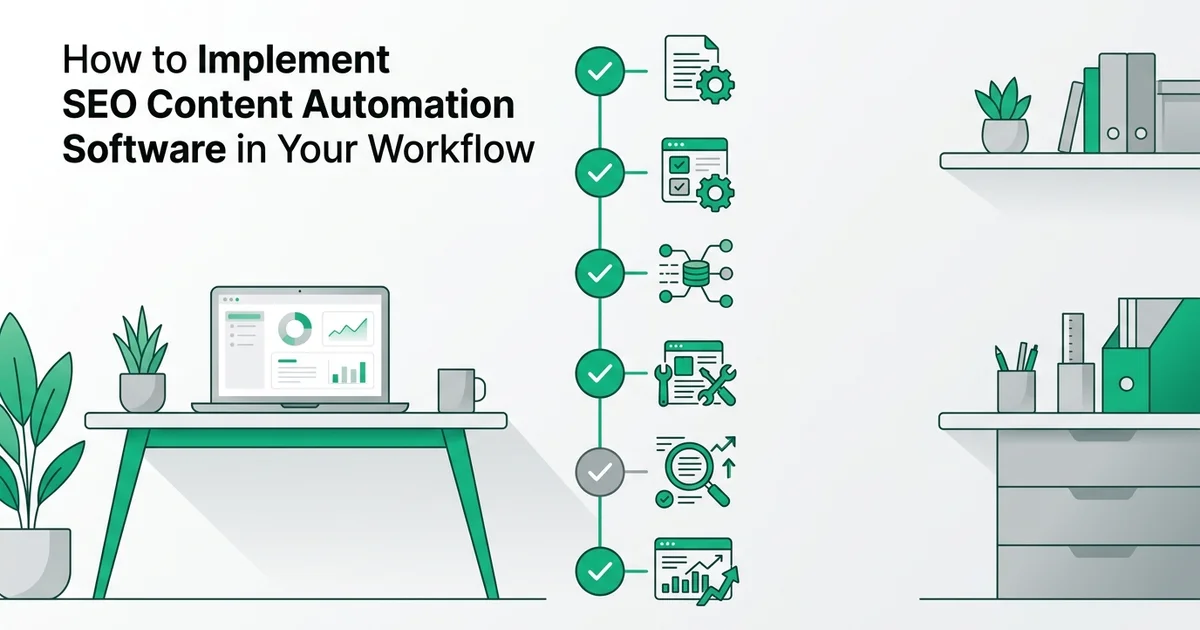
How to Implement SEO Content Automation Software in Your Workflow
- Basic understanding of SEO fundamentals and keyword research
- Access to your website's CMS (WordPress, HubSpot, or similar)
- A content calendar or editorial plan for the next 3-6 months
Introduction: why SEO content automation matters for your business
SEO content automation software helps businesses research keywords, produce optimized articles, and publish consistently without requiring a full-time content team. For solo founders, small marketing teams, and growing SMBs, this shift from manual to automated workflows is no longer a luxury. It is quickly becoming a competitive necessity.
The market opportunity is significant
The numbers tell a clear story. According to Fortune Business Insights (2026), the global SEO software market currently sits at USD 85.97 billion and is projected to reach USD 97.7 billion in 2026. Businesses investing in automation now are positioning themselves ahead of a rapidly expanding curve.
Marketers are already making the shift
According to SEO Sandwitch (2025), 65% of marketers are already automating at least half of their SEO tasks. The businesses driving that statistic are not cutting corners. They are adopting hybrid AI-human workflows that handle repetitive, time-intensive tasks while keeping human judgment in place for strategy and quality review. This approach preserves the expertise, experience, authoritativeness, and trustworthiness signals that Google rewards.
What this means for small teams
At RankHub, our analysis shows that small teams consistently underestimate how much time manual SEO consumes. Keyword research, content briefs, writing, optimization, and publishing can easily consume 40 or more hours per month. Tools like RankHub SEO Autopilot are built specifically to reclaim that time, giving lean teams the output of a full content operation without the agency price tag.
What you'll need before getting started
Before diving into implementation, gathering the right resources and knowledge will save you significant time and frustration. According to SEO Sandwitch (2024), AI adoption in SEO workflows is accelerating rapidly, making preparation more important than ever as the tooling landscape evolves quickly.
A working knowledge of SEO fundamentals
You do not need to be an expert, but you should understand core concepts like keyword intent, on-page optimization, and internal linking. This foundation helps you evaluate the output your automation tools produce and make informed adjustments.
Access to your CMS or website backend
Whether you use WordPress or another platform, you will need admin-level access to configure publishing integrations. RankHub SEO Autopilot connects via webhook, so confirming your CMS supports this before setup avoids delays.
A content calendar covering 3-6 months
A forward-looking editorial plan gives your content marketing automation platform clear direction and prevents keyword overlap.
Budget and time expectations
- Tool subscription: Budget $50-500 per month depending on feature requirements
- Initial setup: Reserve 5-10 hours for configuration, integration, and team training
Step 1: Select the right SEO content automation software for your needs
Choosing the right tool is the foundation of a successful automation workflow. The wrong choice costs time, budget, and momentum. Evaluate every platform against your specific team size, content volume goals, and technical environment before committing to a subscription.
Define your content volume and team size
Assess how many articles you need to produce monthly and how many people will manage the workflow. Solo founders typically need 5-20 articles/month, while small teams may target 20-50+. This determines whether you need an entry-level or enterprise platform.
List your must-have features
Identify non-negotiable capabilities: keyword research depth, AI writing quality, CMS integrations, content review workflows, publishing automation, and analytics. Rank these by importance to your specific workflow.
Evaluate integration compatibility
Confirm the platform integrates with your existing CMS (WordPress, HubSpot, Webflow, etc.), analytics tools (Google Analytics, Search Console), and any other systems in your tech stack.
Test with a pilot project
Run a free trial or pilot with 3-5 articles before committing. This reveals real workflow friction, output quality, and whether the tool matches your content standards and brand voice.
Compare pricing against content output
Calculate cost-per-article across platforms. Factor in time savings from automation, not just software cost. A higher-priced tool that produces publication-ready content may cost less than a cheaper tool requiring heavy editing.
Assess your core requirements first
Before comparing tools, define what you actually need:
- Team size: Solo founders need simple, largely hands-off platforms. Marketing teams need collaboration features and content review workflows.
- Content volume: How many articles per month do you realistically need to publish?
- Budget range: According to SEO Sandwitch (2024), the global SEO automation tools market is valued at USD 803 million and is projected to reach USD 1.5 billion by 2028, reflecting how rapidly businesses are investing in this space. Quality tools exist across a wide price range.
Compare features across platforms
Not all SEO content automation software is built equally. Prioritize platforms that cover the full content lifecycle:
- Keyword research and topic clustering
- AI-driven article generation with SEO optimization
- Automated publishing via webhook or native CMS integration
- Cannibalization detection to prevent articles from competing against each other
- Performance analytics to track rankings over time
RankHub SEO Autopilot covers all of these within a single platform. It scans your website, discovers your sitemap, researches keywords, writes optimized articles, and publishes them automatically each month, removing the need to coordinate multiple disconnected tools.
Verify CMS compatibility
Confirm the platform integrates with your existing setup. RankHub uses webhook-based publishing, which connects cleanly with WordPress, HubSpot, and most custom CMS environments.
Review relevant case studies
Look for evidence from businesses similar to yours in size and industry. Real-world results from comparable teams give you a far more reliable signal than feature lists alone.
Step 2: Configure your keyword research and topic clustering
With your platform selected, the next priority is feeding it the right inputs. Keyword configuration determines the quality of everything the automation produces downstream, so take time to set this up carefully rather than accepting default settings.
Import your seed keywords and target topics
Feed the platform your primary keywords, competitor domains, and target topic areas. Most tools will auto-expand these into related keyword clusters based on search intent and volume.
Set search volume and difficulty filters
Configure minimum search volume thresholds (typically 100-500 monthly searches for niche content) and maximum keyword difficulty scores. This prevents wasting resources on keywords too competitive or too obscure.
Cluster keywords by topic and intent
Group related keywords into topic clusters to avoid content cannibalization. For example, 'best project management tools,' 'project management software comparison,' and 'top PM tools' should feed one comprehensive article, not three competing pieces.
Prioritize by business value
Rank keyword clusters by conversion potential and strategic importance, not just search volume. A 500-search-volume keyword aligned with your product offering may be more valuable than a 5,000-search-volume informational query.
Set up recurring keyword updates
Configure the platform to refresh keyword data monthly or quarterly. Search trends shift, and your automation should continuously discover new high-value keywords rather than recycling the same initial list.
Input your target keywords and competitor domains
Open RankHub's AI Keyword Research panel and enter your primary seed keywords alongside two or three competitor domains. The tool scans competitor sitemaps and existing content to identify ranking opportunities your site has not yet addressed. This process, which would take a skilled SEO analyst several hours manually, completes in minutes.
Cluster keywords into topic groups and content pillars
Once your keywords are imported, activate RankHub's clustering feature to group related terms into logical topic pillars. AI handles this grouping by analysing semantic relationships between keywords, surfacing themes that support one another rather than competing. According to Planetary Labour (2026), hybrid AI-human workflows work best when AI handles outlining and keyword clustering while humans review the output before execution. That review step matters: scan each cluster and remove any terms that feel misaligned with your core offer.
Set search intent filters and audience preferences
Apply intent filters to each cluster: informational, commercial, or transactional. RankHub lets you assign these at the topic level, ensuring the generated content matches what searchers actually want at each stage of the buying journey. Alongside intent, define your target audience profile and preferred content tone. These settings carry forward into every article the platform produces.
What you should see at this stage: a structured list of topic clusters, each tagged by intent, ready to enter the content queue. If any cluster looks too broad or contains conflicting intents, split it before moving forward. This is also where RankHub's automated keyword cannibalization avoidance becomes valuable, flagging overlapping topics before they create ranking conflicts. For a deeper look at how this kind of automation performs in practice, see SEO Autopilot Tools That Actually Deliver Results.
Step 3: Set up your content generation and review workflow
With your topic clusters queued and cannibalization risks flagged, the next task is configuring how content actually gets created, reviewed, and approved. A well-structured workflow here is what separates scalable SEO content automation software from a system that produces generic, low-value pages.
Configure content brief generation
Set parameters for how the platform generates content briefs: target word count, heading structure, required sections, tone, and depth. A well-configured brief is 80% of the battle—garbage in, garbage out.
Establish AI writing parameters
Define the AI's writing style, brand voice guidelines, and any specific formatting requirements. Specify whether you want conversational, technical, or hybrid tone. The more precise your parameters, the less editing required downstream.
Set up a human review checkpoint
Create a mandatory review stage before publishing. Assign responsibility for fact-checking, brand alignment, and originality verification. This is non-negotiable—Google's 2025-2026 updates penalized unsupervised AI content with 23-31% ranking drops.
Define approval workflows and timelines
Establish who approves content, how many review rounds occur, and turnaround times. A typical workflow: AI draft → editor review (24 hours) → fact-check (24 hours) → final approval → publish.
Create feedback loops for continuous improvement
Document what edits reviewers make most frequently. Use this data to refine your AI parameters and briefs, reducing editing burden over time as the system learns your standards.
Configure your AI content generation settings
Open RankHub SEO Autopilot and navigate to the Content Generation Settings panel. Here you will define:
- Tone and voice: Match your brand guidelines (formal, conversational, authoritative)
- Target article length: Typically 1,200 to 2,500 words depending on topic complexity
- Keyword density targets: Aim for natural integration rather than a fixed percentage
RankHub's generation engine applies these settings across all 15 automated steps per month, so every article in your queue follows consistent parameters from the start.
Build human review checkpoints
Automation handles speed and scale. Humans handle accuracy and trust. According to Planetary Labour (2026), the strongest content workflows use AI for drafting and clustering while keeping human oversight firmly in place for facts, originality, and E-E-A-T signals.
Insert a mandatory review gate before any article moves to publish. This is non-negotiable, particularly given that WordStream (2026) notes Google's major updates have penalized thin, generic, or low-authority content with increasing severity.
Create a QA checklist and assign roles
Build a simple checklist covering:
- Fact accuracy: Verify all statistics and claims against primary sources
- Originality check: Run a plagiarism scan before approval
- E-E-A-T signals: Confirm author credentials, first-hand perspective, and source citations are present
Assign clear ownership across your team:
- Content approver: Reviews tone, structure, and completeness
- Fact-checker: Validates claims and data points
- Publisher: Triggers the final webhook or manual upload
If you are a solo founder, these roles can belong to one person working through the checklist sequentially. This is also a practical reason many SMBs treat automation as a genuine seo agency alternative rather than a supplementary tool.
Run pilot articles before full automation
Before activating your full monthly queue, test the workflow with two or three articles. Review the output against your QA checklist, note any recurring gaps, and adjust your generation settings accordingly. What you should see after this pilot phase is a predictable, repeatable process where AI handles the heavy lifting and your review layer catches anything that falls short of your quality standard.
Step 4: integrate with your CMS and set publishing schedules
With your content generation workflow validated, the next priority is connecting your automation tool to your publishing environment and establishing a consistent cadence. A properly configured CMS integration eliminates manual copy-paste publishing, reduces human error, and ensures every article goes live with the correct metadata, formatting, and internal links already in place.
Connect your automation tool to your CMS via API or webhook
Most modern SEO content automation software connects to WordPress, HubSpot, or custom CMS platforms through either a native plugin or a webhook integration. In RankHub SEO Autopilot, navigate to Settings > Publishing Integration and enter your site's webhook URL. Once connected, RankHub pushes completed articles directly to your CMS as drafts, complete with featured images and formatted headings, ready for a final review before going live.
For WordPress users, confirm the connection by checking your Drafts folder after triggering a test publish. You should see the article appear within seconds, fully structured and ready to review.

Configure your publishing frequency and stagger your schedule
Consistency matters more than volume when building organic authority. Set your cadence to weekly, bi-weekly, or monthly depending on your team's review capacity. According to Planetary Labour (2026), a staggered publication schedule, rather than bulk publishing, signals a natural content velocity to search engines.
For your initial launch, schedule a batch of 10 to 15 articles spread across four to six weeks. In RankHub, use the Priority Content Queue to sequence articles by topic cluster, ensuring related content publishes in a logical order that supports internal linking.
Set up automated internal linking and schema markup
Before activating your schedule, enable automated internal linking within your tool. RankHub's website scanning and sitemap discovery feature audits your existing content and inserts contextually relevant internal links into each new article automatically. This is particularly valuable for AI Overviews optimization, where structured, interlinked content performs significantly better in generative search results. Pair this with schema markup configuration, available under Advanced SEO Settings, to help search engines parse your content accurately.
For a broader look at tools that support these publishing features natively, the guide to SEO content writing software solutions is worth reviewing before finalising your stack.
Enable performance tracking in your analytics dashboard
Connect your analytics platform, Google Analytics 4 or Search Console, to your CMS before the first article publishes. In RankHub, link your property under Analytics > Connected Accounts so that traffic, impressions, and ranking data feed directly into your dashboard. What you should see within the first two to four weeks is a baseline dataset for each published
Step 5: monitor performance and refine your automation rules
Monitoring your SEO content automation software is what separates compounding growth from stalled results. Once your pipeline is live, you need to track whether the content is actually moving the needle, and adjust your settings when it is not. According to SEO Automation Statistics, 86% of SEO professionals now use AI in their workflows, which means the competitive bar for quality and relevance is rising steadily.
Track the metrics that matter most
Review these four core indicators on a weekly basis:
- Organic traffic: Are sessions from search increasing month over month?
- Rankings: Are target keywords climbing toward page one?
- Click-through rate (CTR): Are your titles and meta descriptions compelling enough to earn the click?
- Conversion rate: Is the traffic converting into leads, sign-ups, or sales?
In RankHub, open Analytics > Performance Overview to see all four metrics consolidated by article and keyword cluster.
Identify and fix underperforming content
Flag any article that has received fewer than expected impressions after 60 days. Return to RankHub's Content Settings and adjust the AI generation parameters, such as target word count, heading structure, or semantic keyword depth, then republish.
Watch for Google penalties and thin content signals
A sudden ranking drop across multiple URLs is a red flag. It often signals that Google has flagged content as thin or low-value, a common risk covered in detail in Why DIY SEO Content Creation Fails (And How to Fix It). RankHub's automated cannibalization avoidance reduces this risk, but manual audits every 30 days remain essential.
Collect engagement signals and refresh your keyword strategy
Monitor bounce rate, scroll depth, and time on page to understand whether readers find the content genuinely useful. Feed those insights back into your content briefs. Every quarter, revisit RankHub's AI Keyword Research tool to identify emerging search trends and retire keywords that have lost volume or relevance.
Common mistakes to avoid when automating SEO content
Even the best SEO content automation software will underdeliver if you build bad habits into your workflow. These are the most damaging mistakes teams make after implementing automation, and how to avoid each one.
See how RankHub SEO Autopilot handles seo content automation software RankHub SEO Autopilot.
Publishing without human review or fact-checking
Automation accelerates production, but it does not verify facts. Publishing AI-generated content without a human review pass exposes your site to inaccuracies, outdated statistics, and reputational risk. According to SEO Content Writers AI (2026), Google's major updates penalized thin, generic, and low-authority content heavily. Every piece needs at least a light editorial pass before it goes live.
Ignoring E-E-A-T signals
Google evaluates Experience, Expertise, Authoritativeness, and Trustworthiness (E-E-A-T) as core quality signals. Automated content that lacks author credentials, trust markers, or genuine subject-matter depth will struggle to rank, regardless of keyword optimization.
Over-optimizing for keywords instead of user intent
Stuffing target phrases into automated content hurts more than it helps. Focus on Information Gain, meaning content that adds something new, rather than repeating what already ranks.
Letting automated content go stale
Search trends shift constantly. Failing to refresh published content as those trends evolve erodes rankings over time.
Removing brand voice entirely
In our experience at RankHub, teams that automate 100% of their content without maintaining editorial guidelines produce articles that feel generic and interchangeable. Automation should handle the heavy lifting, while your brand voice, perspective, and originality remain non-negotiable. Pair RankHub SEO Autopilot's output with a consistent style guide to keep every article recognisably yours. For a broader look at balancing cost and quality, see how affordable SEO content services stack up against fully automated alternatives.
Why this hybrid approach works better than full automation
A hybrid workflow combines the speed of SEO content automation software with the judgment that only humans can provide. Neither element alone produces consistently strong results. Together, they create a publishing system that scales without sacrificing credibility or search performance.
AI handles volume; humans handle trust
AI excels at the tasks that drain time without requiring nuanced judgment: keyword clustering, structural outlining, and first-draft generation. RankHub SEO Autopilot handles all of these automatically across its 15 monthly steps, freeing your team to focus on what actually builds audience trust. Humans bring contextual reasoning, brand perspective, and the kind of original insight that distinguishes a genuinely useful article from a generic one.
Protecting E-E-A-T and avoiding penalties
Google's emphasis on Experience, Expertise, Authoritativeness, and Trustworthiness (E-E-A-T) means fully automated content carries real risk if it goes unreviewed. Human oversight catches AI hallucinations and factual errors before they reach your audience, preserving the credibility signals Google now prioritises. According to Planetary Labour (2026), effective automation assigns AI to outlining and drafting while humans focus on fact-checking, originality, and trust signals.
Balancing cost savings with brand safety
The blended approach keeps costs well below agency rates while maintaining the editorial standards your audience expects. For practical inspiration on structuring this balance, explore these killer content strategy example ideas to copy in 2025.
Troubleshooting common issues and questions
Even a well-configured automation workflow will occasionally surface problems. Knowing where to look and what to fix quickly keeps your content pipeline moving without costly delays or ranking setbacks.

Content not ranking
Check for thin content, weak E-E-A-T (Experience, Expertise, Authoritativeness, Trustworthiness) signals, or keyword cannibalization first. According to SEO Automation Statistics (2026), AI-generated content that lacks genuine expertise signals consistently underperforms against human-edited equivalents. RankHub SEO Autopilot's automated keyword cannibalization avoidance feature prevents topic overlap at the source, but if older articles are competing with new ones, run a site audit and consolidate or redirect the weaker pages. You can also sharpen your targeting by learning how to analyze keyword competition like a pro.
Publishing delays
Verify your CMS API connection and confirm that authentication credentials have not expired. In RankHub, navigate to the Webhook Publishing Integration settings and re-authenticate if the status shows a failed handshake. Most delays resolve immediately after reconnecting.
AI content sounds generic
Adjust the tone and style settings within your automation tool and schedule at least one human editing pass before publication. Add specific data points, first-person observations, or client examples to lift the content above generic output.
Traffic drops after launch
Audit immediately for duplicate content or over-optimization. Identical meta descriptions, repeated anchor text patterns, or near-identical article structures can trigger ranking suppression. Thin out keyword density and diversify your internal linking structure.
Tool integration failures
Check for plugin conflicts and confirm you are referencing the most current API documentation. Outdated endpoint versions are a common culprit, particularly after platform updates.
Real-world example: scaling from 5 to 50 articles per month
Seeing automation principles applied in practice makes the process far more concrete. This case study follows a solo founder who used SEO content automation software to grow organic traffic threefold in six months, starting from a modest output of five articles per month.
Setup and configuration timeline
The founder spent the first two weeks evaluating tools and configuring RankHub SEO Autopilot, connecting it to their CMS via webhook and running website scanning to establish a content baseline. Weeks three and four were dedicated to workflow testing, including validating article output quality and confirming the automated keyword cannibalization avoidance was functioning correctly across existing content.
Content output and time savings
Once live, the workflow produced five articles per week, requiring only four hours of human review time per week. According to SEO Sandwitch, 65% of marketers automated at least half of their SEO tasks in 2025, and this founder's experience reflects exactly why: total content creation time dropped by 45%.
ROI and traffic results
At $200 per month, RankHub's cost was recovered within three months through organic revenue growth. Organic traffic increased by 150% over the six-month period, demonstrating that consistent, automated publishing compounds quickly when the foundational configuration is done correctly.
Time and cost breakdown for SEO content automation
Understanding the true investment required helps you build a realistic business case before committing. For most small teams and solo founders, SEO content automation delivers a clear return within a few months, provided you account for both the upfront setup effort and the ongoing operational costs.
Initial setup investment
Expect to spend 20 to 30 hours during the first month on tool selection, workflow configuration, and team training. With a platform like RankHub SEO Autopilot, much of this time is front-loaded into website scanning, sitemap discovery, and connecting your publishing channels via webhook.
Monthly tool costs
$50 to $500 per month covers most teams, depending on content volume and feature requirements. RankHub sits comfortably within this range while delivering full automation from keyword research through to publication.
Time savings per article
Automation typically reduces research and drafting time by 60 to 75% per article, freeing your team for higher-value strategic work.
Payback period and ongoing maintenance
Most small teams recover their investment within 2 to 4 months through organic revenue growth, consistent with the founder example from the previous section. According to SEO Automation Statistics, adoption rates reflect this strong ROI signal across the industry.
Budget 5 to 10 hours monthly for monitoring performance, updating content priorities, and reviewing RankHub's automated keyword cannibalization reports.
Conclusion: start small, measure results, and scale strategically
Implementing SEO content automation software is a process, not a switch you flip overnight. The teams that see the strongest results treat their first month as a learning phase, using real performance data to sharpen their strategy before scaling output.
Begin with a pilot phase
Automate your first 10 to 15 articles and track rankings, organic traffic, and engagement metrics closely. Use this data to refine your keyword targeting, content structure, and publishing cadence before increasing volume.
Scale gradually and validate quality first
Increase your publishing frequency only after confirming that your automated content meets quality standards and earns consistent rankings. According to SEO Automation Statistics, 86% of SEO professionals now use AI in their workflows, making quality differentiation your primary competitive advantage.
Stay adaptive and combine strategies
Monitor Google algorithm updates regularly and adjust your E-E-A-T practices accordingly. Tools like RankHub SEO Autopilot handle the operational workload, freeing you to focus on the strategic content decisions that automation cannot replace.
Frequently asked questions
What is SEO content automation and how does it work?
SEO content automation software uses AI to handle repetitive tasks like keyword research, content briefs, article generation, and publishing. Platforms like RankHub SEO Autopilot complete these steps end-to-end, scanning your site, identifying keyword opportunities, and publishing optimized articles automatically each month.
Can AI-generated SEO content rank well in Google search results?
It can, but quality controls matter significantly. Google's 2025 and 2026 updates penalized thin, unsupervised AI content with ranking drops of 23-31%, so human review remains essential for maintaining authority and trust.
What are the risks of fully automating SEO content without human review?
Without oversight, automated content risks factual errors, generic writing, and Google penalties. As Digital Elevator notes, AI works best for outlining, clustering, and editing, but human review ensures originality and trust signals that algorithms reward.
How do I integrate automated SEO content with my existing CMS or WordPress site?
Most modern SEO content automation software connects via webhooks or native plugins. RankHub SEO Autopilot uses webhook publishing integration, meaning articles route directly to your CMS without manual uploads or formatting adjustments.
How much time can SEO content automation software save compared to manual writing?
Research suggests automation can save 40 or more hours monthly by eliminating manual keyword research, brief creation, writing, and scheduling tasks that would otherwise consume your team's core working hours.
Based on our work at RankHub, the teams that scale fastest are those who automate execution consistently while reserving human judgment for strategy, brand voice, and editorial accuracy.
More from Our Blog
Digital Marketing Online: Your Complete Roadmap to Success
Master digital marketing online with our comprehensive guide. Learn strategies, tools, and best practices to grow your business in 2025.
Read more →
Beyond Traditional SEO Services: Better Alternatives for Your Budget
Compare top SEO services platforms: RankHub, Outrank, SEObot & alternatives. Find the best fit for your budget, team size & automation needs.
Read more →
10 Online Business Ideas That Work for Beginners & Entrepreneurs
Discover 9 proven online business ideas for 2025, including startup costs, revenue timelines, and step-by-step validation strategies for solo founders.
Read more →