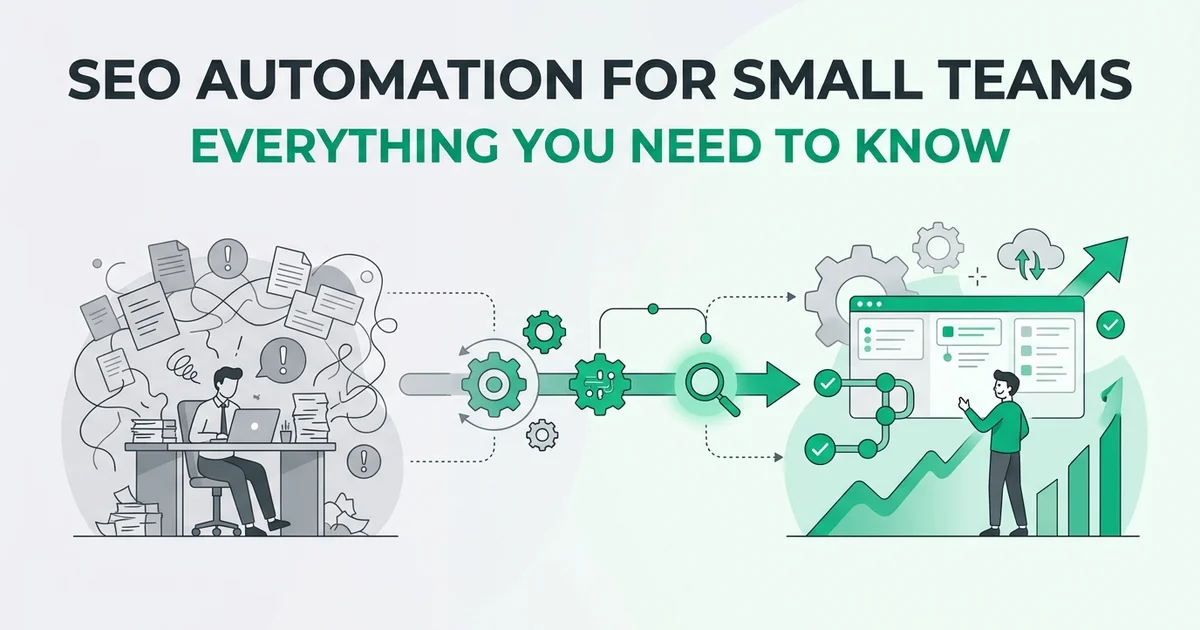
SEO Automation for Small Teams: Everything You Need to Know
- No prior knowledge needed
- Basic understanding of what SEO is (search engine optimization)
- Access to your website's backend or publishing platform
Introduction: Why small teams need SEO automation
If you run a small marketing team or a solo operation, you already know the tension: SEO is one of the most reliable ways to grow organic traffic, but doing it properly takes an enormous amount of time. Keyword research, content planning, writing, optimizing, publishing, and tracking results can easily consume dozens of hours every month. Hours that a small team simply does not have.
SEO is essential but expensive in time
Search engine optimization (SEO) is the practice of making your website more visible in search engine results, so the right people find you without paid advertising. For small teams, the challenge is not understanding why SEO matters. It is finding the capacity to execute it consistently. Researching, writing and publishing content by hand takes a lot of time, and consistency is what actually moves the needle.
Automation changes the equation
SEO automation means using software to handle repetitive, rule-based tasks in the SEO workflow, such as keyword discovery, content drafting, image creation, and scheduled publishing. When those tasks run on autopilot, your team gets back meaningful time to focus on strategy, partnerships, and work that genuinely requires human judgment.
Tools like RankHub are built specifically for this scenario. Add your website once, and the platform researches keywords, writes articles, generates featured images, and publishes on schedule without ongoing input from you.
What this guide covers
This guide walks you through exactly what to automate, what to keep manual, and how to start safely so you get the benefits of automation without the risks.
What is SEO automation?
SEO automation means using software tools to handle repetitive, time-consuming SEO tasks without doing them by hand every time. Instead of manually researching keywords, formatting articles, scheduling posts, or tracking rankings, you set up a system that runs those processes for you on a defined schedule or trigger.
Think of it like setting up a drip coffee maker the night before. You do the setup once, and the machine handles the rest while you focus on other things.
What tasks can be automated?
The range of automatable SEO work is broader than most beginners expect. Common examples include:
- Keyword research: discovering which search terms your audience uses and identifying gaps in your current content
- Content drafting: generating article outlines or full drafts based on target keywords
- On-page optimization: checking title tags, meta descriptions, heading structure, and internal linking
- Publishing schedules: pushing finished content to your website at set intervals without manual uploads
- Rank tracking: monitoring where your pages appear in search results over time
For a practical overview of how these tasks fit together, see this guide to building an SEO automation stack.
Full automation vs. workflow automation
It helps to understand the difference between two approaches. Full automation means the tool completes a task end-to-end with no human involvement. Workflow automation means the tool handles the mechanical steps while a human reviews or approves the output before it goes live.
Neither is universally better. Many small teams use a hybrid: automate research and drafting, then do a quick review before publishing.
Why small teams benefit differently
Large agencies have dedicated specialists for each SEO function. Small teams rarely do. Automation effectively gives a two-person marketing team the output capacity of a much larger operation, without the payroll. Rather than replacing strategic thinking, it frees you to apply that thinking where it actually matters.
Explore the best SEO automation tools to see which options suit different team sizes and budgets.
Key terms you need to know
Before diving deeper into SEO automation, it helps to establish a shared vocabulary. These core concepts form the foundation you'll encounter throughout this guide and are essential for understanding implementation strategies.
Keyword research automation
Keyword research is the process of identifying the search terms your target audience types into Google. Automating this means software discovers and prioritizes those terms for you, rather than you hunting through spreadsheets manually.
Content optimization
This refers to structuring and writing an article so search engines understand its topic and relevance. Automated tools can suggest headings, word counts, and related terms to include.
Publishing workflows
A publishing workflow is the sequence of steps that takes a draft from creation to live on your website. Automation can handle scheduling and direct posting, removing manual copy-paste steps entirely.
Quality assurance and editorial review
Even automated content benefits from a human check before it goes live. Editorial review is the step where you confirm accuracy, tone, and brand fit. For a closer look at where automation ends and human judgment begins, the Patrick Stox overview of SEO automation is worth bookmarking.
Crawlability and indexing
Crawlability means search engines can access and read your pages. Indexing means those pages are stored in Google's database and eligible to appear in search results.
Cannibalization
Keyword cannibalization happens when two or more pages on your site compete for the same search term, splitting ranking potential and confusing search engines about which page to show. Tools like RankHub include anti-cannibalization checks specifically to prevent this problem from developing as your content library grows.
Why SEO automation matters for small teams
If you are running SEO with a small team or solo, you already know the problem: there is never enough time. Keyword research, content planning, writing, optimizing, publishing, and then doing it all again next month. Each task is manageable on its own, but together they consume hours that most small teams simply do not have.
SEO automation addresses this directly by handling the repetitive, rules-based parts of the process so your team can focus on the decisions that actually require human judgment.
Save time without sacrificing consistency
The most immediate benefit is time. Manual SEO content workflows can easily consume 40 or more hours per month across research, writing, and publishing. Automation reclaims most of that time and, crucially, keeps your publishing schedule consistent even when your team is stretched thin. Consistency matters because regular, reliable publishing helps a site keep its content fresh and build coverage of its topics.
Reduce human error at scale
Keyword research done manually is prone to gaps and mistakes. You might miss high-value terms, accidentally target the same keyword twice (causing the cannibalization problem covered in the previous section), or publish content that is poorly optimized. Automated tools apply the same checks every single time, removing the variability that comes with manual work. For a broader look at how automation fits into a professional SEO workflow, the Patrick Stox guide to SEO automation is worth reading.
Scale content without scaling headcount
Growing a blog from four posts a month to daily publishing normally means hiring writers, editors, and SEO specialists. Automation changes that equation. A tool like RankHub handles keyword research, article writing, image generation, and publishing in a single connected pipeline. You add your website once, and the platform runs the full content cycle on a schedule you choose, making it a practical SEO agency alternative for lean teams that need professional output without the overhead.
The result is a content operation that runs in the background while your team focuses on strategy, product, and growth.
What you can and cannot automate safely
Knowing where automation helps and where it hurts is the most important judgment call you will make. Get it right and you free up hours every week. Get it wrong and you risk publishing content that damages your brand or, worse, triggers a Google penalty.
What is safe to automate
These tasks are repetitive, rule-based, and well-suited to software:
- Keyword research. Identifying search volume, intent, and gaps across hundreds of terms is exactly the kind of data-heavy work algorithms handle faster and more accurately than people.
- Article drafting. AI can produce a structured, on-topic first draft from a keyword brief, giving your team something to refine rather than a blank page to fill.
- Featured image generation. Automating image creation keeps every post visually consistent without pulling a designer into routine blog work.
- Publishing schedules. Queuing posts to go live at set intervals maintains a steady content cadence without manual intervention each time.
- Technical SEO checks. Crawling for broken links, missing meta descriptions, or duplicate content is tedious at scale and easy to automate reliably.
A tool like RankHub connects all five of these steps into a single pipeline: it researches keywords, writes and illustrates the article, then publishes it on schedule through a webhook integration. For a broader look at how these tasks fit together, the SEO Automation Tools guide from The Stacc covers practical stack-building in detail.

What you must keep manual
Automation handles volume. Judgment handles quality. These tasks should stay with a human:
- Fact-checking. AI drafts can contain plausible-sounding errors. Every published claim needs a human eye before it goes live.
- Brand voice alignment. Your tone, values, and positioning are not something a model can infer reliably from a keyword alone.
- Strategic decisions. Choosing which topics to prioritize, which audiences to target, and when to pivot requires business context that no seo automation platform can replicate.
- Final quality review. A quick read before publishing catches awkward phrasing, off-brand framing, or gaps in the argument.
Why Google penalizes low-value automation
Google's helpful content guidance targets content created primarily for search engines rather than people. Bulk-publishing thin, unreviewed AI output at scale is exactly the pattern its systems are trained to detect and demote. The penalty is not for using automation. It is for removing human judgment from the loop entirely.
Use automation as a capable first draft engine, not a replacement for editorial oversight. The teams that win with automated SEO treat every published piece as their own, regardless of how it was produced.
How SEO automation workflows actually work
Understanding the individual steps in an automated SEO workflow helps you see exactly where the time savings come from, and where your judgment still matters. Here is how a typical end-to-end workflow runs.
Keyword research and topic selection
Start by identifying high-potential keywords and topics relevant to your niche. Automation tools scan search volume, competition, and relevance to surface opportunities your team might miss manually. This step establishes the foundation for all content that follows.
Content outline and structure generation
Once keywords are identified, automation creates a structured outline that incorporates target keywords naturally while addressing user intent. This ensures your content is organized logically before any writing begins.
AI-assisted article writing and optimization
The platform generates SEO-optimized article copy based on the outline, incorporating keyword placement, readability standards, and on-page SEO best practices. Your team reviews and refines the draft to match your brand voice.
Featured image generation and metadata
Automation creates relevant featured images and generates meta titles and descriptions optimized for click-through rates. This visual and textual polish happens without manual design work.
Publishing and performance tracking
Content is published on schedule via automated integration, and the system begins tracking performance metrics. You monitor rankings, traffic, and engagement to inform future content decisions.
Step 1: The tool scans your site and finds keyword gaps
The process starts with your website, not a blank spreadsheet. The tool crawls your existing pages, reads your sitemap, and identifies which keywords your content already targets. From there, it surfaces gaps: search terms your audience uses that you have not yet covered. This replaces hours of manual keyword research with a prioritized list ready to act on.
Step 2: AI researches and drafts articles
Once target keywords are confirmed, the AI researches the topic and writes a full draft structured around SEO best practices. A tool like RankHub handles this step automatically, producing a complete article with a featured image included, published on schedule after headline approval.
Step 3: Your team reviews and approves
This is the human checkpoint described in the previous section. With RankHub, this checkpoint is headline approval, which can take as little as about a minute a month. Any fuller draft review is an optional extra step your team can add.
Step 4: The tool optimizes and schedules publication
Once headlines are approved, the platform queues the articles for publishing. RankHub pushes articles on your chosen schedule via a webhook integration, meaning the post goes live without anyone logging into your CMS.
A practical example
Picture a two-person SaaS team with no dedicated content writer. They connect their site, approve a headline from their inbox each week, and their blog publishes one polished article every seven days. For a deeper look at how these workflows fit into a broader strategy, see this practical guide to building an SEO automation stack. The output looks like a content team is running in the background. Essentially, one is.
Getting started: Your first steps
You have seen how automated workflows run. Now it is time to build your own. The good news: you do not need a technical background or a large budget to get moving.
Explore what RankHub Autopilot offers for seo automation for small teams RankHub Autopilot.
Audit your current SEO efforts
Document what you're already doing: which keywords you target, how often you publish, what tools you use, and how much time these tasks consume. This baseline helps you identify the biggest time drains and measure improvement.
Define your automation scope
Decide which tasks you want to automate first. Most small teams start with keyword research and content outline generation, then expand to writing and publishing as they gain confidence.
Choose a platform that fits your workflow
Select an SEO automation tool that integrates with your existing systems (CMS, publishing schedule, analytics). Prioritize platforms with strong anti-cannibalization checks and quality controls to protect your site.
Set up your first automated workflow
Create a test workflow with 2-3 pieces of content. This low-stakes trial lets you see how the tool works, identify any gaps in your process, and build team confidence before scaling.
Review, refine, and publish
Have a team member review automated outputs before publishing. Make adjustments to match your brand voice, add unique insights, and verify SEO optimization. This quality gate protects your site's reputation.
Audit your gaps and capacity first
Before touching any tool, spend 30 minutes answering two questions: Which keywords are you missing that your competitors rank for? And how many articles can your team realistically review each month? Write both answers down. This baseline shapes every decision that follows. For broader context on what SEO automation can realistically cover, the Patrick Stox guide to SEO automation is a useful starting point.
Choose one tool, not five
Resist the urge to stack multiple platforms on day one. Pick a single content marketing automation platform that handles the tasks eating most of your time. If consistent publishing is your biggest bottleneck, a tool like RankHub is worth considering. Add your website once, and it runs AI keyword research, writes SEO-optimized articles, generates featured images, and publishes on a schedule. Its anti-cannibalization checks also prevent new posts from competing with content you already have live.
Set up a simple approval workflow
Keep your review process lightweight. A one-step inbox approval, where you confirm a headline before the article publishes, is enough to maintain editorial control without creating a bottleneck.
Publish, measure, and adjust
Publish your first automated article, then track three things: organic impressions, clicks, and time on page. Give it four to six weeks before drawing conclusions. SEO results accumulate gradually, so look for directional trends rather than overnight spikes. Use what you learn to refine your keyword targeting and publishing frequency from there.
Common beginner mistakes to avoid
Even with the right tools in place, small teams can undermine their own progress by falling into a handful of predictable traps. Knowing what to watch for saves you time and protects the SEO foundation you are building.
Automating without human review
Automation handles the heavy lifting, but it does not replace editorial judgment. Google's guidelines expect content to demonstrate genuine expertise and accuracy. Publishing articles without any human check risks putting misleading or off-brand content in front of your audience. Even a quick headline approval or a five-minute scan before an article goes live is enough to stay in control.
Not fact-checking AI-generated claims
AI writing tools are fluent, but they can confidently state things that are simply wrong. Always verify specific statistics, dates, and technical claims before they reach your readers. This is especially important in regulated industries or any niche where accuracy affects trust.

Publishing low-quality content at scale
More articles only help if they are genuinely useful. Thin, repetitive, or vague content can drag down your entire site's authority over time. Treat every automated article as something a real reader should find worth bookmarking. For a broader look at what separates effective automation from content spam, the Patrick Stox guide to SEO automation is worth reading.
Ignoring keyword cannibalization
Cannibalization happens when two or more of your articles compete for the same keyword, splitting your ranking potential and confusing search engines about which page to surface. This is a common pitfall with seo content automation software that lacks built-in overlap detection. RankHub's anti-cannibalization checks flag keyword conflicts before an article is written, so each post targets a distinct opportunity.
Setting it and forgetting it without monitoring performance
Automation reduces manual work, but it does not eliminate the need to pay attention. Check your organic impressions and click-through rates regularly. If a topic cluster is underperforming, adjust your keyword targeting or publishing frequency. Automation should free up your time to think strategically, not give you permission to stop thinking altogether.
Automating before you have a solid SEO foundation
If your site has serious technical issues, such as broken links, missing meta descriptions, or a confusing structure, automation will amplify those problems rather than fix them. Resolve the basics first, then layer in automated content once the foundation is sound.
Tools and resources for small teams
With your foundation in place, choosing the right tools becomes much easier. The good news is that most modern SEO platforms are built with lean teams in mind. For a broader overview of what's available, the SEO Automation Tools guide at The Stacc is a useful starting point.
All-in-one content platforms
These handle the full pipeline from keyword discovery through to publishing. RankHub is one example built specifically for this workflow: it researches keywords, writes SEO-optimized articles, generates featured images, and publishes on a schedule via webhook. You add your website once, and the platform runs its process each month. Anti-cannibalization checks prevent two posts from competing for the same keyword, which is a common and costly mistake for growing blogs. For teams also managing seo automation for content teams, this kind of end-to-end automation removes the biggest time drain.
Keyword research and content optimization tools
Standalone keyword tools such as Google Search Console and browser-based SEO extensions help you spot gaps and track rankings without a large budget.
How to evaluate tools for your team
Ask three questions before committing:
- Does it fit your publishing volume? A weekly post schedule needs different capacity than a daily one.
- What does setup actually require? Prefer tools that need minimal ongoing configuration.
- Is the pricing predictable? Flat monthly fees are easier to manage than usage-based billing when you are just starting out.
Quick start checklist for your first month
Use this structured four-week plan to transition from zero to a fully operational SEO automation workflow. This checklist helps you move forward systematically without overwhelming your team or overcomplicating the process.
Week 1: audit your website and find keyword gaps
- Crawl your site to identify broken links, thin pages, and missing metadata.
- List topics your competitors rank for that you do not.
- Note which existing posts could be improved before you create new ones.
Week 2: set up your tool and approval process
- Connect your automation platform and configure your publishing settings.
- Define who reviews content before it goes live and how long that review takes.
- If you use RankHub, add your website once and let it scan your sitemap, discover keyword gaps, and queue articles automatically.
Week 3: publish your first 2-3 automated articles
- Review each draft carefully before approving.
- Check tone, accuracy, and internal linking, including a link to your seo content calendar automation plan.
Week 4: analyze and refine
- Check rankings, traffic, and engagement for your first published posts.
- Adjust your keyword targeting or publishing frequency based on what you observe.
Next steps: Where to go from here
Your first month establishes the essential foundation for SEO automation success. From here, focus on scaling proven strategies and expanding your workflow while maintaining simplicity and avoiding unnecessary complexity.
Increase publishing frequency gradually
Start with one article per week, then move to every two or three days once your approval workflow feels comfortable. More frequent publishing means more keyword coverage, but only if quality stays consistent. Adjust your schedule when you have a reliable review rhythm in place.
Build a scalable approval workflow
As volume grows, a one-person review process can become a bottleneck. Assign clear roles: one person approves headlines, another checks facts, and publishing happens automatically. Tools like RankHub handle the research, writing, and scheduling, so your team focuses only on the final review.
Connect automation to your broader marketing strategy
SEO content should feed your social channels, email newsletters, and paid campaigns. Think of your blog as the content hub for your entire online marketing platform for small businesses strategy. For a broader view of where automation fits, explore this practical guide to SEO automation tools.
Learn advanced tactics to complement automation
Automation handles volume. You still need to understand internal linking, topic clusters, and search intent to guide your strategy. Invest time in learning these fundamentals so you can direct your tools effectively.
Conclusion: Your automation journey starts now
SEO automation is not a shortcut or a cheat code. It is simply a smarter way to work, one that lets a small team punch well above its weight. The playing field has genuinely leveled: the same content pipeline that once required a dedicated marketing department is now accessible to a solo founder or a two-person team. For more on how this shift is unfolding, see Licheo's overview of democratizing SEO for smaller businesses.
The key is to start small, measure what moves, and scale gradually. Automate one workflow, watch the results, then layer in the next. Keep your human judgment at the center of every decision: automation handles the volume, you provide the direction and quality control.
Tools like RankHub can take care of keyword research, article writing, and publishing on a consistent schedule, freeing your attention for the strategic thinking no tool can replace. Start there, stay curious, and build from a foundation that actually holds.
Related Articles
Frequently asked questions
What is SEO automation?
SEO automation means using software to handle repetitive search optimization tasks, such as keyword research, content creation, and performance tracking, without manual effort for each step. Think of it as putting your SEO workflows on a schedule so they run consistently in the background.
Is SEO automation worth it for a small business?
Yes. Small teams gain the most from automation because it removes the time burden of producing consistent content without requiring a dedicated hire.
What SEO tasks can be automated?
Keyword research, content briefs, article writing, image generation, internal linking suggestions, and publishing schedules can all be automated with the right tools.
Can AI write SEO-friendly blog posts?
Yes. Modern AI tools can produce well-structured, keyword-targeted articles. Human review remains important for accuracy, brand voice, and factual claims.
How do small businesses automate keyword research?
Platforms like RankHub scan your existing site, identify keyword gaps, and surface opportunities automatically, removing the need to run manual searches each month.
What are the best SEO automation tools for small businesses?
The best fit depends on your goals. For end-to-end SEO automation for small teams, a platform that handles research, writing, and publishing in one pipeline, such as RankHub, reduces tool-switching and setup complexity.
Can automated SEO hurt my website?
Poorly executed automation, such as thin duplicate content or keyword stuffing, can cause ranking problems. Use tools that include anti-cannibalization checks and prioritize content quality.
How do I automate SEO without getting penalized by Google?
Focus on tools that produce genuinely helpful, original content. Review published articles periodically, avoid over-optimizing anchor text, and ensure every automated piece serves real reader intent.
More from Our Blog
How One Marketing Team Scaled Organic Traffic with SEO Automation
Learn how to implement SEO automation for your marketing team. Step-by-step guide to automate keyword research, content creation, and reporting.
Read more →
The Top SEO Automation Software Solutions Worth Your Investment
Compare the best SEO automation software for keyword research, content creation, and publishing. Find the right tool for your business needs.
Read more →
Automating Your SEO Content Strategy: A Practical Approach
Learn how to set up and use an SEO content automation tool to research keywords, create articles, and publish on schedule. Complete workflow guide.
Read more →