
If you want to find inbound links to a specific page, you've got a few options. The quickest free method is to pop into Google Search Console and check out your own site's backlink data. You can also try a classic Google search operator like "link:yourdomain.com/page-url", though your mileage may vary. For the real deep-dive, paid tools like Ahrefs or Semrush are the way to go, giving you the full picture for any URL you throw at them.
Why Bother Finding Your Inbound Links?
Before we get into the nitty-gritty of how to find these links, let’s talk about why it’s such a big deal. Honestly, digging into who links to your website isn't just a box-ticking SEO exercise. It's more like finding a secret map to what’s actually working in your marketing.
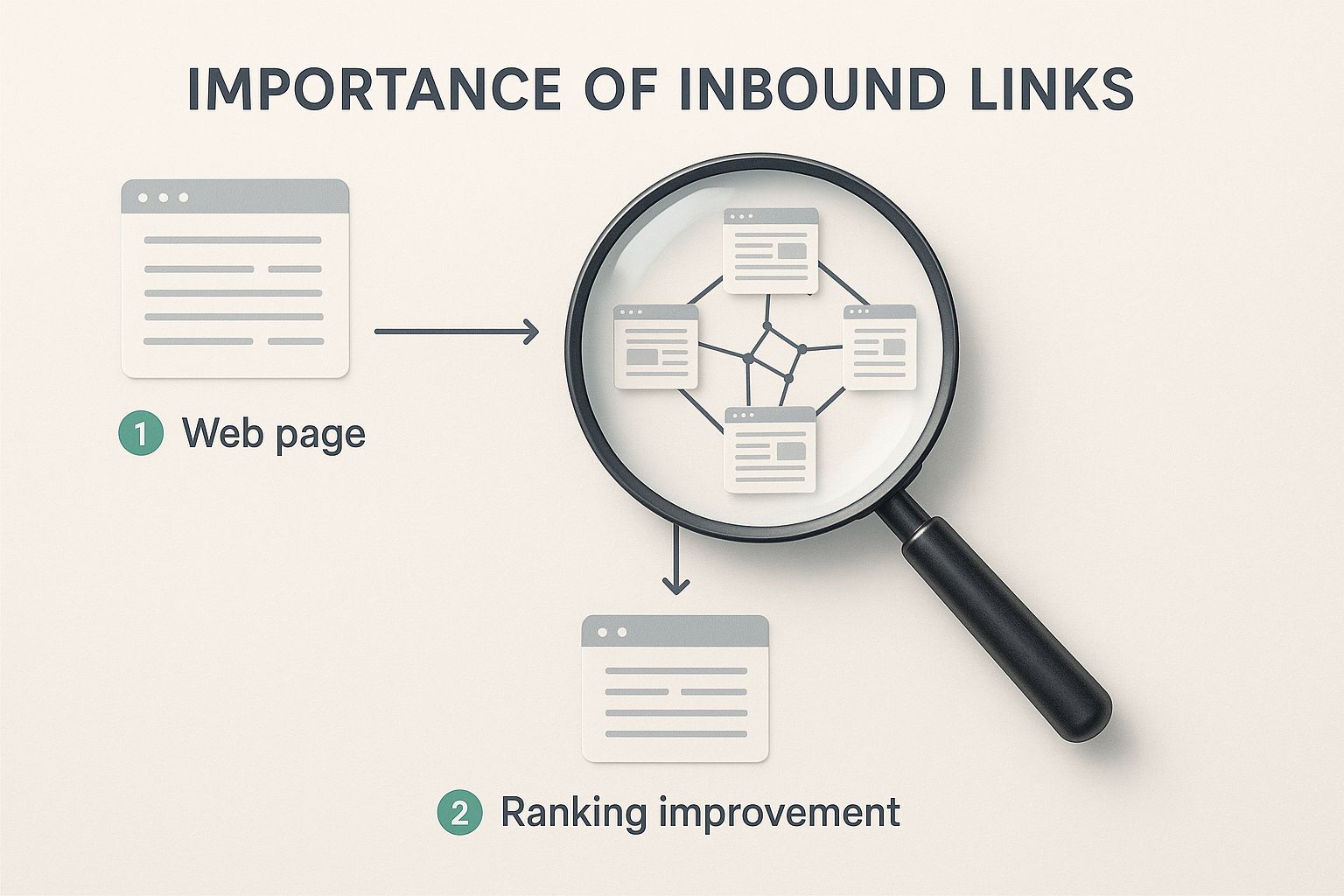
Every time another website links to you, it's essentially a vote of confidence. It tells search engines your stuff is credible and worth paying attention to.
Here’s what you actually get out of this process:
- Discover Your Star Players: When you see which pages are naturally attracting links, you've found your "linkable assets." This is pure gold—it tells you exactly what kind of content to create more of.
- Spot New Friends and Partners: You might find some surprising sites linking to you—maybe a niche blogger, an industry journal, or a business you could partner with. This is your cue to reach out and build a real relationship.
- Get a Leg Up on the Competition: Spying on your competitors' backlinks shows you their entire playbook. You can see who loves them and then figure out how to get those same sites to love you, too.
The Hard Truth About Getting Links
Let's be real for a moment: earning these links is tough. Incredibly tough. The data doesn't lie—a jaw-dropping 94% of all content online has zero external backlinks. It's a huge uphill battle.
Think about that. Only a tiny 2.2% of content ever gets links from more than one website. That's the club you want to be in.
Knowing your current backlink profile is your ticket into that exclusive 2.2% club. It’s not about getting a ton of links; it’s about getting the right ones. I'd take one powerful link from a super-relevant, high-authority site over a hundred spammy ones any day of the week.
At the end of the day, inbound links remain one of the most critical search engine ranking factors. Once you get good at finding and understanding them, you can figure out why a page isn't ranking, copy what your competitors are doing right, and build a much stronger foundation for all your SEO efforts.
Finding Links for Free with Google Search Console
Want to find inbound links without spending a dime? The best place to start is right inside your own Google Search Console account. It’s a completely free tool that’s basically a direct line from Google, showing you exactly how it sees your website—including who’s linking to you.
Honestly, if you have a website, you should already have GSC set up. It's that important. Once you're logged in, the good stuff is waiting for you in the "Links" report, which you'll find in the left-hand sidebar. This isn't just a boring list of URLs; it's the official record of your backlink profile, straight from the source.
Navigating the Links Report
The report is pretty straightforward, split into two main buckets: External links and Internal links. Since we're hunting for inbound links from other sites, you'll want to focus entirely on the External links section.
This is where things get interesting. The external links area is broken down into three key reports, each giving you a different piece of the puzzle:
- Top linked pages: This is my first stop. It instantly shows you which pages on your site are magnets for backlinks. You can quickly see your most popular content and what I like to call your "linkable assets."
- Top linking sites: Ever wonder which websites are your biggest fans? This report tells you. It lists the domains that link to your site most often, which is perfect for identifying potential partners or just seeing who's talking about you.
- Top linking text: This one is a goldmine. It reveals the exact anchor text people are using when they link to your content. It’s a fantastic way to understand the context of those links and how other people are framing your pages.
Think of each of these reports as a different camera angle on your backlink profile. By looking at all three, you get a much clearer, more complete picture of what's going on.
To make this even clearer, here’s a quick reference table to help you get the most out of the GSC Links report.
Google Search Console Links Report Breakdown
| Report Section | What It Shows You | Actionable Insight |
|---|---|---|
| Top linked pages | A list of your URLs, ordered by how many external links point to them. | Identify your most successful content. Can you create more like it? |
| Top linking sites | A list of external domains, ordered by how many times they link to your site. | Spot your biggest supporters. Are there opportunities for collaboration? |
| Top linking text | The actual anchor text used in backlinks pointing to your site. | Understand the context of your links. Is it relevant to your target keywords? |
Using these three views together gives you a solid foundation for your link analysis.
Putting the Data into Action
Just seeing the data is one thing; using it is what really matters.
The first thing I always do is hit the "Export" button in the top right corner. This downloads the data into a spreadsheet where you can really roll up your sleeves and dig in. Once you have it in a spreadsheet, you can sort, filter, and make notes.
Look for patterns. Are 90% of your links pointing to just one or two blog posts? That's a huge clue that you should probably create more content around those topics. See a bunch of links from well-known, authoritative sites in your industry? Awesome, give yourself a pat on the back.
On the flip side, if you spot links from domains that look spammy or completely irrelevant, you know to keep an eye on them. You might not need to disavow them right away, but it's good to be aware.
A pro tip: Remember that GSC only shows you a sample of your links, not a complete, exhaustive list. Google's goal is to show you what it considers most important, which is usually more than enough to point your strategy in the right direction.
The insights you find here are also directly tied to other SEO efforts. For instance, knowing which pages get a lot of links gives you a hint about why they might be performing well. To see the full picture, you can learn how to check your Google ranking for those specific, highly-linked pages. It all works together.
Ready for the Full Picture? Premium SEO Tools Are a Game Changer
Let's be honest: Google Search Console is a great free tool, but it only gives you a tiny glimpse into your backlink profile. It’s like peeking through a keyhole when you really need to see the entire room.
If you're serious about understanding inbound links, you need to step up to a premium SEO tool. Platforms like Ahrefs, Moz, and Semrush are the gold standard for a reason. They give you a much richer, more actionable view of not just your own site, but any page on the web.
How? These tools run their own massive web crawlers, constantly indexing links way faster than Google reports them. This means you get fresher data and a far more complete picture—absolutely critical when you're analyzing a competitor or trying to figure out why a page suddenly dropped in the rankings.
Ahrefs Site Explorer: Your Go-To for Link Data
Ahrefs is my personal favorite, and I know I'm not alone. It has a colossal link index and is surprisingly easy to use. Just pop any URL into its Site Explorer—your page, a competitor's page, literally anything—and you'll get a firehose of data.
Head straight to the "Backlinks" report. This is where you see every single inbound link pointing to that URL. Forget sampling; this is the whole list. From here, you can start slicing and dicing the data to find what really matters.
Here are a few of the first filters I always apply:
- DR (Domain Rating): Sorting by DR is the quickest way to find the most powerful, authoritative domains linking out. It immediately highlights the links that are likely moving the needle the most.
- New & Lost Links: This feature is pure gold. Use the "New" filter to see links you've picked up recently—perfect for tracking a PR or outreach campaign. The "Lost" filter is your early warning system for links that have vanished, giving you a chance to reach out and try to get them back.
- Link Type: I almost always filter for "Dofollow" links first. These are the ones passing the most link equity, so they're my primary focus for analysis.
Getting a Second Opinion with Moz and Semrush
Of course, Ahrefs isn't the only player in town. Moz and Semrush bring their own unique strengths to the table, and I often use them to get a more well-rounded view.
Moz's Link Explorer is famous for its proprietary metrics like Page Authority (PA) and Spam Score. PA gives you a good sense of a specific page's ability to rank, while the Spam Score is a quick and dirty way to flag potentially sketchy links that might need a closer look.
Semrush's Backlink Analytics tool is fantastic for digging into the nitty-gritty details, like the exact anchor text being used and where the link is placed on the page. Getting insights from multiple tools can really paint a complete picture. If you're trying to pick the right one for your stack, our detailed SEO software comparison breaks down the pros and cons of each.
Premium tools move you from guessing about your backlinks to making truly strategic decisions. You stop asking who is linking and start understanding the quality, timing, and context of every link, which is what separates good SEO from great SEO.
It's no secret that link building is a top priority for marketers. While industry data shows that only about 29% of link building programs are currently considered successful, a whopping 56% of SEOs are planning to increase their link-building budgets anyway. This tells you just how committed the industry is to cracking the code. Using these premium tools is one of the best ways to get your program into that successful 29%.
Peeking Over Your Competitor's Shoulder: Their Backlink Strategy
Let’s be honest, one of the best shortcuts to finding great inbound links is to see what’s already working for your competition. Why start from a blank slate when you can learn from their wins? It's not about blind copying; it's about smart reverse-engineering.
When you ethically spy on a competitor's backlink profile, you’re basically handed a playbook. You get to see their most popular content, the guest posts they've successfully placed, and which high-authority sites already link to them. This intel is gold. It lets you target those same sources, but with your own (and hopefully better) content.

Find Their "Link Magnets"
First things first, you need to figure out which of their pages are actually pulling in the most links. I call these their "link magnets" or "linkable assets." These are almost always things like super-detailed guides, original research studies, free tools, or impressive case studies.
The easiest way to find these is to pop a competitor's domain into a tool like Ahrefs' Site Explorer. From there, head straight for the "Best by links" report. It’s a simple, ranked list of their pages by how many different websites link to them.
As you scan the top results, ask yourself a few questions:
- Are they publishing a lot of data-heavy blog posts?
- Do they offer a free calculator or template that everyone seems to love?
- Is it their infographics that are getting all the attention?
The answers tell you what kind of content makes an impact in your space. If you spot a competitor’s guide with links from 150 referring domains, that's a massive signal. It proves people want and will link to that topic. Now, your mission is to create your own version that’s more in-depth, has a slicker design, or is just more current.
Hunt for Links You Can Actually Get
Okay, so you've found their top-performing pages. Now for the fun part: digging into the actual backlinks pointing to them. Stick with the Ahrefs "Backlinks" report for a specific competitor URL. This is where you can start filtering and sorting to find the real gems—the opportunities you can replicate.
I always start by looking for patterns. Are a bunch of links coming from "resource" pages? You know the ones, often titled "Helpful Resources" or "Useful Links." These are prime targets. A quick email to the site owner suggesting they add your superior resource to their list is often an easy win.
Guest posts are another common source. Look for links where your competitor is clearly the author of the article. This tells you exactly which websites are open to guest contributions in your niche.
The goal here isn't just to snag a few individual links. You're trying to decode their entire strategy. Look for the repeatable tactics that are driving their SEO success, because you can almost always adapt them for your own brand.
Turn Their Hard Work to Your Advantage
Once you have a solid list of potential link targets, it's time to make your move. You need to reach out with a solid reason for them to link to you—either instead of or in addition to your competitor.
Here are a couple of my favorite, time-tested approaches:
- The Skyscraper Technique: This is a classic for a reason. You create content that is undeniably better than what your competitor published. Then you reach out to every single person linking to their page and show them your new-and-improved version.
- Broken Link Building: Use a tool to scan a target page for broken outbound links. If you find one that used to point to a competitor's now-defunct resource, you have the perfect excuse to email them. Suggest they fix the dead link by swapping it with a link to your relevant, working page.
By systematically picking apart their strategy, you'll be able to find great inbound links for your own pages with a much higher hit rate than just starting from scratch. You're building on what's already been proven to work, which gives your SEO efforts a serious head start.
Separating Valuable Links from Digital Noise
https://www.youtube.com/embed/-2eUUZkxyJk
Once you start digging into your inbound links, you’ll quickly realize they aren't all created equal. A massive list of links is just raw data; turning that data into an actual strategy means knowing which ones move the needle. Think of it like panning for gold—you have to sift through a whole lot of dirt to find the valuable nuggets.
This process is all about looking past the sheer number of links and focusing on quality. A single, powerful link from a respected industry site can easily be worth more than a hundred low-quality links from irrelevant blogs. The real skill is developing a quick eye for what makes a backlink count.
Key Quality Indicators for Inbound Links
So, what should you be looking for? The quality of any inbound link really boils down to a few core attributes. If you prioritize these, you can focus your analysis on the links that are genuinely helping your SEO.
- Topical Relevance: Is the site linking to you in the same sandbox? A link from a popular marketing blog to your SEO guide is a perfect match. A link from a random pet grooming site? Not so much.
- Site Authority: Metrics like Ahrefs' Domain Rating (DR) or Moz's Domain Authority (DA) give you a quick snapshot of a site's overall strength. A link from a DR 80+ site carries some serious weight.
- Link Placement: Where the link shows up on the page is huge. A link embedded naturally within the main body of an article is far more valuable than one buried in a footer or a crowded sidebar. Search engines are smart enough to know the difference.
My rule of thumb is simple: If a human reader would find the link helpful and relevant in its context, Google probably will too. That’s the ultimate test of a quality backlink.
The Dofollow vs. Nofollow Debate
You're also going to run into the terms "dofollow" and "nofollow." A dofollow link is the standard type that passes authority—or "link juice," as we used to call it—from one site to another. A nofollow link has a special tag that tells search engines not to pass that authority along.
For a long time, the SEO playbook was to chase dofollow links and ignore nofollow ones entirely. That's an outdated approach now. Google treats nofollow links as a "hint," which means they can still have an impact.
In fact, one study showed that around 89% of SEO professionals believe nofollow links can still influence rankings. You'll also see that top-ranking pages naturally pick up 5–14% more follow links each month, which tells you that a healthy, natural profile has a mix of both.
As you build your strategy, you also need to understand the risks and rewards of different tactics, like knowing the pros and cons of buying backlinks. Ultimately, building a natural, diverse backlink profile—with a healthy mix of dofollow and nofollow links from relevant, authoritative sources—is the smartest long-term play you can make.
Answering Your Burning Questions About Inbound Links
As you start digging into your backlink profile, you'll inevitably run into a few questions that pop up time and time again. Getting these sorted out early will save you a lot of headache and help you focus on the links that actually move the needle.
Let's clear up some of the most common ones I hear.
How Long Does It Take for New Links to Show Up?
This is probably the number one question. You scored a great link—now where is it? Honestly, it varies quite a bit depending on the tool you're using.
Google Search Console is usually the last to the party. It has to wait for Google to crawl the linking page and then process that information, so you could be looking at a delay of several days or even a few weeks. Don't sweat it if you don't see your new link there right away.
Paid tools like Ahrefs or Semrush are way faster because they have their own massive web crawlers working around the clock. You'll often see a new link pop up in their reports within 24 to 48 hours. My advice? Patience is key. There's always a lag between a link going live and it appearing in any tool.
What Should I Do About Weird, Spammy-Looking Links?
Seeing a shady-looking link pointing to your site can be jarring, but the first thing to do is take a deep breath. Don't panic.
Google's algorithms are now incredibly sophisticated and are built to simply ignore the vast majority of junk links. For most sites, the right move is to do absolutely nothing.
The only time to really worry is if you're facing a massive, targeted negative SEO attack or if you've been hit with a manual action from Google (which is pretty rare). Only then should you look into using Google's Disavow Tool.
For the average website, disavowing links can cause more problems than it solves. It's easy to accidentally disavow a link that was actually helping you. It's best to let Google sort through the noise.
Is It Possible to Find Links Pointing to a Competitor's Page?
Oh, absolutely. And you should! This is one of the most powerful competitive analysis tactics in all of SEO.
Obviously, you can't peek at their Google Search Console data. This is where the premium tools really earn their keep.
Just grab a competitor's URL and plug it into a tool like Ahrefs' Site Explorer or Semrush's Backlink Analytics. In seconds, you'll get a full report of every single link pointing to that page. This is how you reverse-engineer their success, find out who is linking to them, and uncover a goldmine of new link-building opportunities for yourself.
Ready to stop guessing and start finding high-value opportunities? RankHub uses AI to analyze your entire site and your competitors, delivering a prioritized keyword strategy in under a minute. Get your tailored SEO plan at https://www.rankhub.ai.
More from Our Blog
7 Content Writing Tools That Boost Your SEO Rankings
Discover the top 9 SEO content writing tools to automate drafting, optimization, and publishing. Boost rankings with AI-assisted workflows.
Read more →
Zoho Marketing Automation Explained: Is It Right for You?
Compare Zoho Marketing Automation vs HubSpot on pricing, features, ease of use, and automation depth. See which wins for small teams and solo founders.
Read more →
Looking for an SEO Company? Here Are Your Best Options
Compare top SEO companies, AI platforms, and agencies. Find the best fit for your budget, from $49/month tools to full-service retainers.
Read more →