
Ever feel like your website is just… stuck? Traffic is flat, leads aren't coming in, and you can’t pinpoint the problem. That’s exactly where a website audit comes in. Think of it as a doctor's check-up for your site, designed to diagnose every little issue and uncover hidden opportunities you've been missing.
This isn't just about spotting a few broken links. A real audit is a deep dive into what’s working, what's broken, and how you can get a serious edge over your competition. It’s the difference between guessing and knowing what to fix.
Regular audits are the absolute cornerstone of a smart SEO strategy. They keep you ahead of Google's constant algorithm updates and help you build a site that people actually want to use. You'll go from having a simple online brochure to a lead-generating powerhouse.
The Bedrock of Organic Growth
Let's be real—organic search is where the magic happens. It drives about 58% of all monthly website traffic worldwide, a number that jumped another 2.39% in 2024. If you're not set up to capture that traffic, you're leaving a ton of money on the table.
A thorough audit puts your entire site under a microscope. By digging into your technical SEO, content, backlinks, and site structure, you’re making sure Google sees you as the best answer for your potential customers. If you want to go deeper on this, our guide on how to increase organic traffic is the perfect next step.
Tools like Semrush are fantastic for this. Their Site Audit feature gives you a quick "health score" and breaks down problems by severity. As you can see, it instantly shows you the critical errors you need to tackle first, so you can focus your energy where it matters most.
An audit is only as good as the action you take afterward. It’s all about turning a mountain of data into a straightforward, prioritized to-do list that boosts rankings, engages users, and grows your business.
Mastering the Technical SEO Deep Dive

Alright, time to pop the hood and get our hands dirty. Your site might look fantastic on the surface, but if search engines can't properly crawl, render, and index it, you’re basically invisible online. This is the bedrock of your SEO, so getting it right is non-negotiable.
A technical SEO audit isn't as intimidating as it sounds. It’s really just about checking the specific signals Google uses to understand and rank your website. Think of it as making sure there are clear, well-lit roads for search engine crawlers to follow, without any frustrating dead ends or confusing detours.
Let’s start with the absolute basics—the files that control how crawlers even interact with your site in the first place.
Checking Your Crawlability and Indexability
First up, let's talk about access. We need to be certain that search engines can find all your important pages and, just as importantly, ignore the ones you don't want them to see.
Your robots.txt file is the very first place a search engine spider looks. It's a simple text file that gives bots instructions on which parts of your site they should or shouldn't crawl. I've seen it happen: a misconfigured robots.txt can accidentally block an entire site from Google. It's a critical first check.
Next, we have the XML sitemap. This is essentially a roadmap of your website, showing search engines all the important URLs you want them to index. A clean, error-free sitemap helps Google discover your content much faster. Double-check that it’s submitted to Google Search Console and that it doesn't contain any broken links or pages you've blocked in your robots.txt file.
A technical hiccup as small as a single incorrect line in your robots.txt file can de-index your most important pages. That's why starting with these foundational checks is so crucial—it prevents you from building a great SEO strategy on a shaky base.
Now that we've made sure crawlers can get in the door, let's look for any roadblocks that might be slowing them down.
Untangling Site Structure and Navigation
A logical site structure is just as important for search engines as it is for actual human users. If crawlers get lost in a maze of confusing links and super deep pages, they might just give up before they find your best content.
A good rule of thumb is to look for any pages that are more than three clicks away from the homepage. Deeply buried pages are often seen as less important by search engines and are a pain for users to find. A flatter site architecture, where key pages are easily accessible, almost always wins.
From there, you need to hunt down and fix any pesky redirect chains and broken internal links (404 errors). A redirect chain—where one URL redirects to another, which then redirects to another—slows down your site and eats up your crawl budget. A tool like Screaming Frog is a lifesaver here; it can crawl your site and flag these issues instantly.
Here’s a quick rundown of the usual suspects I look for:
- Redirect Chains: Page A -> Page B -> Page C. You need to fix this so Page A points directly to Page C.
- Internal 404s: These are broken links pointing to pages on your own site that no longer exist. They're a dead end for users and bots alike.
- Duplicate Content: This happens when multiple URLs show the same (or nearly the same) content, which can confuse search engines. Using canonical tags is the solution—they tell Google which version is the "master" copy you want indexed.
Fixing these snags creates a much smoother path for search engines and dramatically improves the user experience.
Ensuring Your Site Is Secure and Trustworthy
Security isn't just a "nice to have" anymore; it's a confirmed ranking factor. A secure website running on HTTPS is an absolute must. You'll want to check your SSL certificate to make sure it’s valid and properly installed across your entire site. Keep an eye out for "mixed content" warnings—this is when a secure page tries to load insecure (HTTP) resources like images or scripts. It can erode user trust and ding your SEO.
This entire process has gotten way more complex over the years. Website audits are no longer purely manual tasks. Today, we rely on sophisticated software that crunches millions of data points, a shift that reflects the broader digital transformation. With over 5 billion internet users worldwide, the need for efficient, data-driven analysis has never been greater. You can dive deeper into these global digital trends in this 2025 global overview report.
By mastering these technical elements, you build a rock-solid foundation that allows all your other efforts—your content, your link building—to truly shine.
Auditing Your Content and Keyword Strategy

Okay, now that we've shored up the technical foundation, it's time to dive into the heart and soul of your website: the content. This is the stuff that actually speaks to your audience—the words, images, and videos that build trust, solve problems, and ultimately get people to act.
But let's be real, not all content is created equal. A proper content audit isn't just about spotting typos. It's a deep, strategic review to make sure every single page has a purpose, targets the right people, and hits the mark on what they were searching for.
Let's get into it.
Identifying Your Winners and Losers
Every website has its superstars and its duds. The first job is to figure out which pages are which. You need to pinpoint your top performers—the articles bringing in steady traffic and engagement—and identify the pages that are just taking up space.
Jump into Google Analytics (or whatever you use) and pull a report of all your pages, sorted by traffic over the last 6-12 months. This gives you a hard data snapshot of what’s actually working versus what’s collecting digital dust.
With that list in hand, I like to sort every piece of content into one of four buckets:
- Keep and Protect: These are your high-traffic, high-value home runs. Don't touch them for now, just know they're your core assets.
- Update and Improve: These pages have potential. They're getting some traffic but could do so much better. Maybe the information is a bit stale, or the content is just too thin.
- Consolidate: Do you have three or four posts all hovering around the same topic? It happens. Combining them into one comprehensive, powerhouse guide is often a huge win for both users and your rankings.
- Delete: Some content is just plain obsolete, irrelevant, or gets zero traffic. Seriously, it’s better to just cut it and redirect the URL to a more relevant page.
A lot of people are terrified of deleting content. But remember, a bunch of low-quality, zero-traffic pages can dilute your site's authority and waste Google's time. Pruning your site is a healthy, necessary part of any serious content strategy.
Rooting Out Keyword Cannibalization
As your site gets bigger, you can accidentally start tripping over your own feet. This is called keyword cannibalization, and it’s a surprisingly common and frustrating problem. It happens when you have multiple pages competing for the exact same keyword, which just confuses search engines.
Think about it: if you have three separate blog posts all trying to rank for "small business SEO tips," Google doesn't know which one is the real authority. So it might split the ranking potential between all three, meaning none of them rank well. You're your own worst competition.
Comb through your audit and look for these keyword overlaps. When you find them, pick the strongest page to be your definitive source. Then, merge the best parts of the weaker pages into the main one and set up 301 redirects. This funnels all that scattered ranking power into a single, much stronger asset. This is why spending time on how to do keyword research from the very beginning can save you a massive headache later on.
Optimizing On-Page Elements for Clicks
Getting your content to show up on Google is only half the job. You still need to convince someone to actually click on it. This is where your on-page SEO—your title tags, meta descriptions, and headings—becomes your sales pitch.
To make this a bit easier, here’s a quick checklist you can use to audit these crucial elements on every page.
On-Page SEO Audit Checklist
| Element to Check | Why It Matters | Recommended Tool |
|---|---|---|
| Title Tags | This is your headline in the search results. It has to be compelling, include your keyword, and stay under 60 characters to avoid getting cut off. | Screaming Frog or RankMath |
| Meta Descriptions | Think of this as your ad copy. While not a direct ranking factor, a great meta description drives clicks. Keep it under 160 characters. | Yoast SEO or Ahrefs |
| Heading Structure (H1, H2, H3) | A clean heading structure helps users and search engines follow the flow of your content. You should only ever have one H1 per page. | SEO Minion (Browser Extension) |
| Image Alt Text | Alt text makes your images accessible and gives search engines context. It's a small but important piece of the on-page puzzle. | Sitebulb or Detailed SEO Extension |
The goal here isn't just to jam keywords everywhere. It's to write for humans. Your titles and descriptions need to spark curiosity and promise a real solution to what someone is searching for. If you want to get ahead of the curve, utilizing tools like Google's Keyword Tool Planner can help you nail search intent from the start.
By taking the time to truly audit your content, you can turn your website from a random collection of articles into a strategic machine that pulls in the right audience and gets them to stick around.
Analyzing Your Backlink Profile and Authority

Now that we’ve tidied up the on-site stuff, it’s time to step outside your domain. Off-page SEO is a massive part of the equation, and the heart of it all is your backlink profile.
Think of backlinks as referrals or votes of confidence from other websites. A healthy collection of these "votes" signals to search engines that you're a credible, authoritative voice in your space.
But here’s the thing: not all links are created equal. One great link from a major industry publication can easily outweigh hundreds of links from spammy, low-rent directories. This part of the audit is all about figuring out who is linking to you and judging the quality of those referrals.
Distinguishing Good Links from Bad Links
First things first, you need a complete picture of every single website linking to you. This is where tools like Ahrefs, Semrush, or Moz become non-negotiable. They crawl the web constantly and hand you a detailed list of your backlinks, packed with metrics to help you sort the good from the bad.
When I pull a backlink report for a client, my eyes immediately scan for a few key indicators. It’s a bit like digital triage—separating the valuable assets from the potentially toxic ones to protect the site's reputation.
A good link usually comes from a site that is:
- Topically Relevant: A link from a popular marketing blog is gold for an SEO agency. A link from a random pet grooming site? Not so much.
- Authoritative: Does the linking site have a solid reputation of its own? Metrics like Domain Authority (Moz) or Domain Rating (Ahrefs) are your best friends for a quick gut check on this.
- Driving Real Traffic: The absolute best links don't just pass SEO value; they send actual, interested humans your way.
On the flip side, toxic links are pretty easy to spot once you know the signs. These are the red flags that can actively hurt your rankings if left unchecked.
A classic rookie mistake is chasing the sheer number of backlinks. In reality, a handful of high-authority, relevant links will do more for your SEO than thousands of spammy, low-quality ones. Quality always trumps quantity.
Spotting Toxic Backlinks
Toxic links are almost always from sites built purely for SEO manipulation. They add zero value to the web and can get your site penalized just for being associated with them.
Here's what I'm always on the lookout for:
- Private Blog Networks (PBNs): These are webs of interconnected sites created for the sole purpose of building links. They’re usually easy to spot because of their thin content and unnatural linking patterns.
- Spammy Directories: Low-quality directories that will list anyone and everyone with no real oversight are a huge red flag.
- Irrelevant Foreign Language Sites: Unless you’re an international business, a sudden spike in links from sites in another language is highly suspicious.
- Over-Optimized Anchor Text: If 90% of your links use the exact same keyword phrase (e.g., "best personal injury lawyer"), it looks incredibly unnatural to Google and screams manipulation.
Benchmarking Against Your Competitors
Looking at your own profile is only half the battle. You need to know how you stack up against the competition. This is where you can find some absolute goldmines for link-building opportunities.
Fire up a backlink gap analysis in a tool like Ahrefs. It will spit out a list of every website linking to your competitors but not to you. This list is basically your new link-building roadmap.
Let’s say you run a local bakery. You see that your top three competitors all have links from a popular local food blogger. Well, guess who just shot to the top of your outreach list? It’s a proven, relevant link source right in your niche.
Dealing with Harmful Links
Once you've flagged a bunch of potentially toxic links, you've got a decision to make. If it's just a handful, you can probably just ignore them. Google has gotten pretty good at recognizing and devaluing bad links on its own.
But if you have a history of buying links, have been the target of a negative SEO attack, or just have a ton of these harmful links pointing your way, you might need to take action. The first step is always to try and contact the website owner and ask for the link to be removed.
If that doesn't work (and it often doesn't), your last resort is Google's Disavow Tool. This lets you upload a list of domains or pages you want Google to completely ignore when it assesses your site. Just be careful—this tool is powerful. Disavowing the wrong links by mistake can seriously damage your rankings.
Improving User Experience and Site Speed
https://www.youtube.com/embed/Io4ugroDedo
Okay, so far we've been deep in the weeds, making sure Google is happy. Now, let's switch gears and focus on the people who actually matter: your visitors. You can have the most technically perfect website on the planet, but if it’s slow, confusing, or just plain annoying to use, people will hit the back button and never return.
And they won't think twice about it. A staggering 88% of users admit they’re less likely to come back to a site after a bad experience. This isn't just about hurt feelings; it's about bounce rates, conversions, and the subtle signals users send to Google. A clunky site tells search engines your page isn’t a good answer, no matter how great the content is.
This part of the audit is all about putting on your user hat and experiencing your site firsthand.
Diving into Google’s Core Web Vitals
Google is so obsessed with user experience that it created a specific set of metrics to measure it: Core Web Vitals. Think of these as the vital signs for your website's health from a user's perspective. They are a confirmed ranking factor, so getting them right isn't optional.
Let's break them down into plain English:
- Largest Contentful Paint (LCP): This is all about perceived speed. It measures how quickly the biggest, most important piece of content—like a hero image or a huge block of text—loads on the screen.
- Interaction to Next Paint (INP): This one measures responsiveness. When someone clicks a button or taps a link, how long does it take for something to visibly happen? A low INP makes your site feel quick and snappy.
- Cumulative Layout Shift (CLS): You know when you try to tap a button, but an ad loads at the last second and the whole page jumps, causing you to click the ad instead? That’s layout shift, and it’s infuriating. CLS measures how much your page elements move around unexpectedly while loading.
Think of Core Web Vitals as Google's way of quantifying frustration. A slow LCP, a laggy INP, or a high CLS are all technical ways of saying "this website is annoying to use." Fixing them is a direct investment in user satisfaction.
Of course, overall site speed is the foundation for a great user experience. If you want to go deeper on this, check out these effective website speed optimization tips.
Diagnosing and Fixing Speed Issues
The best place to start is Google's own PageSpeed Insights tool. Just pop in your URL, and it spits out a performance score from 0-100 for both mobile and desktop, plus a detailed report on your Core Web Vitals.
Even better, it gives you an "Opportunities" and "Diagnostics" section. This is basically your personalized to-do list for speeding things up.
You'll probably see a few usual suspects pop up:
- Unoptimized Images: This is the big one. Huge, uncompressed images are the number one killer of page speed. Start using modern formats like WebP, and for the love of all that is holy, resize your images to the actual dimensions they'll be displayed at.
- Render-Blocking Resources: A fancy term for CSS and JavaScript files that make the browser wait before it can show your page content. Deferring scripts that aren't critical for the initial view can make a huge difference.
- Slow Server Response Time: If your hosting is cheap and slow, your site will be too. You want your server to respond in under 200ms. Anything more, and you might want to look into a better hosting plan.
- Leveraging Browser Caching: This tells a visitor's browser to save parts of your site (like your logo and CSS files). The next time they visit, the page loads way faster because their browser already has most of the pieces.
To give you some clear targets, here's a quick rundown of the Core Web Vitals and the scores you should be aiming for.
Core Web Vitals Explained
This table breaks down the three main metrics, what they measure, and what Google considers a "good" score.
| Metric | What It Measures | Good Score |
|---|---|---|
| LCP | Loading performance | Under 2.5 seconds |
| INP | Interactivity and responsiveness | Under 200 milliseconds |
| CLS | Visual stability | Under 0.1 |
Hitting these targets means your site is delivering a solid, frustration-free experience to your users.
Ensuring a Flawless Mobile Experience
Mobile isn't just a big piece of the pie anymore; it is the pie. The majority of web traffic now comes from mobile devices, so your site absolutely has to work perfectly on a small screen. This means more than just having a "responsive" design.
Get your phone out right now and actually use your site.
- Can you read the text without pinching and zooming?
- Are the buttons big enough for your thumb to tap easily?
- Are there any annoying pop-ups blocking the content?
- Is the navigation menu easy to find and use?
For a quick technical check, you can also run your URL through Google's Mobile-Friendly Test. A bad mobile experience is one of the fastest ways to lose a customer and tell Google your site isn't worth ranking.
Creating Your Prioritized SEO Action Plan
An audit is only as valuable as the action it inspires. You've just waded through a mountain of data, but that information is completely useless if it just sits in a spreadsheet. Now it's time to turn those findings into a living, breathing plan that actually gets results.
The secret is to frame everything by impact versus effort. This simple matrix is my go-to for cutting through the noise. It helps you separate the easy wins from the big, resource-heavy projects. For instance, fixing a bunch of broken internal links is classic low-effort, high-impact work that can give you a nice little boost pretty quickly.
Building Your Action Framework
I like to start by dumping every single issue I've uncovered into one of four buckets. It’s a straightforward way to see what really matters.
- Quick Wins (High Impact, Low Effort): These are your absolute top priorities. We're talking about things like rewriting weak title tags on key pages, redirecting 404 errors, or compressing a handful of gigantic images that are killing your page speed.
- Major Projects (High Impact, High Effort): These are the game-changers that need real planning and resources. Think a site-wide content overhaul, a messy technical migration to a new platform, or building out a new topic cluster from scratch.
- Fill-In Tasks (Low Impact, Low Effort): These are the "nice-to-haves" you can tackle when you have some downtime. This could be adding missing alt text to old blog post images or cleaning up a few dozen uninspired meta descriptions.
- Time Sinks (Low Impact, High Effort): Steer clear of these, at least for now. They’ll eat up your time and budget without moving the needle in any meaningful way.
This visual shows the kind of logical flow you should apply to any problem you find, especially something technical like site speed.
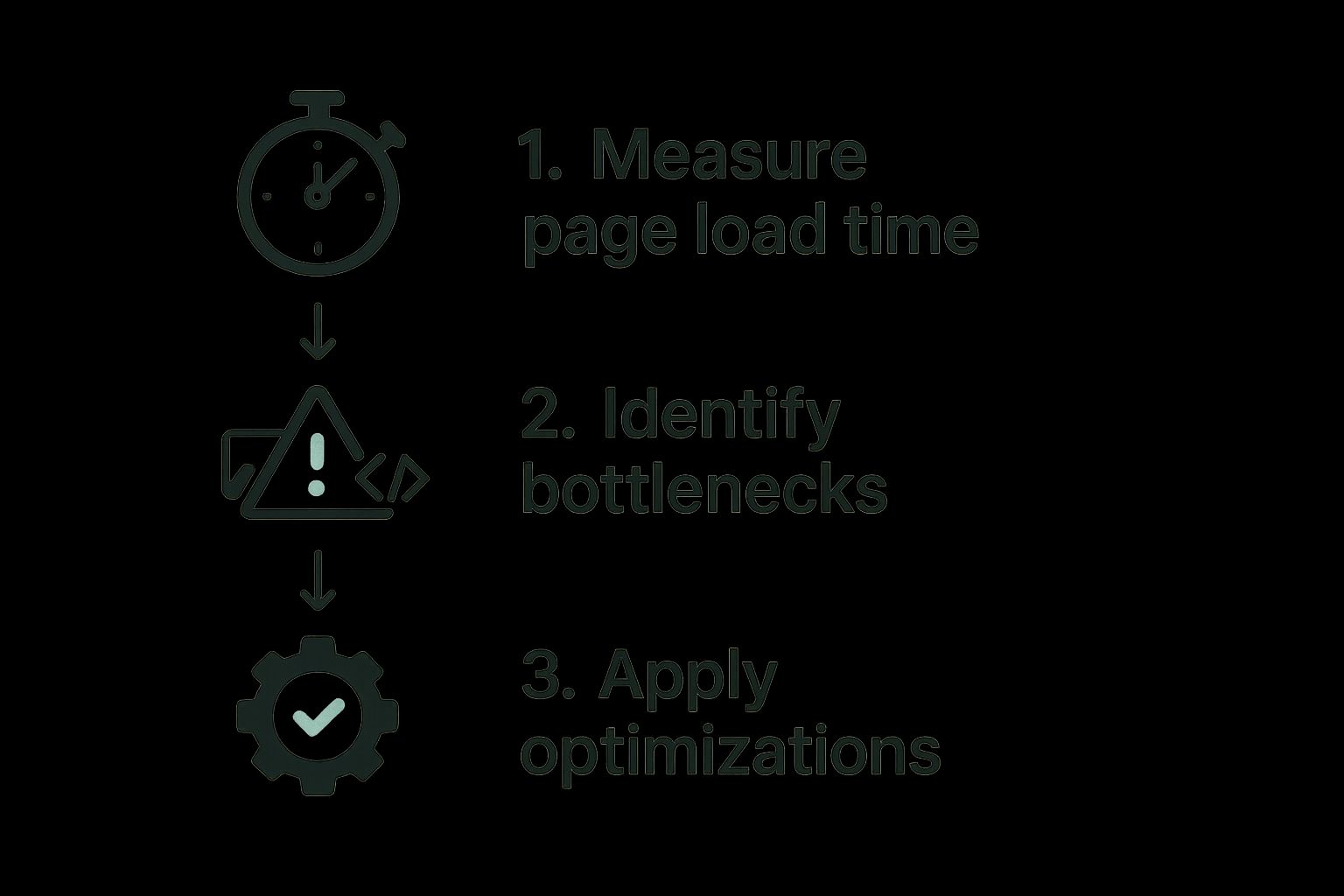
It’s all about a simple progression: find the problem, figure out what's causing it, and then implement the right fix.
Turning Your Plan Into Action
With your priorities straight, it's time to get tactical. Create a simple document—a spreadsheet works perfectly—that lists out every task. For each item, assign an owner and set a realistic deadline.
Once you know what needs fixing, you can find some fantastic strategies on how to optimize your website for search engines to help guide the actual implementation.
An action plan is what turns ambiguity into clarity. It makes sure everyone on the team knows exactly what they’re responsible for and when it needs to get done. Honestly, it's the only way to ensure your audit leads to real, continuous improvement.
For more tips on putting all this together, check out our guide on https://rankhub.ai/blog/creating-seo-report. It’s packed with advice on how to present your findings in a way that stakeholders will actually read and understand.
Got Questions About Website Audits? We've Got Answers.
Even after walking through a step-by-step guide, a few questions always seem to come up. It's totally normal. Let's clear up some of the most common ones so you can get started on your own audit without any hesitation.
How Often Should I Actually Do This?
This is probably the number one question I get. The honest answer? It depends.
For a full, top-to-bottom, deep-dive audit, you're probably looking at doing it annually. This is your big-picture review where you leave no stone unturned.
But you can't just set it and forget it for the other 11 months. That's why I always recommend smaller, more focused check-ins quarterly or even monthly. Think of it as preventative care for your website.
Here’s what that might look like in practice:
- Monthly: Run a quick technical crawl. Your goal is simple: find and fix any new 404s, broken links, or redirect chains before they become a bigger problem.
- Quarterly: Take a closer look at your Core Web Vitals and review the performance of your most important landing pages. Are they still fast? Are they still converting?
This rhythm turns auditing from a massive, once-a-year headache into a manageable, continuous process. It’s about building a habit of improvement, not just tackling a giant project.
What Are the Best Tools If I'm Just Starting Out?
You absolutely do not need to spend a fortune on a giant software suite. In fact, you can get incredibly far with a few free, powerful tools.
Your first stop should always be Google's own offerings. They're non-negotiable.
- Google Analytics: For understanding your traffic—who's visiting, where they're coming from, and what they do.
- Google Search Console: For everything related to your site's health in Google's eyes, from technical errors to keyword performance.
To actually crawl your site and find those pesky technical issues, you can't go wrong with the free version of Screaming Frog. It lets you crawl up to 500 URLs, which is more than enough for most small and medium-sized websites. Just these three tools will give you a clear picture of 90% of the critical issues you need to fix.
An audit's real value isn't in the long list of problems you find. It's in the meaningful improvements you make afterward. Always track your key metrics—like organic traffic, keyword rankings, and conversion rates—before and after you implement changes. That’s how you prove your hard work is actually paying off.
Ready to stop guessing and start knowing exactly which keywords will drive traffic? RankHub analyzes your entire website in under 60 seconds to deliver a prioritized action plan. Ditch the complex spreadsheets and get AI-powered insights today at https://www.rankhub.ai.
More from Our Blog
7 Content Writing Tools That Boost Your SEO Rankings
Discover the top 9 SEO content writing tools to automate drafting, optimization, and publishing. Boost rankings with AI-assisted workflows.
Read more →
Zoho Marketing Automation Explained: Is It Right for You?
Compare Zoho Marketing Automation vs HubSpot on pricing, features, ease of use, and automation depth. See which wins for small teams and solo founders.
Read more →
Looking for an SEO Company? Here Are Your Best Options
Compare top SEO companies, AI platforms, and agencies. Find the best fit for your budget, from $49/month tools to full-service retainers.
Read more →