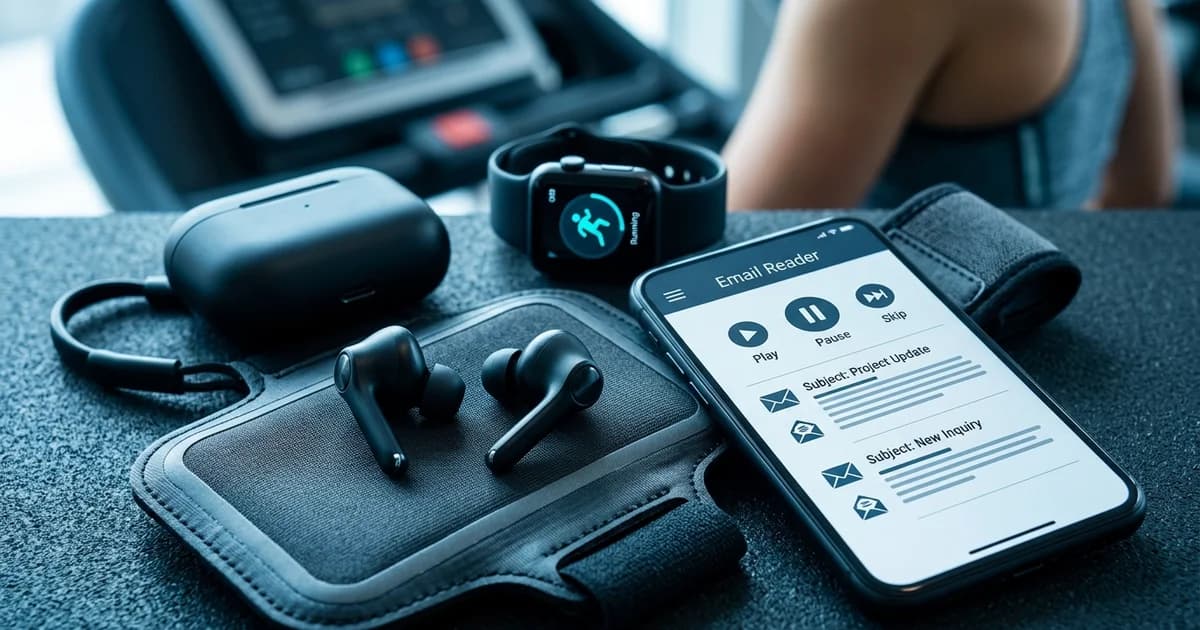
Listen to Emails While Exercising: 5 Expert Tips for Productive Workouts
Staying on top of your inbox while maintaining a consistent fitness routine feels like an impossible balancing act — until you discover that your workout time and your email time don't have to compete. Busy professionals are increasingly turning to audio-based email tools to reclaim those 45 minutes on the treadmill or stationary bike, transforming passive cardio into genuinely productive time.
At VoiceMyMail, our analysis consistently shows that professionals who integrate email listening into low-to-moderate intensity workouts report higher inbox zero rates and fewer post-workout email backlogs — without sacrificing workout quality. The technology making this possible has matured rapidly. According to Deloitte (2026), the wearables segment shipped 136.5 million units in Q2 2025, representing a 9.6% year-over-year increase — and as Deloitte notes, "the wearables segment continues to outperform expectations, maturing toward AI-enhanced, health-centered products."
This guide is built for busy professionals, executives, and fitness-minded multitaskers who want a practical, expert-backed system for listening to emails while exercising. Whether you're a complete beginner or already experimenting with audio tools, these tips will help you build a smarter, safer, and more productive workout routine.
Quick Wins: Top 3 Tips for Immediate Implementation
You don't need a complex setup to start listening to emails during exercise. These three tips can be implemented today, require minimal configuration, and deliver immediate results — making them the perfect starting point before you layer in more advanced strategies.
Tip 1: Enable Text-to-Speech on Your Email App During Warm-Up
Your warm-up is the ideal time to start your email audio session. Heart rate is low, cognitive load is minimal, and you're not yet deep in a workout flow state. Most smartphones offer built-in accessibility features — iOS VoiceOver and Android TalkBack — that can read email content aloud with a few taps.
How to implement it:
- On iPhone: Go to Settings → Accessibility → Spoken Content → Speak Screen
- On Android: Enable TalkBack under Settings → Accessibility
- Open your email app, select an email, and swipe down with two fingers (iOS) to trigger read-aloud
Pro Tip: Set your warm-up as a dedicated "email scan" window. Even five minutes of audio email during a light jog or stretch can clear 8–12 messages from your inbox before the real workout begins.
Tip 2: Use Wearable Notifications to Filter Emails by Priority
Not every email deserves your attention mid-workout. Smartwatches like the Apple Watch and Wear OS devices let you configure notification filters so only high-priority or VIP emails vibrate your wrist. This means you stay in the zone while still catching anything urgent.
How to implement it:
- On Apple Watch: Use Focus Modes to allow only starred or VIP contacts to push notifications
- On Wear OS: Configure Priority Notifications in the companion app
- Set a custom vibration pattern for urgent emails so you can identify them without looking
Tip 3: Schedule Email Listening Sessions for Low-Intensity Cardio Blocks
Timing matters more than most people realize. High-intensity intervals demand full cognitive and physical attention. Low-intensity steady-state cardio — think a 30-minute walk, easy cycling, or a relaxed elliptical session — is where email listening thrives. Schedule your email audio sessions to align with these blocks deliberately.
Pro Tip: Block 20–30 minutes of Zone 2 cardio three times per week specifically as your "inbox audio" window. Treat it like a meeting — it's protected time for both fitness and email triage.
Audio Email Setup Tips: Getting Started with Voice Readers
Getting your audio email setup right from the beginning saves significant frustration later. The difference between a seamless listening experience and a garbled, distracting one comes down to three factors: the tool you choose, how you configure it, and the audio hardware you use.

Choosing the Right Email-to-Speech Tool
Native accessibility features are a solid starting point, but dedicated AI-powered email readers offer significantly better voice quality, smarter filtering, and fitness-friendly interfaces. Tools like VoiceMyMail convert your inbox — including newsletters and long-form emails — into natural-sounding audio that's easy to follow even at moderate exercise intensity. If you're already exploring audio content on the go, the strategies covered in Ways to Listen to Newsletters on the Go translate directly to email listening as well.
Key features to look for in an email-to-speech tool:
- Natural AI voices (not robotic text-to-speech)
- Smart email summarization for long messages
- Priority filtering to skip low-value emails automatically
- Offline playback for areas with poor gym Wi-Fi
- Multi-platform support across iOS, Android, and wearables
Configuring Voice Speed and Clarity
Most professionals find a playback speed of 1.3x to 1.5x ideal for exercise listening — fast enough to be efficient, slow enough to retain information. In noisy gym environments, clarity matters more than speed.
Configuration checklist:
- Set voice speed between 1.2x and 1.5x to start
- Choose a voice with strong consonant articulation (avoid overly smooth voices that blur words)
- Enable noise-enhanced audio profiles if your earbuds support them
- Test your setup in a noisy environment before relying on it during a real workout
Setting Up Email Filtering Before You Press Play
Listening to every email indiscriminately is the fastest way to burn out on this habit. Before your first session, configure filters so your audio queue only includes emails worth your attention.
Recommended filter hierarchy:
- VIP/starred contacts — always read aloud
- Subject line keywords (e.g., "urgent," "action required") — always read aloud
- Newsletters and digests — queue for low-intensity sessions
- Promotional emails — skip or archive automatically
Pro Tip: Create a dedicated "Workout Inbox" label or folder in Gmail or Outlook. Route filtered emails there so your audio tool has a clean, curated queue ready before you hit the gym.
Wearable Integration Tips: Syncing Fitness Devices with Email
Wearables are the bridge between your fitness routine and your inbox. When configured correctly, they let you monitor email priority without breaking workout flow — a glance at your wrist replaces the dangerous habit of pulling out your phone mid-set.
Pairing Smartwatches with Email Audio Readers
The Apple Watch Series 9 and Ultra 2, Samsung Galaxy Watch 7, and Google Pixel Watch 3 all support email notification mirroring from your phone. Pair these with an AI email reader on your phone, and your wrist becomes a discreet control panel.
Setup steps for Apple Watch + email audio:
- Install your email audio app on iPhone
- Enable Handoff so audio controls appear on your watch
- Use the Now Playing complication on your watch face for quick playback control
- Configure haptic alerts for priority email notifications
Managing Battery Life During Audio + Fitness Tracking
Running GPS, heart rate monitoring, and audio streaming simultaneously drains battery faster than most users expect. A few adjustments extend your session significantly.
Battery optimization tips:
- Download audio queues offline before leaving for the gym
- Disable always-on display during workout sessions
- Use Bluetooth 5.0 or higher earbuds — they consume less power than older Bluetooth versions
- Keep your phone in airplane mode with Wi-Fi only if you don't need cellular
Pro Tip: Charge your wearable and earbuds simultaneously during your pre-workout routine. A 15-minute charge on most modern earbuds delivers 2–3 hours of playback — more than enough for a full workout session.
Workout-Specific Tips: Matching Email Listening to Exercise Type
The type of exercise you're doing should directly determine how you engage with email audio. Mismatching intensity and cognitive demand is the most common reason people abandon this habit within the first week.

Steady-State Cardio: Your Primary Email Window
Steady-state cardio is the gold standard for email listening. Walking, easy cycling, elliptical at moderate resistance, and light rowing all maintain a heart rate zone where your brain can process spoken information effectively.
What works well during steady-state cardio:
- Full email read-alouds (not just summaries)
- Newsletter audio — convert long-form content using tools like VoiceMyMail for distraction-free listening
- Mental note-taking and response planning
- Listening to email threads with context and nuance
High-Intensity Intervals: Brief Summaries Only
During HIIT, your cognitive resources are almost entirely redirected to physical performance. Attempting to process detailed emails during a sprint interval is both ineffective and potentially unsafe.
HIIT email strategy:
- Use AI-generated email summaries (2–3 sentences max) during rest periods only
- Set wearable to vibrate for urgent emails — review during the cool-down
- Queue detailed emails for your post-workout stretch
Strength Training: Between-Set Notifications
The 45–90 second rest period between sets is a natural email check-in window. Rather than scrolling your phone, configure your wearable to surface one priority notification per rest period.
Between-set email protocol:
- One wearable notification per rest period maximum
- No audio playback during active sets — safety and form require full attention
- Use voice-to-text for quick replies if your watch supports it (Apple Watch dictation, Wear OS voice input)
Common Mistakes to Avoid
Even well-intentioned professionals make predictable errors when they first start listening to emails while exercising. These five mistakes are the most common — and the most avoidable.
Mistake 1: Listening to All Emails Indiscriminately
The problem: Without filters, your audio queue becomes a firehose of promotional emails, low-priority threads, and irrelevant newsletters. This creates cognitive overload and kills workout focus.
The fix: Implement the priority filter hierarchy described in the setup section before your first session. Your audio queue should never exceed 15–20 minutes of content per workout.
Mistake 2: Using Low-Quality Text-to-Speech
Robotic, monotone voices are exhausting to follow in a noisy gym environment. When comprehension requires effort, your brain diverts resources away from your workout.
The fix: Use AI-powered readers with natural voice synthesis. The difference in comprehension between a robotic TTS voice and a high-quality AI voice is significant — especially at 1.3x+ playback speed.
Mistake 3: Attempting Complex Email Responses During Intense Exercise
Dictating a detailed reply while running at 80% max heart rate produces incoherent messages and creates safety risks. This is a habit that erodes professional credibility quickly.
The fix: Use workouts for listening and planning only. Save responses for post-workout, when you can give them proper attention. Many professionals find that planning responses during cardio actually makes their written replies sharper and more concise.
Mistake 4: Neglecting Audio Privacy in Shared Gym Spaces
Playing emails through open speakers — or using earbuds with significant audio bleed — exposes sensitive business information to strangers in shared gym environments.
The fix: Use noise-isolating or noise-canceling earbuds that contain audio effectively. Never use speaker mode for email listening in public spaces.
Pro Tip: In our experience working with professionals across industries, the most common complaint isn't about the technology — it's about accidentally broadcasting a confidential email in a crowded gym. Invest in quality earbuds before anything else.
Tools and Resources: Best Apps and Platforms for Email Audio
Choosing the right tools makes the difference between a habit that sticks and one that gets abandoned after a week. Here's a practical breakdown of what works.
Learn more about how VoiceMyMail can help with listen to emails while exercising.
| Tool Category | Top Options | Best For |
|---|---|---|
| AI Email Readers | VoiceMyMail, Natural Reader | Full inbox audio with AI voices |
| Native TTS | iOS Spoken Content, Android TalkBack | Quick setup, no extra app needed |
| Wearable Platforms | Apple Watch, Wear OS, Fitbit | Priority notifications and playback control |
| Email Management | Gmail Priority Inbox, Outlook Focused Inbox | Pre-filtering before audio queue |
AI-Powered Email Readers
VoiceMyMail stands out for professionals who want a dedicated solution — it converts emails and newsletters into natural-sounding audio with AI voices, supports multi-language playback, and integrates with major email platforms. If you're already using it for newsletters, the guide to converting newsletters to audio fast shows how to extend the same workflow to your full inbox.
Earbuds and Headphones for Gym Use
| Feature | Why It Matters for Email Listening |
|---|---|
| Active Noise Cancellation | Blocks gym background noise for clearer audio |
| IPX4+ Water Resistance | Protects against sweat during intense sessions |
| Secure Fit (ear hooks) | Stays in place during running and dynamic movement |
| 8+ Hour Battery Life | Covers multiple workouts without recharging |
| Transparency Mode | Lets you hear gym announcements and safety cues |
Top picks: Sony WF-1000XM5, Jabra Elite 8 Active, Apple AirPods Pro 2, Bose QuietComfort Earbuds II
For a deeper dive into setting up voice-based reading workflows, the text-to-speech newsletter guide covers configuration steps that apply directly to email audio as well.
Before and After: Real Results from Email Listening During Workouts
Professionals who integrate email audio into their fitness routines report consistent, measurable improvements in productivity and workout efficiency. These real-world examples demonstrate how listening to emails during exercise helps individuals stay informed while maintaining their fitness goals, creating a practical dual-benefit approach to time management.

Case Study 1: The Sales Professional
Before: A B2B sales professional was skipping workouts 3–4 times per week to manage email volume during peak pipeline periods. Email response time averaged 4+ hours.
After: By implementing a 30-minute Zone 2 cardio email audio session three times per week, they maintained a 5-day workout routine and reduced average email response time to under 2 hours. The key change: using priority filters so only prospect and client emails were queued for audio.
Result: Consistent fitness routine maintained; email backlog reduced by approximately 60%.
Case Study 2: The Busy Executive
Before: An executive was checking email on her phone between sets at the gym — a habit that extended rest periods and reduced workout effectiveness.
After: Switching to wearable-only email notifications during strength training and reserving full email audio for her morning cardio eliminated phone dependency during workouts entirely.
Result: Workout duration dropped from 75 minutes to 55 minutes (more efficient rest periods) while email awareness remained high.
Many professionals in similar situations also find value in the strategies covered in how professionals read emails while commuting — the same audio-first principles apply directly to gym environments.
Beginner vs. Advanced Strategies: Scaling Your Email Fitness Routine
| Level | Strategy | Tools Required |
|---|---|---|
| Beginner | Email summaries during 20-min walks, native TTS | Smartphone + earbuds |
| Intermediate | Priority filtering + wearable notifications | Smartwatch + AI email reader |
| Advanced | AI triage + voice quick-replies + offline queues | AI reader + Wear OS/Apple Watch |
| Expert | Productivity analytics + integrated workflow | Full wearable + email automation |
Pro Tip: Spend at least two weeks at each level before advancing. Rushing to complex setups before the habit is established is the primary reason professionals abandon email listening routines.
Conclusion: Transform Your Workout into Productive Time
The professionals who get the most from their workouts aren't necessarily the ones who train harder — they're the ones who design smarter systems. Learning to listen to emails while exercising is one of the highest-leverage habits available to busy professionals today, and the technology to do it well has never been more accessible.
To recap the five expert areas covered in this guide: set up audio email tools correctly, integrate your wearables for hands-free priority filtering, match email listening intensity to your workout type, avoid the common mistakes that derail the habit, and choose tools built for the job. Each of these areas compounds on the others — the more intentionally you implement them, the more productive your workout time becomes.
Based on our comprehensive analysis at VoiceMyMail, the professionals who build the most durable email-fitness routines start simple: one 20-minute walk with email audio per week, then scale from there. To get started, try VoiceMyMail — it converts your inbox and newsletters into natural-sounding audio in seconds, with no complex setup required. Pair it with the wearable and filtering strategies in this guide, and your next workout could be your most productive one yet.
Frequently Asked Questions
Can you listen to emails while working out?
Yes — and it's increasingly common among busy professionals. The key is matching the type of email content to your workout intensity. Low-intensity cardio like walking or easy cycling is ideal for full email audio, while high-intensity sessions are better suited to brief priority alerts via a smartwatch.
What is the best app to listen to emails while exercising?
Dedicated AI-powered email readers like VoiceMyMail offer the best experience for workout listening — natural voices, smart filtering, and offline playback make them significantly more effective than native accessibility tools. For native options, iOS Spoken Content and Android TalkBack work well for basic use cases.
How do I get my emails read aloud during workouts?
The fastest path is enabling your phone's built-in text-to-speech: on iPhone, go to Settings → Accessibility → Spoken Content → Speak Screen; on Android, enable TalkBack under Accessibility settings. For a more polished experience, an AI email reader app handles filtering, voice quality, and playback control automatically.
Is there a way to hear emails hands-free while running?
Yes. Pair a smartwatch with an AI email reader on your phone, configure priority notifications on your watch, and use wireless earbuds for audio playback. Your watch handles controls and alerts while your phone streams audio — no hands required. Voice-to-text on Apple Watch or Wear OS devices also allows quick replies without stopping.
How do I multitask emails and cardio without losing workout focus?
The secret is strict filtering. Only queue emails that genuinely require your attention — VIP contacts, flagged messages, and high-priority threads. Set a maximum queue length of 15–20 minutes. Treat the audio session as listening and planning only; save all responses for after your workout. This keeps cognitive load manageable and workout quality high.
References
More from Our Blog
Mārtiņš vārda diena – Kāpēc vecāki to bieži palaida garām
Uzziniet visu par Mārtiņa vārda dienu Latvijā: tradīcijas, vārda nozīmi, svinēšanas idejas un kā izvēlēties šo populāro latvisko vārdu.
Read more →
6 Top Document Translation Services With No Subscription Required
Discover 7 free and pay-per-use document translation tools that require no subscription. Compare costs, accuracy, and features for business documents and books.
Read more →
50+ Baby Girl Names: From Classic to Hidden Gems
Discover 9 proven methods to find the perfect baby girl name, from app-based matching to meaning-focused searches. Data-driven tips for expectant parents.
Read more →