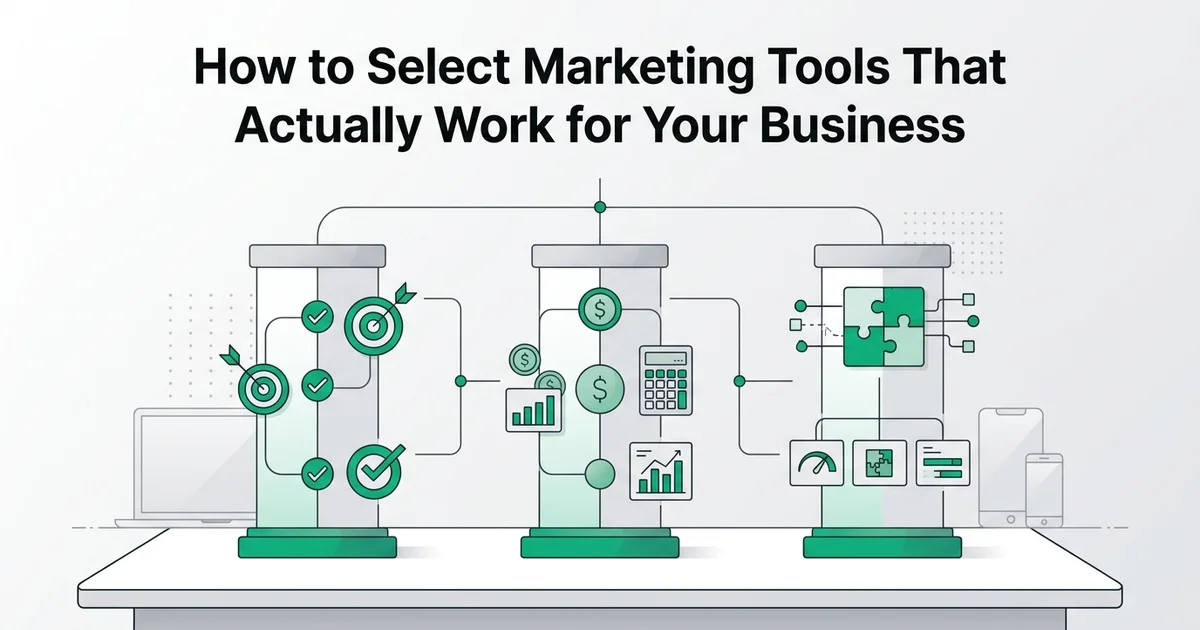
How to Select Marketing Tools That Actually Work for Your Business
- Basic understanding of your marketing goals and channels
- Access to your current marketing budget or spending records
- Familiarity with your existing CRM or marketing platform (if applicable)
Introduction: why choosing the right marketing tools matters
Choosing the right marketing tools is one of the highest-leverage decisions a business can make. The tools you adopt shape how efficiently your campaigns run, how confidently your team operates, and ultimately how much return you generate from every marketing dollar spent.
At RankHub, our analysis shows that most small and mid-sized businesses do not struggle from a lack of tools. They struggle from the wrong combination of tools, ones that fail to integrate, overlap in function, or demand more maintenance than they deliver in value.
The consequences of poor tool selection are concrete: wasted budget on redundant subscriptions, team frustration from clunky workflows, and missed growth opportunities when critical gaps go unaddressed. A well-chosen stack, by contrast, connects your channels, automates repetitive work, and scales alongside your business without requiring a complete rebuild every 18 months.
The urgency to get this right is growing. According to Loomly, 63% of organizations are already using generative AI in their marketing operations, and 85.8% of marketing professionals plan to increase that use over the next 36 months.
This guide walks you through a clear, step-by-step process for evaluating, selecting, and building a marketing stack that actually works.
Step 1: Define your marketing objectives and priorities
Before evaluating a single marketing tool, you need a clear picture of what you are actually trying to achieve. Without defined objectives, you risk building a stack around features rather than outcomes, which is one of the most common and costly mistakes small businesses make.
Audit your current marketing performance
Review your existing campaigns, conversion rates, and engagement metrics. Identify which channels are underperforming and where you're losing efficiency. This baseline helps you measure whether a new tool actually improves outcomes.
List your top 3-5 business goals for the next 12 months
Be specific: increase qualified leads by 40%, reduce email campaign setup time by 50%, improve content publishing frequency, or expand into new channels. Vague goals like 'grow faster' won't guide tool selection effectively.
Map each goal to the marketing activities required
If your goal is 'increase qualified leads,' you might need better lead scoring, email nurturing, and CRM integration. If it's 'publish more content,' you need content planning and distribution tools. This mapping reveals which tool categories matter most.
Prioritize by impact and urgency
Not all goals are equally important. Rank them by business impact and timeline. This prevents you from building a bloated stack that addresses every possible need instead of solving your most critical problems first.
Identify your primary business goals
Start by naming the specific outcomes your marketing needs to drive. These typically fall into four categories:
- Lead generation: Attracting new prospects into your pipeline
- Brand awareness: Expanding your visibility in target markets
- Customer retention: Keeping existing customers engaged and loyal
- Sales conversion: Moving prospects toward a purchase decision
Write these down in order of priority. Your number one goal should anchor every tool selection decision that follows.
Map your most important marketing channels
List the channels where your audience actually spends time. For most SMBs, this means some combination of email, organic search, social media, paid advertising, and content marketing. Be honest about where you currently have traction versus where you are simply guessing.
If organic search is a priority, for example, tools that automate SEO content production deserve serious consideration. RankHub's Starter Plan runs AI keyword research and publishes one fully optimized article per week on autopilot, which directly addresses the gap many founders face when they lack a dedicated content team. This kind of focused automation also connects naturally to working with an ai seo agency model where output is consistent without manual effort.
Pinpoint bottlenecks and workflow gaps
Document where your team loses the most time. Common bottlenecks include:
- Manual content creation and keyword research
- Inconsistent publishing schedules
- Reporting that requires pulling data from multiple disconnected platforms
According to RankMath, 77% of organizations are already using AI for creative development tasks, which signals that automation is no longer optional for teams trying to stay competitive.
Capturing these pain points in writing gives you a practical checklist to test every tool against before you spend a single dollar.
Step 2: Assess your budget and resource constraints
Before evaluating any marketing tools, establish a realistic spending ceiling. Budget planning prevents you from falling in love with a platform you cannot afford to maintain, and it forces you to prioritise features that genuinely move the needle for your business.
Calculate your total available marketing technology budget
Include software subscriptions, implementation costs, training, and ongoing support. For a five-person team, this might range from $300–$1,000 per month depending on tool complexity and feature depth.
Allocate budget by priority tier
Assign 50–60% to foundational tools (CRM, email, analytics), 25–30% to specialized tools (SEO, social media management), and 10–15% to experimental or emerging tools. This prevents overspending on nice-to-have features.
Account for hidden costs beyond subscription fees
Factor in setup time, data migration, training hours, and ongoing support. Many teams underestimate these costs and end up abandoning tools before they deliver ROI.
Set a contingency buffer
Reserve 10–15% of your budget for unexpected costs, price increases, or tools that need replacement. This flexibility prevents budget overruns from derailing your entire stack.
Calculate your true total cost
Most teams underestimate what a tool actually costs. The subscription fee is only the starting point. Build your budget around the full picture:
- Onboarding and setup fees: Many platforms charge one-time implementation costs
- Training time: Factor in hours your team will spend learning new software
- Support tiers: Premium support often sits behind a higher-priced plan
- Integration costs: Connecting tools via third-party services like Zapier adds monthly fees
- Data migration: Moving historical data between platforms can require paid specialist help
Match the tool tier to your team size
A solo founder has fundamentally different needs than a five-person marketing team. Use this as a starting framework:
- Free or low-cost tools: Suitable for solopreneurs testing a channel
- Mid-tier solutions: Appropriate for small teams with defined workflows
- Enterprise platforms: Justified only when dedicated staff can extract full value
For content and SEO specifically, tools like RankHub address a common budget trap: hiring writers or an SEO agency is expensive, but the Starter Plan automates one SEO-optimised post per week, including AI keyword research and featured images, keeping costs predictable without requiring a dedicated content team.
Account for hidden ongoing costs
According to RankMath, the shift toward AI-powered automation is accelerating, which means tools that require heavy manual maintenance will quietly drain more staff time than their price tag suggests. Ongoing maintenance, periodic audits, and feature updates all carry a real resource cost that belongs in your budget calculation from day one.
Step 3: Evaluate integration and data compatibility
Before committing to any marketing tool, confirm it connects cleanly with the systems you already rely on. A powerful platform that operates in isolation creates data silos, duplicates effort, and ultimately costs more to manage than it saves.
Check connections to your existing stack
Map out your current tools, specifically your CRM, email platform, and analytics systems, and verify that any candidate tool offers native integrations with each one. Native integrations (pre-built connections that require no custom code) are faster to set up and easier to maintain than workarounds. If a tool only connects via third-party middleware, factor in that additional cost and complexity.
Prioritize platforms built for omnichannel orchestration
According to Loomly, marketing stacks are increasingly consolidating around connected data and omnichannel orchestration, meaning tools that share first-party data across channels are becoming the baseline expectation, not a premium feature. Look for platforms that pass customer data bidirectionally so your campaigns stay consistent across email, social, search, and paid channels.
For SEO content specifically, RankHub's Starter Plan uses webhook publishing to push articles directly into your existing CMS, eliminating a manual handoff step. If you work with an seo agency, this kind of automated delivery also simplifies collaboration.
Test API documentation before you commit
Review the API documentation and run a small test integration before signing any contract. Verify that the tool supports your preferred data formats and reporting standards. What you should see is clean, consistent data flowing into your analytics dashboard without manual exports or reformatting.
Step 4: Compare features against your core use cases
Before purchasing any marketing tools, build a structured feature matrix that separates what you genuinely need from what simply looks impressive in a demo. This discipline prevents overspending on capabilities your team will never use and keeps your stack lean and purposeful.
Build a must-have versus nice-to-have matrix
Create a simple spreadsheet with your top tool categories as rows and your core use cases as columns. For each cell, mark whether a feature is essential, useful, or irrelevant to your workflow. This exercise forces clarity and makes side-by-side comparisons far more objective than reading vendor marketing copy.
Test with real workflows, not demo data
Activate free trials using actual campaigns, real audience segments, and live content. A tool that performs well on sample data may struggle with your specific volume or format. What you should see after a two-week trial is measurable time saved and fewer manual steps in your existing process.
Evaluate AI capabilities honestly
Research suggests roughly 60% of marketing teams are currently piloting or scaling AI features, yet only 49% are measuring the ROI of those investments. Before prioritising AI-powered tools, define exactly which tasks you want automated. For SEO content specifically, a tool like RankHub runs 15 automated steps monthly, handling keyword research, article creation, and featured images, which is particularly valuable if you lack a dedicated content team or work alongside an seo marketing agency.
Match tools to your team's skill level
Assess the realistic learning curve for each shortlisted tool. A powerful platform that requires weeks of onboarding creates adoption risk, especially in small teams where everyone wears multiple hats. Prioritise tools that deliver meaningful output within the first session.
Step 5: Build your marketing tool stack with integration in mind
A well-structured marketing tool stack starts with a small number of foundational platforms and expands deliberately. Every tool you add should connect cleanly to what already exists, otherwise you create data silos, duplicate effort, and reporting gaps that slow your team down.
Start with a foundational platform (CRM or marketing automation hub)
Choose one central system that will serve as your data hub. This might be HubSpot, Pipedrive, or Salesforce. All other tools should connect to this foundation, not operate independently.
Add specialized tools one at a time
Don't deploy five new tools simultaneously. Add one tool, integrate it fully, train your team, and measure adoption before adding the next. This prevents integration chaos and helps you identify which tools actually drive value.
Verify API connections and data flow before committing
Test that data flows cleanly between your chosen tools. Run a pilot with real data to confirm that lead information, campaign metrics, and customer records sync correctly without manual intervention.
Document your integration map
Create a visual diagram showing how each tool connects to your central platform and to each other. This documentation helps new team members understand the stack and makes it easier to troubleshoot integration issues.
Start with your core three
Before adding any specialist tools, establish three foundations: a CRM to manage contacts and customer data, an email marketing platform to nurture leads, and an analytics platform to track performance across channels. These three systems form the backbone of your stack. Every other tool you add should feed data into at least one of them.

Add specialist tools by channel priority
Once your core is in place, layer in tools for your highest-priority channels. For SEO content, a content marketing automation platform removes the manual burden of research and production. RankHub's Starter Plan, for example, runs 15 automated steps monthly, including AI keyword research and anti-cannibalization checks, then publishes SEO-optimized articles with featured images directly to your site via webhook. According to Rank Math (2024), combining automation tools with a clear channel strategy is one of the most effective ways small businesses can compete on content volume without expanding headcount.
Document your integrations before you build
Map every data flow before activating a new tool. Note which platform sends data, which receives it, and what triggers the transfer. This documentation prevents duplicate records, conflicting attribution, and the kind of reporting confusion that makes performance reviews unreliable. As modern agentic marketing tools increasingly execute multi-step workflows autonomously, a clear integration map also ensures human approval checkpoints are built in at the right moments, keeping your team in control of outcomes.
Step 6: Implement, train, and measure adoption
Once your integration map is in place, successful implementation depends on structured ownership, consistent training, and measurable outcomes. Deploying marketing tools without these foundations is one of the most common reasons adoption stalls and investment goes to waste.
Explore what Starter Plan offers for marketing tools Starter Plan.
Assign tool owners and document everything
Designate a named owner for each platform in your stack. This person is responsible for onboarding, troubleshooting, and keeping documentation current. Create a shared reference document for each tool that covers login credentials, workflow rules, naming conventions, and escalation contacts. Clear documentation reduces dependency on any single team member and accelerates onboarding for new hires.
Conduct training and establish best practices
Schedule structured training sessions before each tool goes live, not after. Define standard operating procedures for how the team should use each platform consistently. This matters more than most teams expect: according to research, 27% of CMOs report limited or no generative AI adoption in campaigns, often because teams were never properly trained on the tools they purchased.
Track adoption and measure ROI
Monitor login frequency, feature usage depth, and time saved per task. In our experience at RankHub, teams that track adoption weekly catch disengagement early and course-correct before it becomes a productivity problem. For tools like seo content automation software, compare content output volume and organic traffic before and after implementation to quantify the return. RankHub's Starter Plan, for example, automates 15 SEO content steps monthly, making time savings straightforward to calculate against your previous manual effort.
Common mistakes to avoid when selecting marketing tools
Even a well-researched selection process can go sideways. These are the pitfalls that most commonly derail small businesses and marketing teams after they have already committed to a new platform.
Choosing tools based on features without testing integrations
A tool's feature list means little if it cannot connect cleanly with your existing stack. Always run a live integration test during your trial period before purchasing. Broken data flows between platforms create manual workarounds that quietly erode the time savings you expected.
Overcomplicating your stack with overlapping platforms
More tools rarely means better marketing. Redundant platforms split your team's attention, inflate costs, and produce inconsistent data. Audit your stack regularly and consolidate wherever two tools serve the same function.
Skipping team training and change management
Adoption does not happen automatically. Without structured onboarding, even excellent tools get abandoned within weeks. Budget time for training alongside your implementation timeline.
Failing to measure ROI before scaling
Scale only what is working. Commit to measuring output, adoption rates, and business impact for at least 60 days before adding more tools to your stack.
Ignoring data privacy and consent requirements
Privacy-first personalization is now a baseline requirement, not a nice-to-have. Any tool handling customer data, especially for automation or personalization, must support consent management, data residency controls, and compliance with regulations like GDPR. According to Loomly, reviewing a tool's data handling policies before onboarding is as important as evaluating its core features. For tools managing seo automation for content teams, confirm that content pipelines do not inadvertently collect or process personal data without proper consent frameworks in place.
Why this framework works for marketing tool selection
This framework succeeds because it replaces gut-feel purchasing with a structured decision process. Each layer builds on the last: clear objectives filter your options, integration checks prevent data silos, budget realism keeps you sustainable, and measurement discipline proves the investment was worthwhile.
Objective-first approach prevents tool sprawl
Starting with outcomes rather than features forces every candidate tool to justify its place in your stack. Without this filter, teams accumulate subscriptions that overlap in function and drain budgets without delivering measurable results.
Integration-focused evaluation ensures smooth data flow
Tools that cannot share data cleanly create manual reconciliation work and reporting blind spots. Prioritising integration compatibility from the outset means your marketing data moves freely across platforms, giving you a single, reliable picture of performance.
Budget and resource assessment keeps decisions sustainable
Affordability at signup means little if ongoing usage requires dedicated technical resources your team does not have. Evaluating total cost of ownership, including setup, training, and maintenance, keeps your stack realistic long-term.
Measurement discipline demonstrates ROI
Every tool should connect to a metric you already track. Research suggests that seo content calendar automation workflows, for example, become far easier to justify when output is tied directly to organic traffic growth and conversion data. Tools like RankHub support this by running 15 automated SEO steps monthly, giving you consistent, trackable content output without expanding your team.
Alternative approaches: quick-start versus custom stacks
The right stack architecture depends on your team size, budget, and growth stage. There is no single correct answer, but understanding the four main approaches helps you avoid overbuilding early or underinvesting when scale demands more.

All-in-one platforms
Tools like HubSpot, Marketo, and Salesforce bundle CRM, email, analytics, and campaign management under one roof. They reduce integration friction and suit teams that prioritize consistency over customization. The tradeoff is cost and occasional feature bloat.
Best-of-breed stacks
Specialized marketing tools connected via APIs or middleware give growth-stage teams flexibility. You pick the strongest tool in each category and wire them together. This approach rewards technical teams comfortable managing integrations.
Lightweight stacks for solopreneurs and early-stage startups
Free and low-cost tools cover most core needs at launch. For SEO content specifically, RankHub's Starter Plan automates keyword research, article production, and webhook publishing, saving 40-plus hours monthly without requiring a dedicated content team. Pair it with a capable online marketing platform for small businesses to cover remaining channels efficiently.
Enterprise solutions
Large marketing teams typically require custom integrations, dedicated vendor support, and governance controls. Organizations also evaluating generative AI and agentic workflows should confirm that enterprise platforms support those capabilities natively before committing.
Real-world example: building a tool stack for a B2B SaaS startup
Consider a five-person marketing team launching a B2B SaaS product on a $500/month budget. Rather than overbuilding from day one, they assembled a lean, connected stack that covered every core function without redundancy.
The core stack
The team started with HubSpot's free CRM for contact management, Mailchimp for email nurturing, and Google Analytics for traffic and conversion tracking. For SEO content, they adopted RankHub's Starter Plan, which runs 15 automated steps monthly to research keywords, check for content cannibalization conflicts, write SEO-optimized articles, attach featured images, and publish directly via webhook. No content team required.
Supporting tools
LinkedIn handled social selling outreach, Zapier connected the platforms and eliminated repetitive data entry, and Loom enabled quick video walkthroughs for nurture sequences and onboarding content.
Results after 90 days
The integrated stack delivered measurable outcomes quickly:
- 40% reduction in manual marketing tasks
- 25% improvement in lead response time
- Consistent weekly content publishing without adding headcount
With research suggesting that 85.8% of professionals plan to increase AI use, this team's approach reflects exactly where practical, budget-conscious marketing is heading.
Time and cost breakdown for tool implementation
Selecting marketing tools is only part of the investment. Understanding the time commitment at each stage helps you plan realistically and avoid bottlenecks that stall adoption across your team.
Research and evaluation
Expect to spend 10 to 15 hours over 2 to 4 weeks comparing options, reading reviews, and running free trials before committing to any tool.
Setup and integration
5 to 10 hours depending on complexity. Tools with native integrations or webhook support, like RankHub, reduce this significantly by automating publishing workflows without custom development.
Team training
Budget 2 to 4 hours per person for each new tool. Simpler, automated platforms require less onboarding time.
Ongoing optimization
Reserve 2 to 3 hours monthly for monitoring performance, adjusting settings, and reviewing outputs to ensure your tools continue delivering results.
Frequently asked questions
What are the best marketing tools for a small business?
The best marketing tools depend on your goals, but most small businesses benefit from a core stack covering email, social media, SEO content, and analytics. According to Loomly, a practical stack prioritizes tools that integrate well and solve immediate revenue-driving needs first.
What marketing tools should a business starting out prioritize?
Start with tools that address your biggest growth bottleneck. For most early-stage businesses, that means email marketing, a basic analytics platform, and an SEO content solution to build organic visibility over time.
What are the best free marketing tools for small businesses?
Google Analytics, Google Search Console, and Mailchimp's free tier cover analytics and email at no cost. Many platforms also offer free trials, making it practical to test before committing budget.
How do I choose the right digital marketing tool for my business?
Match tools to specific, measurable goals rather than features alone. Evaluate integration compatibility, ease of use, and scalability before purchasing.
How many marketing tools should a small business use?
Most small businesses operate effectively with three to five core tools. Fewer, well-integrated platforms consistently outperform large, disconnected stacks.
What is the best marketing automation platform for small businesses?
The right platform depends on your primary channel. For SEO content automation specifically, RankHub runs 15 automated steps monthly, handling keyword research, article creation, and webhook publishing, saving 40 or more hours per month.
How much should a small business budget for marketing software?
Research suggests allocating between 5% and 10% of your marketing budget to software. Prioritize tools with measurable ROI and scale spending as results justify it.
Based on our work at RankHub, businesses that start lean, measure consistently, and expand their stack deliberately achieve far stronger returns than those who adopt every available tool at once.
More from Our Blog
Cost-Effective SEO Solutions Built for Startup Growth
Compare top budget-friendly SEO tools for startups. Find the best affordable solutions with pricing, features, and ROI analysis.
Read more →
Best Social Media Management Tools for Teams & Entrepreneurs
Compare social media management tools including Hootsuite, Buffer and Sprout Social. Review pricing sources, features and team workflow fit.
Read more →
Content Marketing Terms Explained: Your Definitive Glossary
Master content marketing terminology with our comprehensive glossary. Define key terms, concepts, and strategies used by marketing professionals.
Read more →